
12 Small Business Website Best Practices That Convert
Your website is either working for your business or against it, there's no middle ground. Most small business websites fall short not because of bad design, but because they ignore the small business website best practices that actually drive results. A good-looking site that doesn't convert visitors into customers is just an expensive digital brochure, and too many business owners settle for exactly that .
At Multi Web Team, we build and manage websites for multi-location businesses and franchises, so we see what works and what doesn't across hundreds of pages and locations. The patterns are consistent: the sites that generate leads and sales follow a specific set of principles, while the ones collecting dust skip them. These aren't abstract theories , they're practical, proven moves that directly impact whether someone picks up the phone, fills out a form, or walks through your door.
Below, we break down 12 best practices that turn your website into a conversion tool , not just an online placeholder. Whether you're launching a new site or fixing an underperforming one, this is the checklist that matters.
1. Use a managed web team for multi-location sites
Running a website for one location is manageable. Running one for five, ten, or twenty locations is a different challenge entirely. One of the most overlooked small business website best practices for growing businesses is treating your website as a living product that needs consistent, dedicated ownership rather than a one-time build.
Why multi-location sites break without ongoing ownership
Most multi-location websites fall apart gradually. Hours change, promotions expire, and new services launch , but the website stays frozen at launch day. Without a dedicated person or team handling updates, individual location pages become unreliable, which drives visitors away and signals to search engines that your content is stale.
A website that no one owns is a liability, not an asset.
What a good managed setup includes for every location
A solid managed setup goes beyond keeping the lights on. Each location page needs regular updates , accurate information, and ongoing SEO attention to stay competitive in local search. A good managed website plan typically covers:
- Unlimited content updates including photos, hours, and promotions
- Location-specific SEO optimization
- Technical maintenance like security patches and speed monitoring
- Monthly performance reviews tied to real business goals
How to decide between in-house, freelancer, or agency
You have three real options for managing a multi-location site: hire in-house, use a freelancer, or work with an agency. In-house staff gives you control but adds payroll costs and training overhead. Freelancers are often affordable but unreliable for ongoing work at scale. An agency built specifically for multi-location businesses offers consistency, expertise, and accountability without the cost of a full-time hire.
What to ask before you sign a monthly website plan
Before committing to any managed plan, ask the right questions upfront. Pricing transparency and scope clarity protect you from unexpected costs and poor service. Get clear answers on:
- What is included and what costs extra?
- How quickly do they turn around requested updates?
- Do they have experience managing multi-location or franchise sites?
- Who owns the website and domain if you cancel?
A managed plan that answers these questions confidently will save you significant frustration later.
2. Make your value proposition obvious above the fold
When someone lands on your homepage, you have roughly five seconds before they decide to stay or leave. One of the most important small business website best practices is making your value proposition the first thing visitors see and understand, no scrolling required.
What visitors need to understand in five seconds
Your homepage hero must answer three questions at a glance : what you do, who you serve, and why someone should pick you over anyone else. If visitors have to search for basic answers, most of them will leave without taking any action.

- What you do : Your primary service or product in plain terms
- Who you serve : Your target customer or location
- Why you : Your main differentiator, front and center
How to write a clear headline and subheadline
Write your headline to state your core offer in plain language rather than a tagline that sounds polished but communicates nothing. Your subheadline should add one specific supporting detail , like a key benefit, a service area, or a differentiator that backs up the headline directly.
If your headline could describe any competitor without changing a single word, it is not doing its job.
How to match messaging to search intent
Think about the exact phrases your customers type when searching, then mirror that language on the page. Visitors arriving from a local search expect to see location-relevant messaging that confirms they found what they were looking for.
How to validate clarity with a simple test
Show your homepage to someone unfamiliar with your business and ask them what you do after five seconds . If they hesitate, your headline needs work before you adjust colors, images, or anything else.
3. Build a simple site structure that supports growth
A confusing website structure costs you visitors before your content even gets a chance to work. One of the core small business website best practices is building a clear, logical structure from the start so that both people and search engines can navigate your site without friction.
The minimum set of pages most small businesses need
Most small businesses get by with a focused set of core pages rather than dozens of thin, scattered ones. Start with Home, About, Services, Contact, and a location page if you serve a specific area. Adding pages only when they serve a clear purpose keeps your site tight and easier to maintain over time.
How to organize navigation so people do not get lost
Your main navigation should contain no more than five to seven items , and each label should describe exactly what the page contains. Avoid clever labels that make visitors guess. Clear, descriptive navigation reduces friction and keeps people moving toward conversion rather than hunting for basic information.
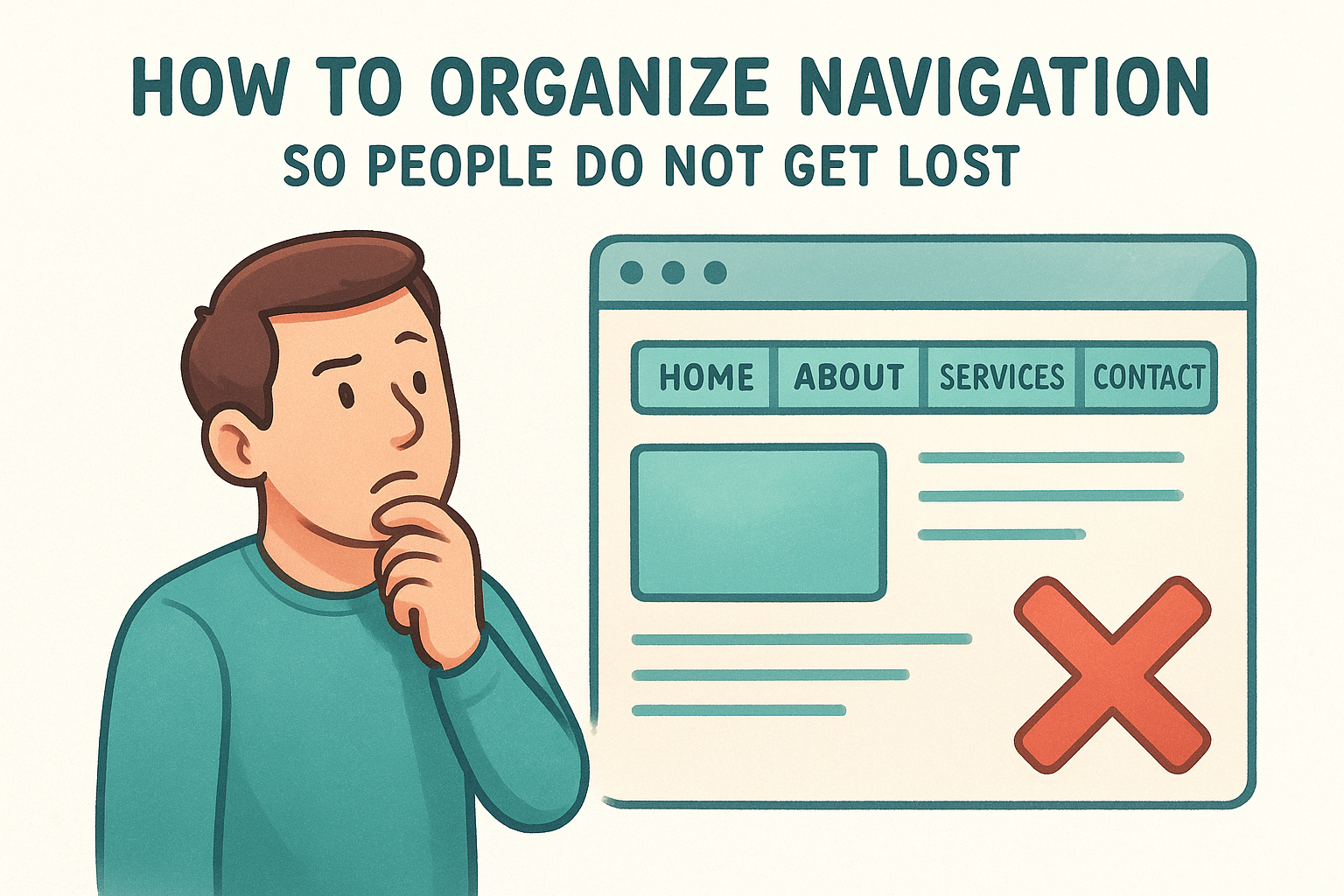
If someone cannot find your contact page in two clicks, your navigation needs a rebuild.
When to use location pages, service pages, and blog posts
Use a dedicated location page for each physical address or service area you want to rank in locally. Service pages work best when a specific offering has its own search demand. Blog posts support informational queries and build topical authority without cluttering your core navigation.
How to avoid duplicate and competing pages
Two pages targeting the same keyword split your authority and confuse search engines about which page to rank. Audit your pages regularly and consolidate any that overlap in topic or keyword focus. Keeping one strong page beats maintaining two weak ones every time.
4. Design every page for one primary conversion
One of the most overlooked small business website best practices is keeping each page focused on a single goal. When you present visitors with too many choices, most will take none . Every page should guide visitors toward one clear action that moves them closer to becoming a customer.
How to pick the main action for each page
Decide what one outcome matters most for each page before you design or write a single word. Match the action to the page's purpose:
- Service pages: quote request or consultation booking
- Contact page: phone call or form submission
- Blog posts: newsletter signup or a link to a related service page
Where to place calls to action so people actually click
Put your primary call to action above the fold and repeat it at the bottom of the page. Visitors who read all the way down are signaling intent, so give them an immediate next step right where they finish reading.
A call to action that requires scrolling to find is not doing its job.
How to improve forms without adding friction
Short forms convert better than long ones. Ask only for the minimum information you need to follow up, usually a name and a contact method. Every extra field you add lowers the number of people who complete it.
What to do when you need multiple offers on one page
When you must include more than one offer, rank them by business priority and make the top one visually dominant through size and color. Keep secondary offers smaller and lower on the page so your primary action still reads as the obvious choice to the visitor.
5. Make your website mobile-first, not just mobile-friendly
More than 60% of web traffic now comes from mobile devices, yet most small business websites still treat mobile as an afterthought. One of the most impactful small business website best practices is designing for the smallest screen first, then scaling up to desktop rather than the other way around.
What mobile-first means in layout and content
Mobile-first means you start every design decision with a phone screen in mind before thinking about how it looks on a desktop. Your content hierarchy on mobile should match how visitors actually consume information: short paragraphs, visible headings, and a clear action within the first screen view without scrolling.
If your site only looks good on a desktop, you are designing for the wrong audience.
How to keep menus, buttons, and forms thumb-friendly
Your menu and buttons need to be large enough to tap accurately without zooming or hitting the wrong element. Keep these specifics in mind:
- Tap targets: at least 44x44 pixels
- Primary CTA button: within easy thumb reach near the top
- Form fields: limited to what fits without excessive scrolling
How to prevent mobile popups from hurting usability
Intrusive popups on mobile block content immediately and frustrate visitors already working with limited screen space. Google also penalizes pages with intrusive interstitials on mobile, so use inline prompts or slim banners instead of full-screen overlays that force visitors to hunt for the close button.
How to spot mobile issues quickly
Open your site on your own phone and navigate every core page as a real visitor would. Pay attention to text that requires pinching, buttons sitting too close together, and forms that push off screen when the keyboard opens.
6. Hit Core Web Vitals with fast, stable pages
Page speed and stability directly affect whether visitors stay or leave, and they factor into how Google ranks your site. Following small business website best practices means treating Core Web Vitals as a baseline requirement, not an optional technical upgrade.
The performance metrics that matter most
Google measures three Core Web Vitals: Largest Contentful Paint (LCP) , which tracks how fast your main content loads; Interaction to Next Paint (INP), which measures responsiveness; and Cumulative Layout Shift (CLS) , which captures how much your page jumps around as it loads. Failing any one of these can push your page down in rankings and frustrate visitors before they ever read a word.
A page that loads slowly signals to visitors that your business does not take their time seriously.
How to fix slow load times without a redesign
Start with image compression since oversized images are the most common cause of slow LCP scores. Convert images to WebP format, enable lazy loading for off-screen content, and use a content delivery network (CDN) to serve files from servers closer to your visitors.
How to prevent layout shift and janky interactions
Layout shift happens when images or fonts load late and push other elements around the page. Fix it by setting explicit width and height attributes on every image and preloading critical fonts so the browser reserves space before content appears.
What to prioritize when you have limited time
Focus on compressing images and removing unused scripts first since these two changes typically produce the largest performance gains with the least technical effort required.
7. Create location pages that rank and convert
Location pages are one of the highest-leverage small business website best practices for any business with a physical presence. A generic page listing all your locations in one place rarely ranks in local search, but a dedicated page for each location gives search engines a specific, relevant signal to match against local queries.
What to include on every location page
Each location page needs enough content to stand on its own. Include the full name, address, and phone number , plus a description of services at that location, any unique details like parking or specialties, and at least one location-specific photo .
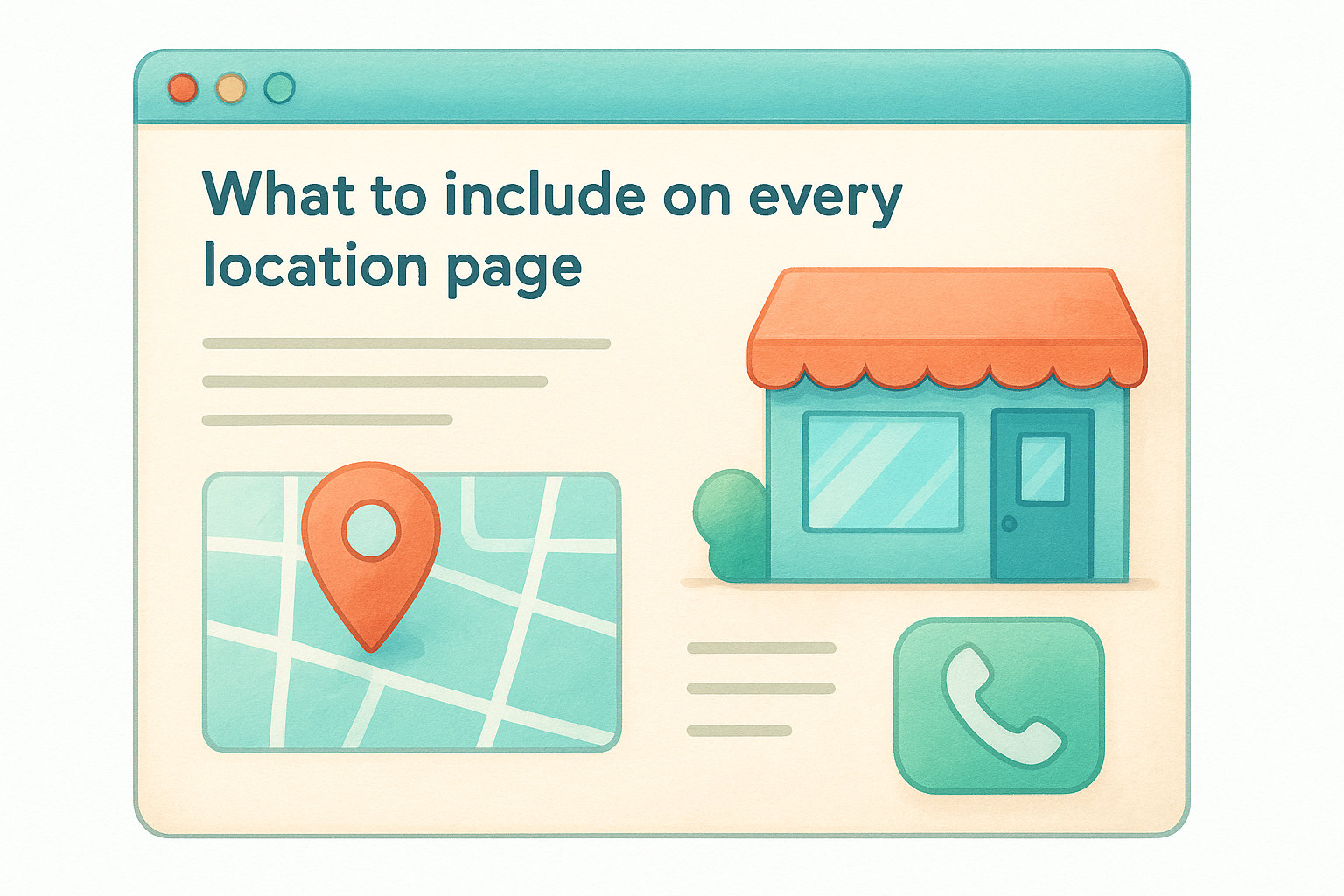
- NAP consistent with your other listings
- Embedded Google Map for the specific address
- A clear call to action tied to that location
How to handle service areas vs physical addresses
If a location serves customers without a fixed storefront , build a service area page around the city or region rather than a street address. Keep the content specific to that area rather than copying the same text across multiple service area pages.
A page that says "serving the greater metro area" without naming specific cities will not rank for any of them.
How to keep location content unique at scale
Write at least one or two sentences unique to each location covering what sets that branch apart. Even small differences in staff details, local landmarks, or community involvement prevent pages from competing against each other in search results and diluting your rankings.
How to connect location pages to Google Business Profiles
Link each location page directly to its corresponding Google Business Profile and keep the NAP information identical across both. Consistent data across your website and your Business Profile strengthens the local ranking signals for each individual location.
8. Use on-page SEO basics on every core page
On-page SEO is one of the small business website best practices that pays dividends on every page you publish. Getting the basics right means search engines can accurately match your pages to the queries your customers are already typing.
How to choose one primary keyword per page
Each page should target one primary keyword that reflects the specific topic or service covered. Spreading a single page across multiple competing keywords dilutes its relevance and makes it harder for search engines to rank it for any of them.
How to write titles and meta descriptions that earn clicks
Your page title should include the primary keyword and stay under 60 characters so it displays fully in search results. Write your meta description as a direct summary of what the page offers, targeting around 150 characters, and include a clear reason to click.
A title that reads like a generic label will lose clicks to a competitor whose title speaks directly to the searcher's intent.
How to structure headings for skimmability and SEO
Use a single H1 per page that matches or closely mirrors your primary keyword. Break body content into H2 and H3 sections so visitors can scan quickly and search engines can identify the main topics covered without reading every word.
How to use internal links to spread authority
Link from high-traffic pages to related service or location pages using descriptive anchor text that tells both visitors and search engines what the destination page covers. This distributes ranking authority across your site and keeps visitors moving toward conversion rather than dead-ending on a single page.
9. Build trust with proof, clarity, and security
Visitors decide whether to trust your business within seconds of landing on your site. Following small business website best practices means treating trust as a design requirement, not an optional layer you add after everything else is built.
The trust signals that matter on small business sites
Your site needs visible proof that real people have worked with you and found value. Trust signals include customer reviews, case studies, logos of recognizable clients, and accurate contact information. Place these elements near your calls to action so visitors see validation right before they decide to act.
- Customer reviews with names and locations
- A physical address or service area clearly stated
- Professional headshots of team members with real names
How to use HTTPS, forms, and basic hardening correctly
Every page on your site should load over HTTPS without exception . Visitors notice the padlock icon, and browsers now flag non-secure pages with warnings that destroy credibility before you say a single word. Keep your contact forms simple and visibly secure to prevent hesitation at the last moment.
A site without HTTPS tells visitors their information is not safe before they even read your headline.
How to reduce anxiety on pricing and contact steps
Hidden pricing and vague contact processes create uncertainty that sends visitors to competitors. If you cannot publish exact prices, explain your process clearly so visitors know what to expect after they reach out. A short sentence like " we respond within one business day " removes a common reason people abandon contact forms.
What to avoid that makes a site feel sketchy
Remove anything that signals low effort or deception : stock photos of fake teams, testimonials without attribution, broken links, and outdated copyright years. Each one erodes confidence faster than any positive trust signal can restore it.
10. Make accessibility a standard, not an upgrade
Accessibility is one of the small business website best practices that directly affects how many visitors can use your site. An inaccessible page loses leads from real customers before they ever reach your contact form.
The accessibility basics that prevent lost leads
Most accessibility failures come down to a short list of fixable issues . Cover these core requirements before anything else:
- Sufficient color contrast between text and background
- Descriptive link text instead of vague labels like "click here"
- Visible focus indicators for keyboard navigation throughout your pages
How to design for contrast, fonts, and readability
Use a minimum contrast ratio of 4.5:1 for body text and keep font sizes at 16px or larger so visitors with low vision can read without zooming or adjusting their display settings.
Visitors who cannot read your content clearly will leave before they reach your call to action.
How to handle images, alt text, and keyboard navigation
Add descriptive alt text to every image so screen readers communicate what the image shows to visitors who cannot see it. Your alt text should describe the content and function of each image rather than just listing the file name.
Test keyboard navigation by pressing Tab through every page and confirm that each interactive element receives a visible focus state so keyboard-only users can complete forms and move through your pages without getting stuck.
How to reduce legal and reputation risk
Inaccessible websites carry real legal exposure under the Americans with Disabilities Act, and website accessibility lawsuits have increased year over year. Beyond legal risk, failing basic accessibility signals to visitors that your business overlooks certain customers.
Addressing these issues also opens your site to a wider audience and typically improves overall usability for every visitor, not just those with disabilities.
11. Use real photos and consistent branding
Visual presentation is one of the small business website best practices that separates sites visitors trust from ones they abandon. Authentic photography and a consistent visual identity signal professionalism before a single word gets read.
When stock photos hurt conversions
Generic stock photos of smiling strangers in staged offices tell visitors nothing about your actual business and often undermine the trust signals you worked hard to build elsewhere. Visitors recognize stock imagery immediately, and it creates distance between your brand and the real people behind it.
Real photos of your team, space, and work convert better than polished images that have nothing to do with your business.
What images to capture for services, teams, and locations
Prioritize photos that show your actual work in progress , your team members by name, and the inside of each location. Even basic smartphone photos of real customers, finished projects, or your physical space outperform stock imagery because they give visitors something genuine to connect with.
How to keep fonts, colors, and spacing consistent
Pick two to three fonts and a defined color palette and apply them the same way across every page. Inconsistent typography and random color choices make your site feel assembled by multiple people with no shared direction, which reduces confidence in your business overall .
How to balance visuals with white space
Crowding every section with images and text makes pages hard to scan. White space directs attention to your most important elements and gives visitors room to process what they are looking at before deciding to act.
12. Keep your site updated and measurable
A website that launched well last year can become a source of lost leads today if no one is actively monitoring it. Following small business website best practices means treating your site as an ongoing business tool that needs regular attention, not a one-time project you set and forget.
What to track in analytics for leads and sales
Set up Google Analytics 4 on every page and define clear goals around the actions that matter most to your business. Without tracking specific conversion events , you are making decisions based on guesswork rather than real visitor behavior. Focus on:
- Form completions and phone click events
- Traffic sources tied to actual lead volume
- Page performance on your highest-intent service and location pages
How to set up call tracking and form tracking responsibly
Use call tracking numbers tied to specific pages so you know which content drives phone inquiries. Connect your form submissions to a CRM or email notification so no lead goes unnoticed, and confirm your setup respects applicable privacy regulations before you go live.
If you cannot trace a lead back to a specific page, you cannot improve the pages that matter most.
What to update monthly for accuracy and rankings
Review your hours, service descriptions, and current promotions every month to confirm the information matches what you are actually offering. Outdated content erodes trust and hurts rankings since search engines treat fresh, accurate pages as more reliable for local queries.
How to prevent broken links and outdated pages
Run a monthly crawl using Google Search Console to catch pages returning errors or pointing to destinations that no longer exist. Fix or redirect broken links immediately since every dead end costs you visitors and signals poor maintenance to search engines.
Next steps
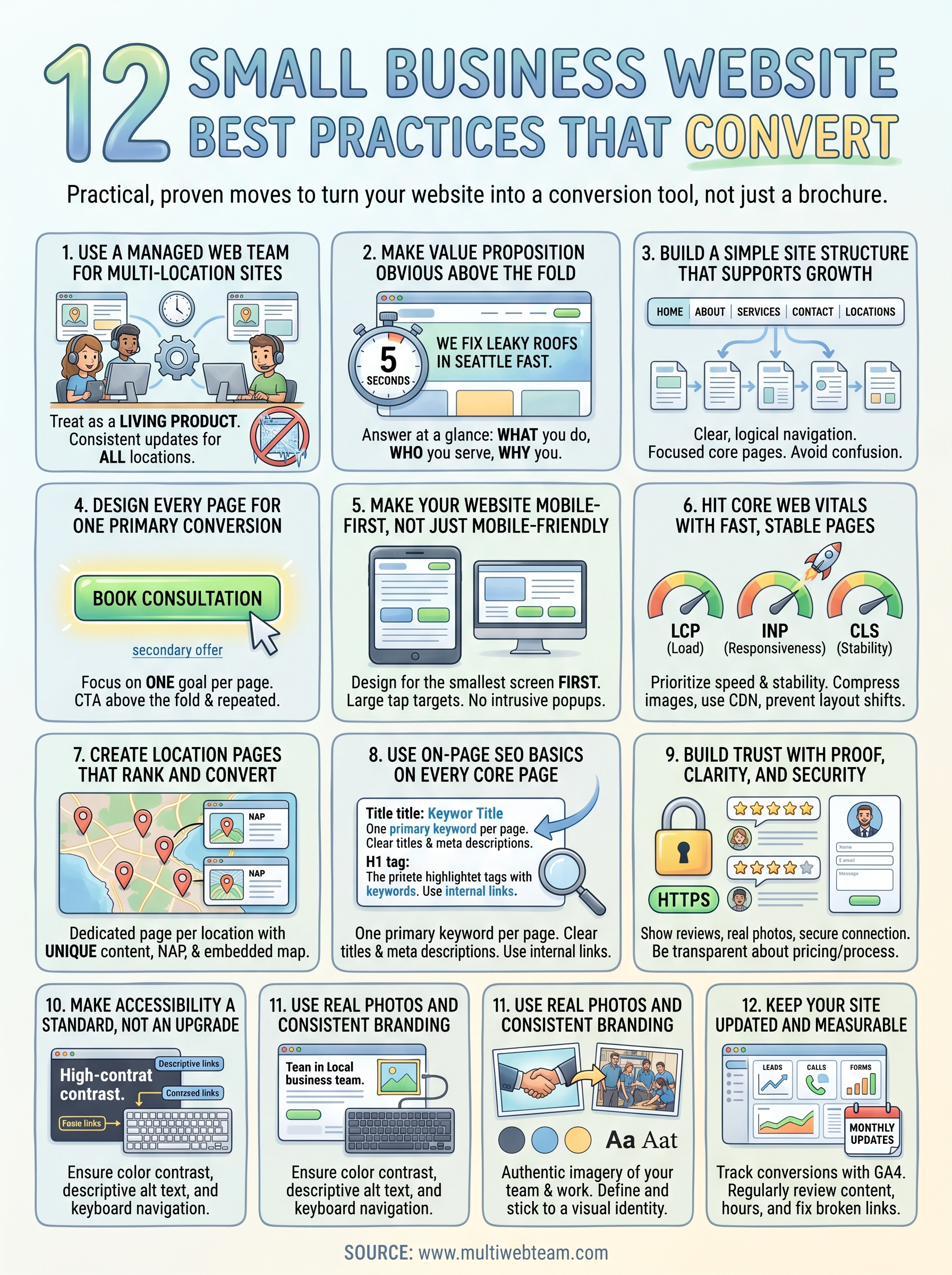
These 12 small business website best practices give you a clear framework to build a site that works as hard as your business does. Covering everything from mobile-first design and Core Web Vitals to location pages and trust signals, each practice directly affects whether visitors convert or leave without taking action.
Start by identifying the two or three areas where your current site falls shortest , then address those before moving to the rest. Trying to fix everything at once leads to slow progress and inconsistent results.
If you run a multi-location business or franchise and need a team that handles ongoing design, updates, SEO, and maintenance under one roof, Multi Web Team is built specifically for that challenge. You get a dedicated external web team that keeps every location page accurate, optimized, and ready to convert, without the overhead of managing it yourself.










