
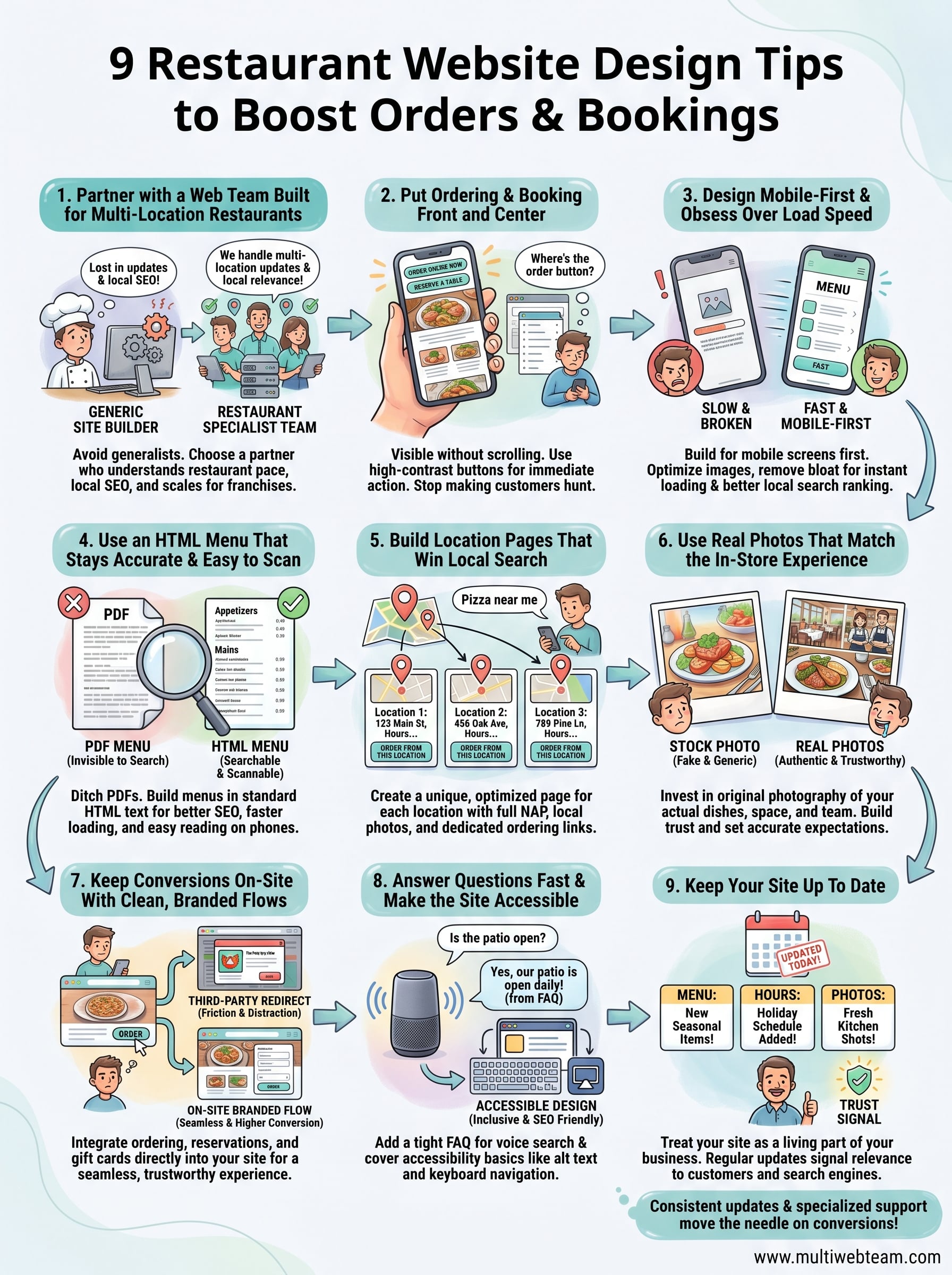
9 Restaurant Website Design Tips to Boost Orders & Bookings
Your restaurant's website is doing one of two things right now: bringing in orders and bookings , or quietly sending hungry customers to your competition. Most restaurant sites fall into the second category, not because the food is bad, but because the site makes it too hard to find the menu, place an order, or reserve a table. The right restaurant website design tips can fix that fast.
A well-designed restaurant website doesn't need to be flashy or complicated. It needs to load quickly, show the menu without requiring a PhD in navigation, and make it dead simple for someone to take action , whether that's ordering delivery or booking a Friday night table. Every design choice should serve that goal.
At Multi Web Team, we build and manage websites for multi-location restaurants and food service franchises. We've seen firsthand what works, what doesn't, and what actually moves the needle on conversions. This article breaks down nine specific design tips we recommend to restaurant owners who want their website to pull its weight, driving more online orders, more reservations, and more foot traffic to every location.
1. Partner with a web team built for multi-location restaurants
Managing a restaurant website sounds straightforward until you're running three locations and trying to keep every menu, address, and promotion current across all of them. A generalist web designer who builds corporate sites or e-commerce stores doesn't understand your operational pace, your local SEO requirements , or what it takes to convert a hungry customer who decides in ten seconds whether to order from you or someone else. The single most important restaurant website design tip you can act on is finding a web team that actually specializes in restaurants.
What to do
Look for a web team that focuses on restaurant or multi-location businesses , not one that lists restaurants as one of thirty industries they happen to serve. You want a partner who understands that your menu changes seasonally, your promotions rotate weekly, and each location may have different hours or offerings. They should also handle ongoing updates as part of the service , not bill you every time you need to swap a photo or add a limited-time offer.
Why it boosts orders and bookings
A specialized team builds your site with conversion in mind from day one . They know where to place the "Order Now" button, how to structure location pages for local search, and how to keep load speeds fast across many pages. When your site is built by someone who does this work daily, you skip months of trial and error that come with a generalist approach.
The right web team doesn't just hand you a finished website. They keep it working for you every single day.
How to implement it without losing brand control
You don't have to choose between getting expert help and staying in control of your brand. A strong web team works from your brand guidelines, uses your approved color palette and fonts, and reviews changes with you before anything goes live. Set up a clear approval process from the start so every update feels collaborative rather than something that happens without your input.
Multi-location notes for franchises and growing groups
Franchises and restaurant groups face an extra challenge: maintaining brand consistency across every location while still letting each site reflect local details. A web team with multi-location experience builds scalable templates so adding a new location doesn't mean starting from scratch. They also understand location-level SEO structure , making sure each location gets its own optimized page rather than disappearing into a generic "Find a Location" dropdown.
2. Put ordering and booking front and center
Most restaurant visitors arrive at your site with a clear intention : they want to order food or reserve a table. If your site makes them hunt for those options, many of them will leave. This is one of the most overlooked restaurant website design tips , and fixing it costs nothing except attention.
What to do
Place your primary call-to-action buttons, "Order Online," "Reserve a Table," or both, at the very top of every page, visible without scrolling. Use high-contrast colors that stand out from the rest of the header. Avoid burying these buttons in a navigation dropdown or footer where only determined visitors will find them.
Why it boosts orders and bookings
Friction kills conversions. Every extra click or scroll you add between a visitor and the action you want them to take reduces the chance they complete it . Studies on user behavior consistently show that people make decisions about a website in seconds. A clear, prominent call to action captures that window before they move on.
Your homepage should answer one question above everything else: "How do I order or book right now?"
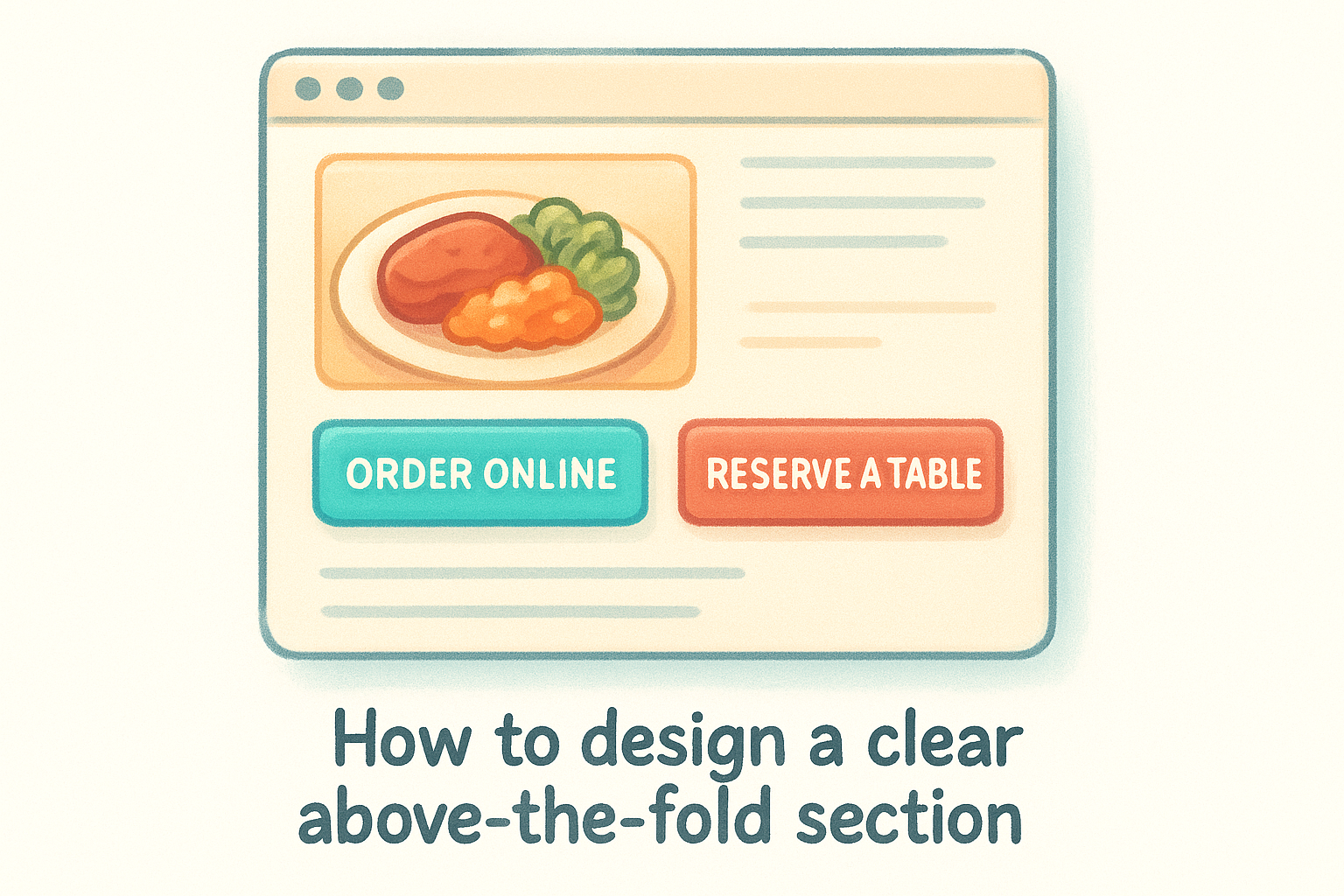
How to design a clear above-the-fold section
Keep the above-the-fold area tight: your restaurant name, a strong hero image, and one or two action buttons. Remove anything that competes for attention, like social media feeds or long welcome paragraphs. Let the visual do the work, and let the buttons do the converting.
Multi-location notes for location-specific actions
If you run multiple locations , link each call-to-action button to a location selector first so guests land on the right ordering page or booking flow. Sending all traffic to a single generic form creates confusion and drops.
3. Design mobile-first and obsess over load speed
Most people searching for a place to eat are on their phones . If your site loads slowly or looks broken on a small screen, you lose that customer before they ever see your menu. Mobile performance is one of the most impactful restaurant website design tips you can act on right now.
What to do
Build your site for mobile screens first , then scale up to desktop. That means large tap targets, readable font sizes, and a layout that works without hover effects or wide tables.
Your menu, order button, and contact details should all appear without excessive scrolling on any device. Test your site on a real phone regularly, not just a browser's built-in simulation tool.
Why it boosts orders and bookings
Google uses mobile-first indexing , which means it ranks the mobile version of your site when determining search placement. A slow or broken experience doesn't just frustrate visitors; it damages your local search visibility directly.
Speed is not a technical detail. It determines whether a visitor orders from you or leaves for your competitor.
How to speed up your site without redesigning everything
Start with image compression . Oversized photos are the most common cause of slow load times on restaurant sites. Switch to WebP format and remove autoplay video on mobile pages.
Cut any unused third-party scripts or plugins that add load time without adding value . Most sites carry several of these, and removing them can shave seconds off your total page load time without touching the design at all.
Multi-location notes for shared templates and performance
A shared template keeps load performance consistent across all your location pages automatically. Your web team should run speed tests on each individual location page , not just the homepage, since local search traffic can land on any of them first.
4. Use an HTML menu that stays accurate and easy to scan
PDF menus are one of the most common mistakes on restaurant websites. They're slow to load, impossible to read on a phone, and invisible to search engines . Switching to an HTML menu is one of the most practical restaurant website design tips you can act on today.
What to do
Build your menu directly into your site using standard HTML text , organized into clear sections like appetizers, mains, and desserts. Each item should have a name, short description, and price on the page itself. Avoid embedding a third-party menu widget if it loads slowly or breaks on mobile.
Why it boosts orders and bookings
Google can read and index an HTML menu , which means your dishes can appear in search results when someone searches for specific food nearby. A PDF cannot do that. A well-structured menu also keeps visitors on your site longer, which signals engagement to search engines and improves your overall ranking.
An HTML menu doesn't just help your customers. It gives Google more content to index and more reasons to rank your site.
How to structure menu pages for humans and SEO
Use descriptive headings for each menu category and include ingredients or preparation details in item descriptions. This helps both skimmers and search crawlers find what they need quickly. Keep font sizes large enough to read without pinching on a phone.
Multi-location notes for menus that vary by location
If your menu differs by location , give each location its own menu page rather than one shared list. This keeps information accurate and gives each page stronger local relevance in search results.
5. Build location pages that win local search
When someone searches "Italian restaurant near me" or "[your city] pizza delivery," Google pulls from location-specific signals to decide which results to show. A generic homepage or a simple store-finder page won't capture that traffic. Among the most overlooked restaurant website design tips is building dedicated location pages designed to rank for local searches and convert every visitor who lands on them.
What to do
Give each restaurant location its own dedicated page with a unique URL. That page should include the full address, phone number, hours of operation, and a link to that location's specific ordering or booking flow. Don't copy content between location pages; write unique descriptions for each one so search engines treat them as distinct, relevant results.
Why it boosts orders and bookings
Local search traffic converts at a high rate because the person searching is already nearby or actively planning to visit. A well-optimized location page captures those searches and sends a ready-to-act customer directly to the right ordering or booking option. Skipping this step means that traffic goes to a competitor who did the work.
A location page that ranks locally is one of the most efficient conversion tools your restaurant website has.
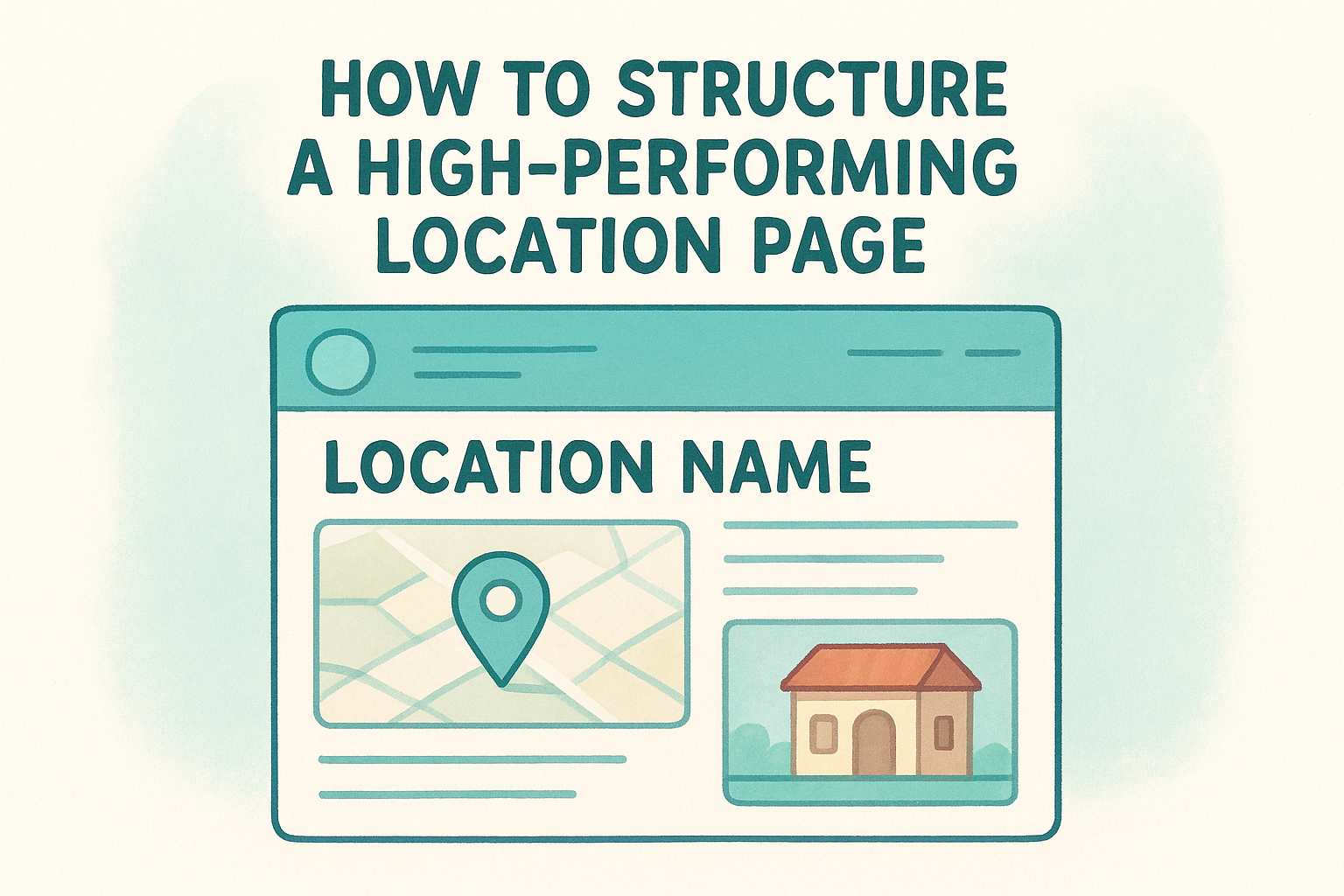
How to structure a high-performing location page
Include the location name, full NAP(name, address, phone) , an embedded map, photos of that specific location, and the local menu if it differs from other locations. Use the city and neighborhood naturally in the page copy and title tag so search engines connect the page to local queries .
Multi-location notes for consistent NAP and internal linking
Keep your NAP information identical across every location page, your Google Business Profile, and any directory listings. Link each location page from your main locations hub so search engines can crawl and index all of them efficiently. Inconsistent information across platforms confuses both users and search engines , which pulls your rankings down directly.
6. Use real photos that match the in-store experience
Stock photos of generic food tell visitors nothing about what to expect from your restaurant. Real photography of your actual dishes, dining room, and staff builds trust and sets accurate expectations before a customer ever walks through the door. Among practical restaurant website design tips , investing in honest, high-quality images consistently ranks as one of the highest-return decisions you can make.
What to do
Use original photos taken at your actual locations , not stock images or styled shots that don't reflect your real menu or atmosphere. Prioritize your most popular dishes, the dining space, and your team . Update photos whenever your menu changes so returning visitors always see something current and accurate.
- Hero shots of your top-selling dishes
- Wide shots of the dining room during service
- Detail shots of drinks, desserts, or signature items
- Candid photos of your staff and kitchen
Why it boosts orders and bookings
Visitors decide fast. A strong food photo makes someone hungry; a weak one makes them leave. Authentic images reduce uncertainty and push hesitant visitors toward booking or ordering. They also give your site a visual identity that stock photography never can .
Real photos close the gap between what someone sees online and what they experience in person.
How to plan a simple photo shot list for the website
Shoot during actual service hours when possible so the energy in the images feels genuine. Keep the lighting consistent across all shots so the final gallery looks polished, not patched together from different sessions.
Multi-location notes for brand consistency across markets
Each location should use photos taken on-site , not recycled images from another location. Maintain a consistent editing style across all locations so the brand feels unified even when the physical spaces look different.
7. Keep conversions on-site with clean, branded flows
Third-party ordering platforms take a cut of every transaction and pull your customer into someone else's experience. One of the most underrated restaurant website design tips is keeping the entire journey, from browsing to checkout, inside your own branded site so you control the experience and keep more revenue.
What to do
Integrate ordering, reservations, catering requests, and gift card purchases directly into your website rather than sending visitors to an external platform. Use embedded tools that match your site's colors and fonts so the transition from browsing to buying feels seamless, not jarring.
Why it boosts orders and bookings
Every time you redirect a customer to an external page, you introduce friction and distraction . A clean on-site flow removes those exit points and keeps the customer focused on completing their order or booking. Visitors who stay in your environment convert at a higher rate than visitors bounced between platforms.
The more your ordering or booking flow looks and feels like your restaurant, the more confident customers feel completing it.
How to integrate ordering, reservations, catering, and gift cards
Use embedded widgets or API integrations that load within your site's layout rather than popping open a new tab or redirecting to a third-party domain. Place each option where it makes logical sense: reservations near the top of your homepage , catering and gift cards in the navigation or a dedicated promotions section.
Multi-location notes for routing guests to the right store
Multi-location restaurants need a location selector built into each flow so customers automatically connect to the correct store's ordering system or booking calendar. A guest who places an order for the wrong location creates operational headaches and a poor customer experience that damages your reputation.
8. Answer questions fast and make the site accessible
Two of the most practical restaurant website design tips get ignored on most sites: giving visitors quick answers to common questions and making sure the site works for everyone. Both choices affect your search visibility and your bottom line.
Tip 8: Add a tight FAQ that supports AI and voice search
When someone asks their phone "Is [restaurant name] open on Sunday?" or "Does [restaurant] have a gluten-free menu?", Google and AI assistants pull answers from structured on-page content . A short FAQ section on your homepage or location pages, written in plain question-and-answer format, positions your site to capture that traffic.
A well-written FAQ answers the question before the customer has to call, reducing friction and staff workload at the same time.
Tip 9: Cover accessibility basics that also improve UX
Alt text on images, sufficient color contrast, and keyboard-navigable menus aren't just legal considerations; they also improve the experience for every visitor. Screen readers, slow connections, and older devices all benefit from accessible markup, and so does your search engine ranking since many accessibility signals overlap with technical SEO best practices.
Why it boosts orders and bookings
Customers who get answers immediately on your site are more likely to convert than those who have to search elsewhere or call during a rush. Accessible design removes barriers that would otherwise cost you reservations.
How to implement FAQs and accessibility without clutter
Keep your FAQ to five to eight high-priority questions : hours, parking, reservations, dietary options, and private events. Use proper heading tags and descriptive link text throughout.
Multi-location notes for consistent policies and information
If policies differ between locations , such as hours or delivery radius, add location-specific FAQ sections rather than one generic list. Consistent, accurate answers across all pages build trust with both visitors and search engines.
Keep your site up to date
These restaurant website design tips only work if your site reflects what your restaurant actually offers today. Outdated hours, expired promotions, and missing menu items frustrate visitors and push them toward competitors who have current information. A site that falls behind erodes trust faster than almost any other mistake you can make online.
Treat your website like a living part of your business, not a one-time project. Regular updates to menus, photos, and location details keep your site accurate and signal to search engines that your content is fresh and relevant . Every change you make is an opportunity to improve both the customer experience and your local search rankings.
If managing those updates across multiple locations sounds like too much to handle internally, Multi Web Team handles all of it under a single subscription so you can focus on running your restaurants.










