Custom Dental Website Design: Costs, Examples, And Agencies
A custom dental website design does more than look good, it builds trust before a patient ever walks through your door. Generic templates and cookie-cutter layouts might check a box, but they won't differentiate your practice from the dozens of other dentists in your area. Patients judge credibility in seconds, and your website is usually their first impression .
If you're running a dental practice, especially one with multiple locations, you need a site that reflects your brand, ranks in local search, and actually converts visitors into booked appointments. But figuring out what that costs, what it should look like, and who to hire can feel overwhelming. The range of agencies, pricing models, and design approaches out there is wide, and not all of them understand the specific needs of dental practices that are scaling .
That's exactly what this article covers. Below, you'll find a breakdown of costs, real design examples worth studying, and a comparison of agencies that specialize in dental websites. At Multi Web Team, we build and manage custom websites for multi-location businesses, dental practices included, so we'll also share what we've learned about what actually works in this space. Whether you're opening your first office or managing several, this guide will help you make a smarter investment in your online presence.
Why custom dental website design matters
Most people searching for a dentist never call first. They land on a website, scan it for 10 to 20 seconds, and either book or leave. That window is short, and a generic template rarely does enough to earn trust in that time. Custom dental website design gives you control over that first impression, so your site communicates exactly what you want patients to feel: confident, informed, and ready to schedule.
First impressions determine whether patients book
When someone needs dental care, they're often anxious, price-conscious, or comparing several practices at once. Your website either reassures them or gives them a reason to keep scrolling. A custom-built site lets you prioritize the information that matters most, like service descriptions, before-and-after photos, provider bios, and easy booking links, without burying it under filler content that templates tend to include by default.
A website that loads fast, looks professional, and answers patient questions directly will outperform a generic template even if the practice behind it is smaller.
Trust signals matter here too. Online reviews, credentials, and photos of your actual office go a long way, but only if your site is designed to showcase them properly. A custom layout puts these elements exactly where patients are looking, rather than squeezing them into placeholder sections designed for a different type of business.
Local SEO separates you from nearby competitors
Ranking in local search results is not automatic. Google prioritizes relevance, proximity, and authority when deciding which dental practices show up in the local pack. Your website structure plays a direct role in two of those three factors. If your site is built on a rigid template, you have limited control over how your pages are organized, what content appears on each one, or how well your practice is represented for specific search terms.
Custom-built sites give your SEO team or agency the flexibility to create location-specific pages , optimize metadata independently, and structure internal links in a way that actually helps search engines understand your practice. That flexibility is not something most templates offer out of the box. For practices in competitive markets, the difference between ranking in the top three results and ranking on page two is significant in terms of new patient volume.
Multi-location practices have specific needs templates cannot meet
If you run more than one office, a single-page or template-based website creates problems fast. Patients searching for a dentist in a specific city need to land on a page that's relevant to their location, not a homepage that lists every office in a sidebar. Each location needs its own optimized page with unique content, local keywords, a Google Business Profile connection, and its own conversion path.
Managing that across multiple locations with a template is difficult at best. Templates were not designed with franchise or multi-location logic in mind, so you end up with workarounds that hurt both the user experience and your search performance. A custom dental website design built for multi-location businesses handles this from the start, with a structure that scales as you open new offices rather than breaking down when you try to expand.
Beyond structure, consistency matters. Patients visiting a second location should feel like they're interacting with the same brand they already trust. A custom site gives you that consistency in design, tone, and functionality across every location, without requiring a separate website for each office.
What a custom dental site includes
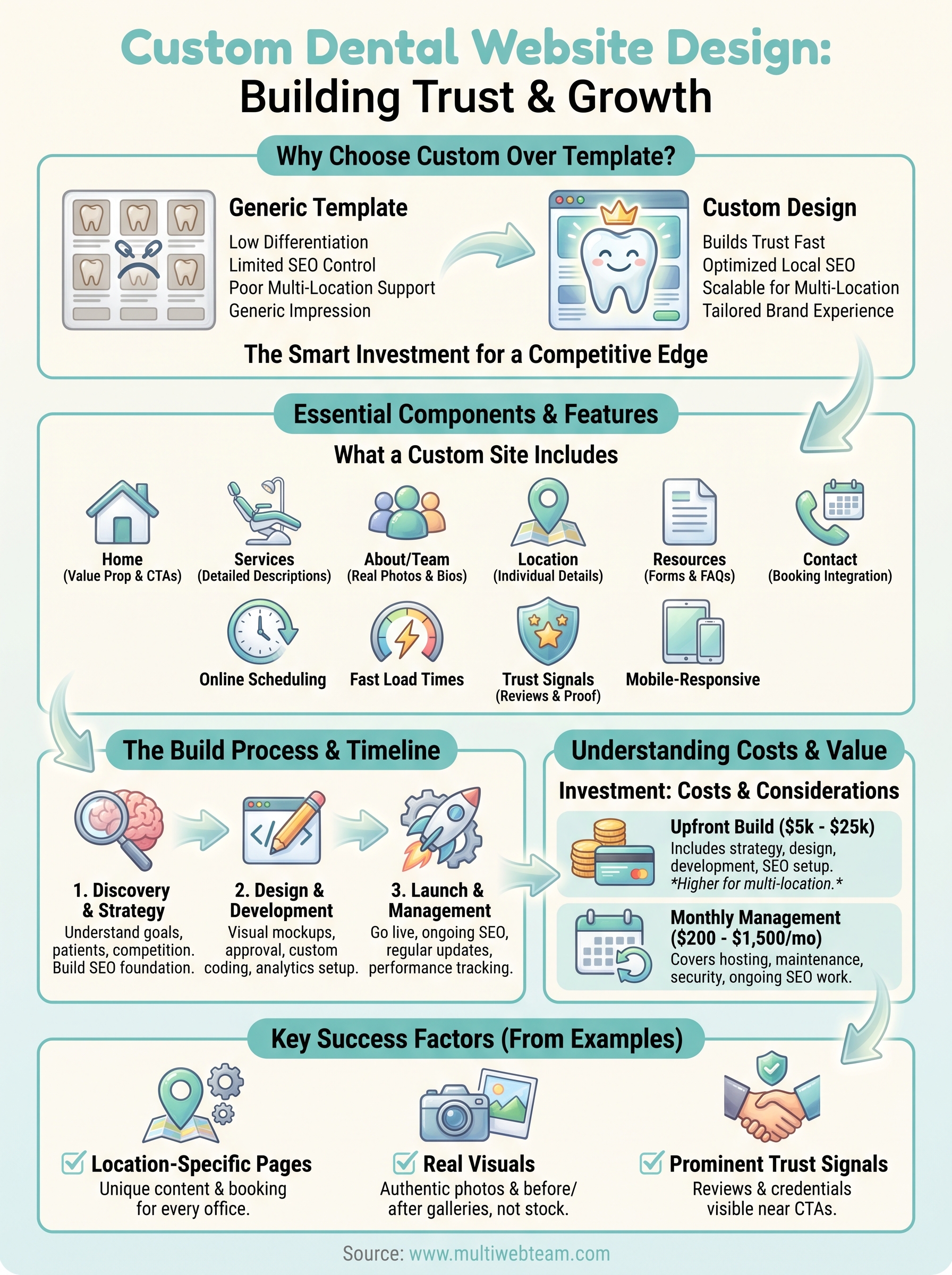
A well-built dental website is more than a homepage with a phone number. Custom dental website design pulls together several components that work together to attract visitors, answer their questions, and move them toward booking an appointment. If any piece is missing or poorly executed, you lose patients before they ever contact you.
Core pages every dental practice needs
Your site needs specific pages to serve patients at different stages of their decision. A homepage needs to communicate your value within a few seconds, including your location, services, and a direct call to action. From there, patients typically look for service pages, provider bios, and contact information before they reach out.
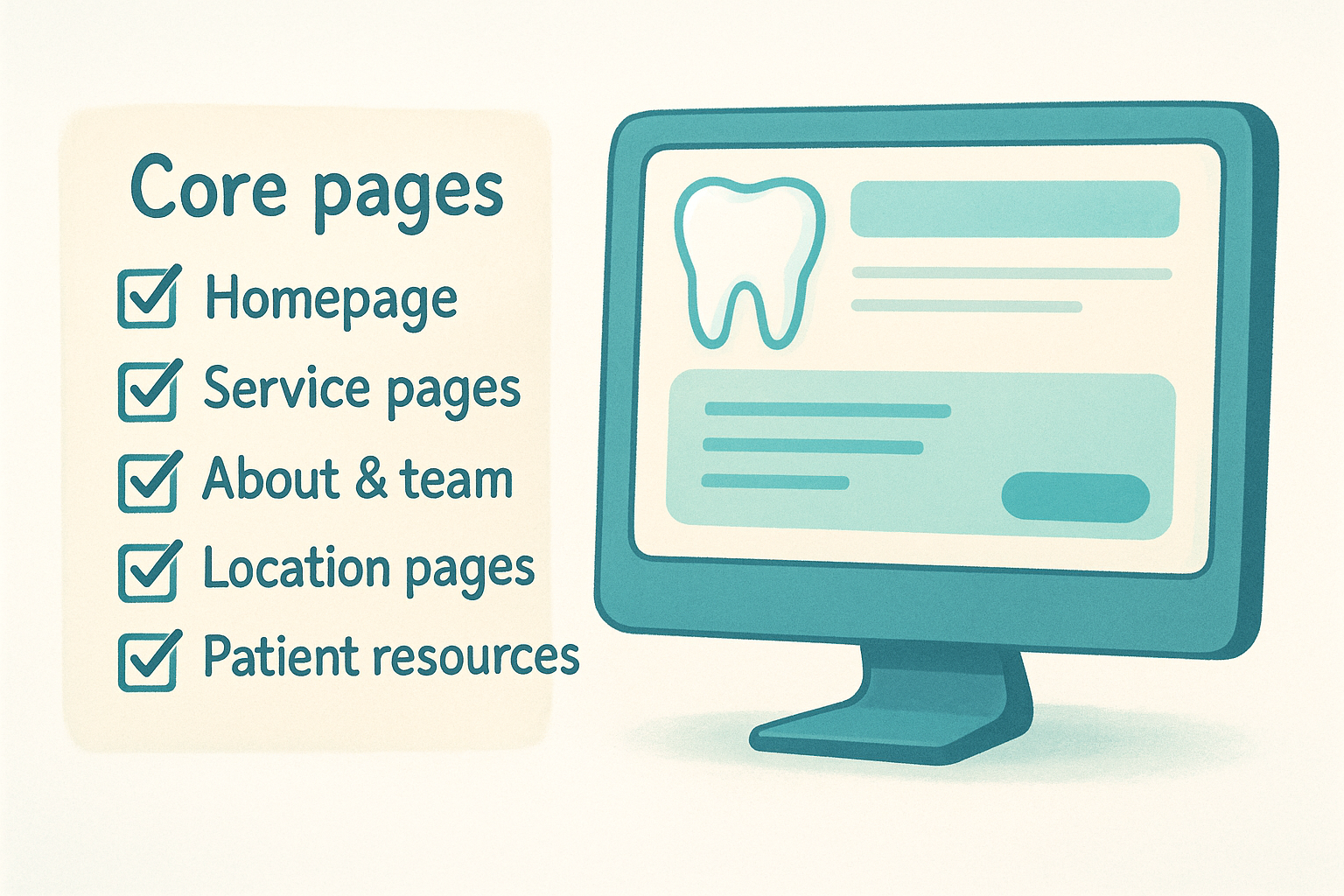
Here are the pages most effective dental websites include:
- Homepage with a clear headline, your location, and a booking prompt
- Service pages for each treatment you offer, such as cleanings, implants, and cosmetic procedures
- About and team pages with real photos and provider credentials
- Location pages (critical for multi-location practices) with individual contact details and maps
- Patient resources like intake forms, insurance information, and FAQs
- Contact page with a booking form or scheduling integration
Skipping location-specific pages is one of the most common mistakes multi-location dental practices make, and it directly damages your local search rankings.
Features that drive bookings
Pages alone do not convert visitors into patients. The functionality built into your site determines whether someone books or closes the tab. Online scheduling is now a baseline expectation, especially among patients who prefer to book without making a phone call.
Beyond scheduling, your site needs fast load times , mobile responsiveness, and straightforward navigation. Most dental website traffic comes from mobile devices, so a site that looks sharp on a desktop but breaks on a phone will lose a significant portion of potential patients. Speed matters as well. Google uses page speed as a ranking signal, and slow sites see higher bounce rates regardless of how strong the content is.
Your site should also display trust signals prominently , including verified patient reviews, before-and-after galleries, and any professional affiliations. These elements reassure hesitant visitors and give them a concrete reason to choose your practice over the competition nearby. Without them, even a visually strong site leaves too many questions unanswered.
How a custom dental website gets built
Understanding the build process helps you ask better questions and avoid agencies that cut corners. A custom dental website design project moves through distinct phases , each one building on the last. Skipping or rushing any phase almost always surfaces as a problem after launch, whether that's a slow site, a confusing layout, or pages that never rank in local search.
Discovery and strategy
Before any design work starts, a good agency spends time learning about your practice, your patients, and your competition. They ask about your target patient demographics , the services you want to prioritize, your current search performance , and any specific challenges you face, such as managing multiple locations or going through a rebrand.
This phase produces a clear plan covering which pages get built, how the site structure maps to your services and locations, and what SEO foundation gets laid from the start. Without this step, you end up with a site that looks fine but performs poorly because it was never organized around how patients actually search in your area.
Design and development
Design begins once strategy is locked in. A designer creates visual mockups based on your brand guidelines, typically starting with the homepage and one key interior page. You review these, request changes, and sign off before development starts. This sequence matters because fixing a layout in a mockup stage takes minutes, while fixing it after a developer has built it out takes hours and adds cost.
Getting your design approved before development begins prevents the most expensive revisions in any web project.
Development then converts those approved designs into a functioning website built on a platform flexible enough to add locations, update content, and grow without needing a full rebuild. Your developer should also set up analytics tracking from day one, so you have real baseline performance data from the moment the site goes live rather than starting blind.
Launch and ongoing management
Launch is not the end of the project. After a site goes live, it needs monitoring, regular updates, and continued SEO work to climb in local search rankings over time. A strong agency builds your site with this in mind, using a structure that makes future updates straightforward without requiring a developer for every small change.
For multi-location practices, the ongoing relationship with your web team matters even more than the launch itself. Adding a new office, updating hours, or refreshing promotional content should take days, not weeks. The team managing your site needs to respond at the speed your business actually operates , not create a bottleneck every time something needs to change.
Custom dental website design costs
Pricing for custom dental website design varies widely depending on the agency, the scope of the project, and how many locations your practice operates. Most dental practices spend between $5,000 and $25,000 for a custom-built site, but that range is not especially useful without context. Understanding what drives cost up or down helps you evaluate quotes honestly and avoid paying for work that does not serve your goals.
What you pay upfront
The initial design and development fee covers everything that happens before your site launches: strategy, mockups, copywriting, development, SEO setup, and testing. A single-location practice with a focused service menu typically lands at the lower end of the range. A multi-location practice requiring individual location pages, custom integrations, and a scalable content structure will push costs higher because the build is genuinely more complex.
Agencies that quote you under $3,000 for a fully custom dental website are almost always delivering a lightly modified template, not a site built from scratch.
Some agencies separate services like copywriting or SEO setup into line items, while others bundle everything together. Before you sign, confirm exactly what is included in the quoted price and what costs extra once the build is complete.
Ongoing costs to plan for
Building the site is only part of the investment. Hosting, maintenance, and ongoing SEO management add to your monthly expenses, and these costs matter as much as the initial build in the long run. Monthly management fees from dental web agencies typically range from $200 to $1,500 per month , depending on the level of service and whether SEO work is included.
Practices that choose a subscription-based agency model , where design, updates, and SEO are all covered under one monthly fee, often find this structure more predictable than paying a large upfront cost followed by hourly fees every time something needs to change.
What drives the price up
Several factors push your total cost higher. More locations mean more pages , more local SEO work, and more ongoing maintenance to keep everything current and accurate. Adding features like online scheduling integrations , patient portal connections, or before-and-after photo galleries also adds to the build cost. The agency's experience level and whether they specialize in dental or healthcare websites affects pricing as well. A team that has built dental sites before will ask better questions, move faster, and make fewer costly mistakes than a generalist agency learning your industry on your budget.
Custom dental website examples to learn from
Studying real dental websites teaches you more than any design checklist can. Strong examples show you how other practices handle trust-building, local search, and patient conversion in ways you can apply directly to your own site. Rather than copying layouts, your goal is to understand why certain decisions work and whether those decisions fit your patient base and service mix.
Practices that handle location pages well
Multi-location dental groups like Aspen Dental demonstrate one of the most important structural decisions in custom dental website design: giving every office its own page with unique content. Each location page on a well-built dental site includes the specific address, hours, provider names, accepted insurance, and a booking path tied to that office. This structure tells search engines exactly what each location offers and where it serves patients, which directly improves local ranking performance.
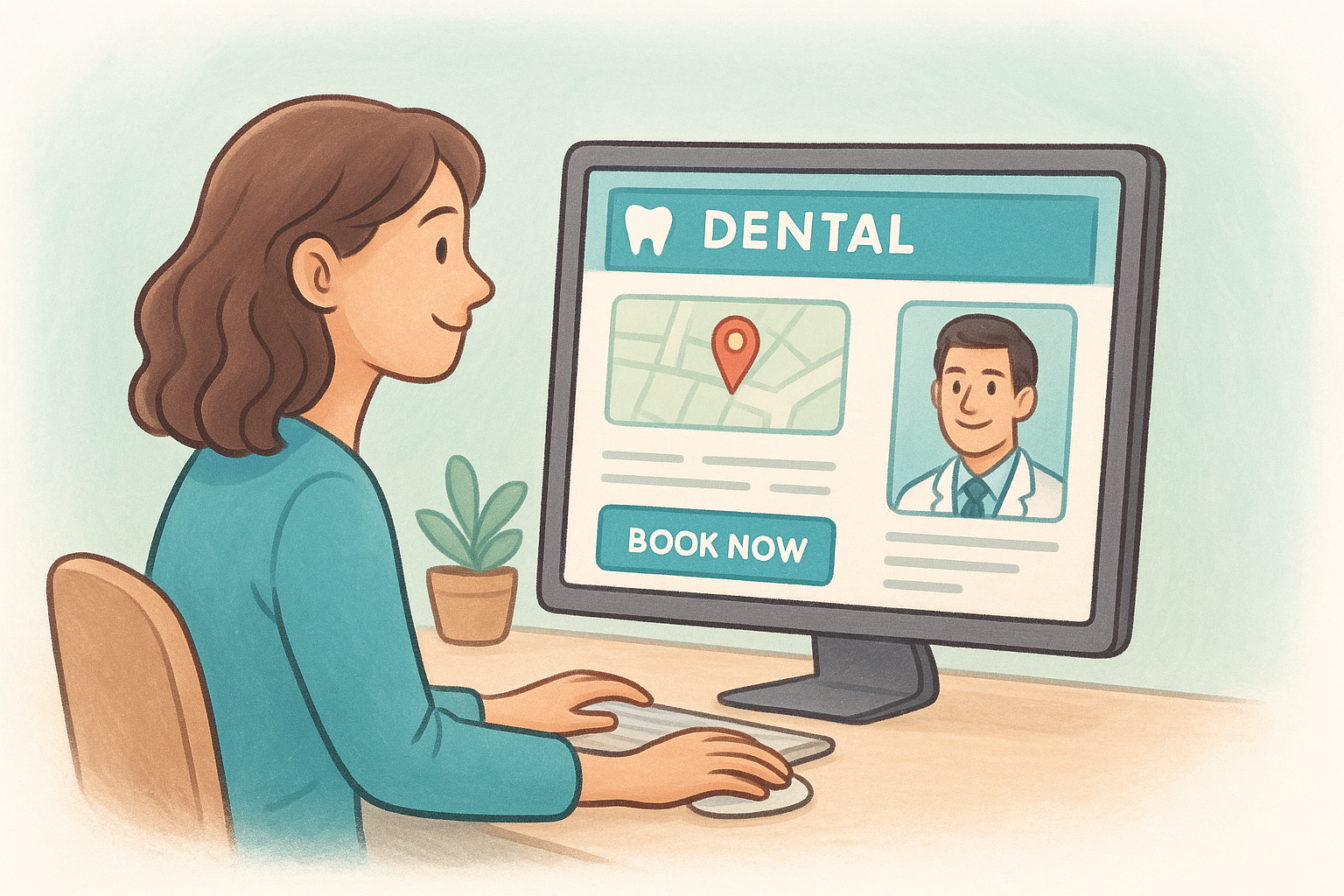
If your site sends all visitors to a single contact page regardless of location, you are leaving local search traffic to your competitors.
Sites that convert with strong visual design
Practices with high-converting sites consistently use real photography rather than stock images . Visitors respond to photos of your actual team, your waiting room, and your equipment because these images answer questions that text cannot. A before-and-after gallery for cosmetic procedures gives hesitant patients concrete proof of your work, which moves them closer to booking without requiring a phone conversation.
Look at how leading cosmetic dental practices structure their service pages. Each one treats a procedure like veneers or teeth whitening as its own detailed page, with a clear description, expected outcomes, pricing context, and a direct booking prompt . Visitors do not have to hunt for information or navigate back to the homepage to take action.
What these examples have in common
The best dental websites share a few non-negotiable qualities regardless of size or specialty. You can use this list to audit any site you find compelling:
- Fast load times on both desktop and mobile, typically under three seconds
- Clear calls to action visible without scrolling on every key page
- Location-specific content that matches what patients search for in each area
- Trust signals like reviews, credentials, and real team photos placed near conversion points
- Simple navigation that gets patients to the right page in two clicks or fewer
When you evaluate agencies or review your own site's performance, hold it against these benchmarks rather than judging it on aesthetics alone.
Final thoughts
Custom dental website design is a business decision, not just a design project. Your site either pulls patients in or sends them to a competitor, and a template built for every industry at once rarely does the former. The practices that consistently win new patients online share one thing: they invested in a site built around how their specific patients search, decide, and book .
If your practice operates across multiple locations, the stakes are higher. You need a structure that gives each office its own local presence while keeping your brand consistent everywhere. That takes planning, the right build process, and a web team that understands multi-location SEO from the start. Getting those pieces right means the site keeps working for you long after launch, not just on day one. If you are ready to build something that performs, explore what Multi Web Team does for multi-location practices.