
Google Business Profile Setup Service: Costs & What You Get
Setting up a single Google Business Profile is straightforward enough. But when you're managing five, ten, or fifty locations, each needing its own optimized profile with accurate details, categories, photos, and posts, that's where a google business profile setup service earns its keep . For multi-location businesses and franchises, a poorly configured profile doesn't just look bad; it costs you customers who are actively searching for what you offer in a specific area.
At Multi Web Team, we build and manage websites for multi-location businesses and franchises, and we see firsthand how a well-optimized Google Business Profile works hand-in-hand with a strong website to drive local traffic to each location . Getting both right isn't optional, it's how individual locations actually show up when nearby customers search.
This guide breaks down what a professional GBP setup service includes, what it typically costs, and how to decide whether hiring a pro makes more sense than doing it yourself . Whether you're launching new locations or cleaning up neglected profiles, you'll walk away knowing exactly what to expect and what to pay for .
What a Google Business Profile setup service does
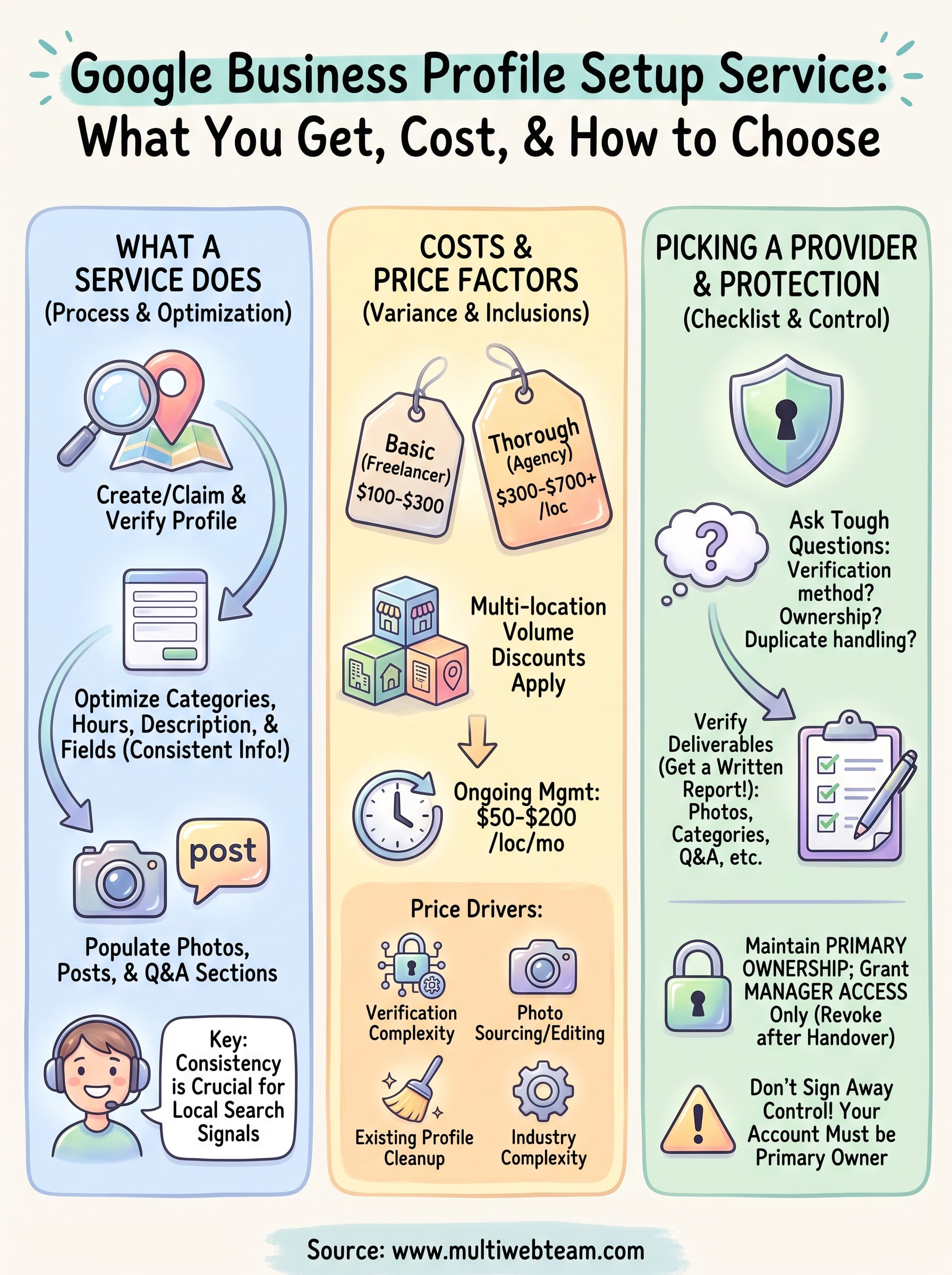
A google business profile setup service is not just someone clicking "create profile" on your behalf. A proper service covers the full lifecycle of getting your profile live, verified, optimized, and ready to convert searchers into paying customers. Providers handle the technical groundwork and the strategic decisions that most business owners either don't have time for or simply don't know they need to make.
Creating and claiming the profile correctly
Before anything else, a provider will check whether a profile for your business already exists on Google. Duplicate or unclaimed listings are common, especially for businesses that have been operating for a few years, and leaving them unaddressed splits your visibility across conflicting records. The service will either claim the existing profile or create a new one under an account structure that keeps you in control as the primary owner.
Verification is where many business owners hit a wall. Google requires you to confirm that your business actually operates at a given address, and the methods vary: postcard by mail, phone call, video recording, or live video call . A provider who knows this process will walk you through the right method for your business type and flag any issues before they delay your listing going live.
Optimizing every field for local search
Once the profile exists and is verified, the real work begins. Every field in your profile, from your business category to your service area and business hours , sends signals to Google about what searches your listing should appear in. Choosing the wrong primary category alone can push you out of relevant local results entirely.
A good provider will also write your business description using the language your customers actually search for , without keyword stuffing. They will set up your products or services section, add your website URL, configure your phone number, and make sure your name, address, and phone number match exactly what appears on your website and other directories. That consistency matters because Google cross-references your information across the web to confirm your legitimacy.
Inconsistent business information across Google, your website, and other directories is one of the fastest ways to lose local ranking ground, even if everything else is done right.
Managing photos, posts, and Q&A
Photos are not optional. Profiles with strong photo libraries consistently outperform bare listings in both clicks and direction requests. A setup service will upload a complete initial photo set that includes your exterior, interior, team, and products or services, formatted to Google's recommended dimensions. For multi-location businesses, this means organizing location-specific photos so customers in each area see content that reflects their actual location.
Your profile also includes a Q&A section and a posts feature that many businesses leave completely empty. A provider will seed the Q&A with the questions customers commonly ask, write answers that reinforce your services and hours, and publish an initial set of posts to signal that the profile is active. Google rewards regularly updated profiles, so starting with this content in place gives you an immediate advantage over competitors who set up a profile and walk away.
Here is a basic checklist of what a thorough setup covers:
- Business name, address, phone number, and website URL
- Primary and secondary categories
- Business description (up to 750 characters)
- Hours of operation including special/holiday hours
- Service area configuration (if applicable)
- Products or services section
- Exterior, interior, team, and product photos
- Initial Google Posts (offer, update, or event)
- Q&A pre-populated with common questions
- Attributes (women-led, wheelchair accessible, etc.)
- Messaging enabled and set up
How much it costs and why prices vary
Pricing for a google business profile setup service varies widely depending on who you hire and what they actually deliver . A basic single-location setup from a freelancer on a gig platform might run you $100 to $300 , but that usually means someone fills in the required fields and calls it done. A thorough setup that includes category research, business description writing, photo uploads, Q&A seeding, and initial posts from a dedicated agency typically lands between $300 and $700 per location . Add ongoing monthly management and you're generally looking at an additional $50 to $200 per location per month .

Single-location vs. multi-location pricing
For businesses with one location, a one-time setup fee often covers everything you need to get started. The math changes when you have multiple locations to optimize simultaneously . Most agencies offer a per-location rate that decreases at volume, so five locations might cost you $250 each instead of $400 each. Always confirm that bundle pricing includes genuinely tailored content for each location rather than copy-pasted descriptions with only the address swapped out.
Identical descriptions across multiple profiles signal low-effort management to both Google and the customers who read them.
What drives the price up or down
Several factors push the final price in either direction, and knowing them helps you ask better questions before signing anything.
- Verification complexity : Video verification or assisted verification for service-area businesses takes significantly more coordination than a standard postcard method.
- Photo sourcing : If the provider works with your existing photos, costs stay lower. Sourcing or editing new images adds to the total fee.
- Existing profile cleanup : Claiming and correcting a neglected or duplicate listing takes more work than building a new profile from scratch.
- Ongoing management : A setup-only engagement is a one-time cost. Adding monthly posting, review monitoring, and Q&A management shifts the model to recurring pricing.
- Industry complexity : Businesses with service areas spanning multiple cities, or those operating in restricted categories like healthcare or legal services, require more configuration time and strategic decisions upfront.
Comparing quotes accurately means looking beyond the bottom-line number . A $200 setup that skips category research and leaves your Q&A section empty will cost you more in lost local visibility than the $500 option that covers every field correctly from the start.
What you should get in a proper setup
Knowing the price range is only half the picture. The other half is understanding exactly what deliverables you should receive when a provider marks your setup as complete. A google business profile setup service should hand you a profile that is fully verified, completely filled out, and ready to rank, not a partially finished listing that still requires your attention before it does anything useful.
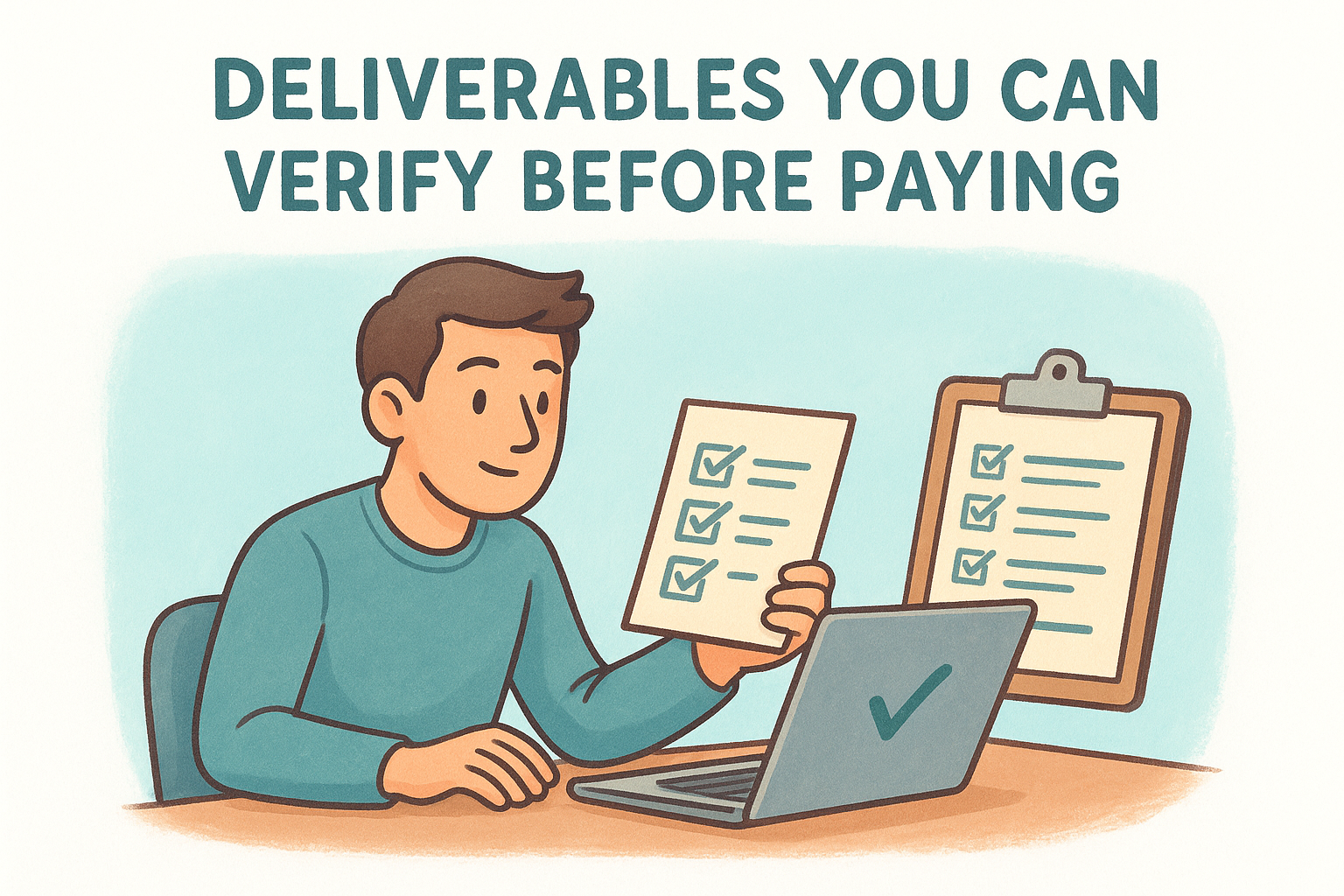
Deliverables you can verify before paying
You should never accept a vague summary like "profile is live and optimized" as a sign-off. Ask for a written checklist or completion report that documents every element the provider touched. If a service cannot produce that, treat it as a red flag about their process. Below is a template you can send to any provider before starting work to set clear expectations:
Requested completion checklist:
| Profile Element | Expected Deliverable |
|---|---|
| Business name, address, phone | Confirmed exact match with your website |
| Primary and secondary categories | Documented with rationale for selection |
| Business description | Original 750-character copy, no keyword stuffing |
| Hours including special hours | All locations configured and verified |
| Products or services section | Fully populated with descriptions |
| Photos (exterior, interior, team) | Minimum 10 photos uploaded per location |
| Google Posts | At least 2 published at handoff |
| Q&A | Minimum 5 questions seeded with answers |
| Attributes | All relevant attributes selected |
| Verification status | Confirmed live and searchable |
If a provider hesitates to commit to a written checklist before work begins, that hesitation tells you something about how they operate.
Ownership and access you must keep
Profile ownership is the one thing you should never hand over to a provider without a clear agreement. Your Google Business Profile should always remain under an account that you control as the primary owner. A legitimate provider will request manager-level access only , which gives them enough access to make changes without holding your listing hostage if the relationship ends.
Before any work starts, confirm that you will receive a handover document that includes your profile URL, the Google account the profile is attached to, and instructions for removing the provider's access if needed. This protects your listing from being locked out if a provider goes unresponsive or if you switch services down the road.
How the setup process works for one or many locations
A google business profile setup service follows a clear sequence from kickoff to handover, and understanding each phase keeps you from accepting incomplete work as finished. Whether you're dealing with one storefront or a growing network of franchise locations, the same four stages apply: audit, build, verify, and hand over. What changes at scale is the coordination required and the risk of a delay in one location holding up progress across all the others.
Single-location setup: what to expect
Most single-location setups wrap up in one to three weeks , with the main variable being how Google verifies your listing. Some businesses qualify for instant video verification through Google Search Console, while others receive a postcard that can take up to two weeks to arrive. Your provider should tell you at the project start which method applies to your account and help you prepare any materials required, such as a video showing your business sign, interior, and equipment.
Here is how the timeline typically breaks down:
| Stage | Who handles it | Typical timeframe |
|---|---|---|
| Audit for existing or duplicate profiles | Provider | Day 1 |
| Create or claim the listing | Provider | Days 1-2 |
| Submit verification request | Provider + You | Days 2-3 |
| Complete all profile fields | Provider | Days 3-7 |
| Upload photos, posts, and Q&A | Provider | Days 3-7 |
| Verification confirmed by Google | Days 5-14 | |
| Completion report delivered | Provider | Within 1 day of verification |
| Primary ownership transferred to your account | Both | Final step |
Your provider should never mark the project complete before you have personally confirmed that primary ownership sits in your account, not theirs.
Scaling to multiple locations
Running parallel setups across five or more locations requires a structured workflow and clear batching , not simply more of the same work repeated. A capable provider will group locations by region or by verification method so a delay in one market does not freeze progress everywhere else. Before work begins, ask directly how your provider manages dependencies between locations and what their escalation process is when a location gets stuck at verification.
For franchise networks, you should request a shared location status tracker before the project starts. A simple document logging each location's current stage, verification status, and expected live date removes the need for constant check-in calls. You should be able to open one document and know exactly where every location stands. Any experienced provider will already use a tool like this; if they do not, that gap will cost you time mid-project.
How to pick a provider and protect your listing
Choosing the right provider for a google business profile setup service comes down to two things: what they deliver and who controls the result . Plenty of services will take your money and hand back a partially completed profile that you then spend weeks trying to fix. The questions you ask before signing anything reveal far more about a provider's quality than any sales page they put in front of you.
Questions to ask before you hire
Every provider you evaluate should answer these questions clearly without hesitation or vague reassurances . If they stumble on any of them, that tells you the process is not as refined as they claim.
A provider who cannot clearly describe their own verification process has likely not handled the harder cases you will eventually run into.
Use this list as your screening template before committing to anyone:
- How do you handle duplicate or already-claimed listings?
- Which verification method do you use for my business type, and what do I need to provide?
- Will you document every profile element you complete and send me a written handover report?
- Who holds primary ownership of the profile during and after the project?
- How do you handle a location that gets stuck in verification for more than two weeks?
- What access level do you use, manager or owner, and will you downgrade or remove your access after handover?
- Do you write original descriptions for each location or use a template with the address swapped?
Protect your access from day one
Before any work starts, make sure your Google account holds the primary owner role on the profile. A legitimate provider will only ever request manager access through Google Business Profile Manager, which gives them full editing capability without the ability to remove you as owner. If a provider asks you to transfer primary ownership to them, decline immediately and find someone else.
After the project wraps, revoke or downgrade the provider's access as part of your final checklist. Go to your profile, open the "Managers" section, and remove anyone who no longer needs to be there. Leaving former providers with active access creates real risk if their account is ever compromised or if a dispute arises down the line. Keeping your listing fully under your control is not optional; it is the baseline protection every business owner needs .
Your next move
You now have a clear picture of what a google business profile setup service actually includes, what you should pay for it, and how to protect your listing before, during, and after the work is done. The next step is straightforward: audit your current profiles and identify the gaps. Check whether your primary category is the right fit, confirm your name, address, and phone number match your website exactly, and verify that primary ownership sits in an account you control .
For multi-location businesses, those gaps multiply fast, and fixing them manually across every location pulls your attention away from running your business. Multi Web Team handles website management and local SEO for growing multi-location businesses , so your profiles and your site work together to put each location in front of nearby customers. If you want a team that manages all of it for you, see how Multi Web Team works.










