

How To Optimize Google Business Profile for Local SEO 2026
Your Google Business Profile is one of the most powerful tools you have for getting found by local customers, but most multi-location businesses barely scratch the surface of what it can do. If you're running multiple locations or a franchise, knowing how to optimize Google Business Profile listings for each spot can be the difference between showing up in the local pack or getting buried beneath competitors.
The good news: optimization isn't complicated. It does, however, require attention to detail and consistency across every location you manage. From choosing the right categories to posting updates regularly, each element of your profile sends signals to Google about how relevant and trustworthy your business is. Skip steps, and you're leaving local visibility on the table .
At Multi Web Team, we handle website design and ongoing SEO management for multi-location businesses and franchises, and Google Business Profile optimization is a core part of that work. We've put together this guide based on what actually moves the needle for local rankings in 2026. Below, you'll find a step-by-step breakdown of how to claim, complete, and continuously improve your profile so each of your locations gets the attention it deserves.
How Google ranks local results in 2026
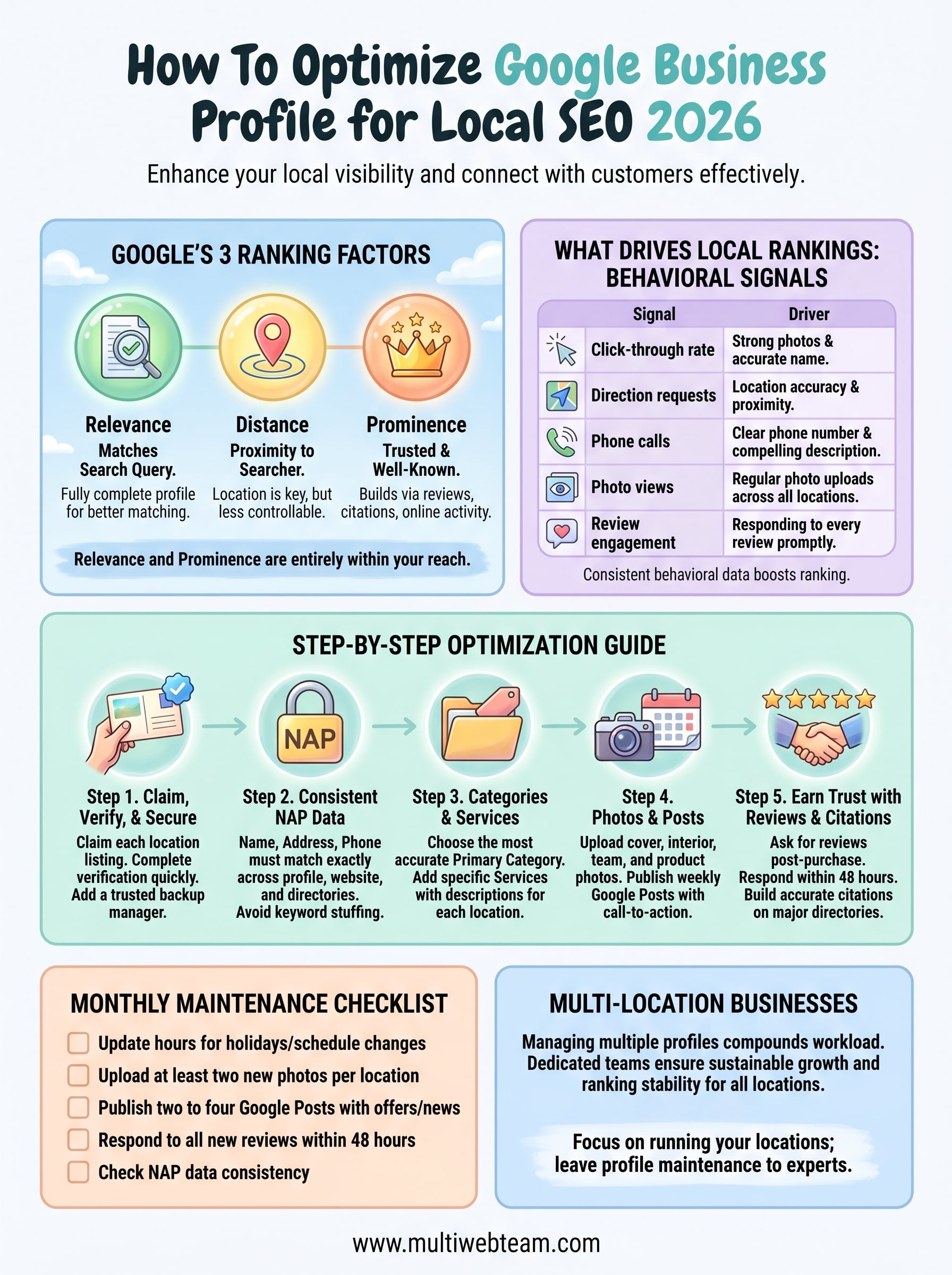
Before you can understand how to optimize Google Business Profile listings effectively, you need to know what Google actually measures. Google evaluates local results using three core factors : relevance, distance, and prominence. Relevance asks how well your profile matches the search query. Distance measures how close your location is to the searcher. Prominence reflects how well-known and trusted your business is , based on reviews, citations, links, and overall online activity.
The three ranking factors Google uses
You can't control distance, but relevance and prominence are entirely within your reach . Relevance improves when you fill out every section of your profile completely and accurately . The more detail you provide, the better Google can match your business to the right searches. For multi-location businesses, this means each location needs its own thorough, individual profile rather than a copy-pasted version of a main listing.
Skipping optional profile fields isn't neutral. Every blank field is a missed opportunity to tell Google what your business does and who it serves.
Prominence builds over time through consistent reviews, quality citations, and engagement from real users. A profile with dozens of recent reviews and active photo uploads outperforms a technically complete but static one. Google treats these signals as evidence that real people find your listing genuinely useful.
What drives local rankings in 2026
Google has shifted more weight toward behavioral signals over the past year. Clicks, calls, direction requests, and photo views all tell Google that your listing is relevant and engaging to real searchers. The table below shows the key signals and what influences each one:
| Signal | What drives it |
|---|---|
| Click-through rate | Strong profile photos and an accurate business name |
| Direction requests | Location accuracy and proximity to searchers |
| Phone calls | Clear phone number and a compelling business description |
| Photo views | Regular photo uploads across all locations |
| Review engagement | Responding to every review promptly |
Profiles that generate consistent behavioral data rank higher , which means optimization is an ongoing process rather than a one-time setup task.
Step 1. Claim, verify, and secure access
Every step you take to learn how to optimize Google Business Profile listings starts here. If you don't own and verify your listing, you can't control what appears in search results. For multi-location businesses, this step multiplies in complexity because each location needs its own verified profile tied to a single Business Account.
How to claim and verify your listing
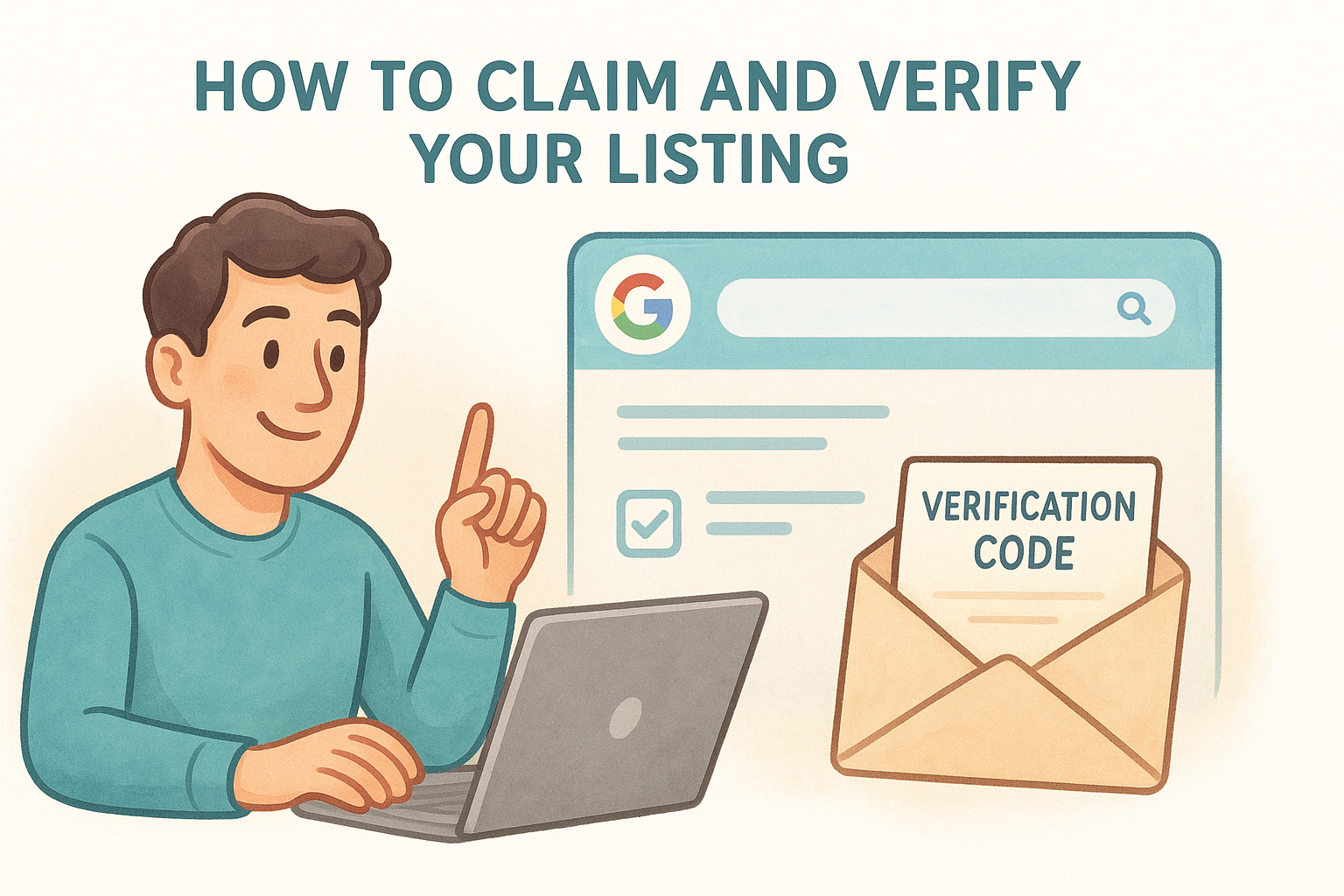
Go to business.google.com and search for each location by name and address. If a listing already exists, request ownership. Google will send a verification code by postcard, phone, email, or video depending on your business type. Complete verification as quickly as possible , since unverified listings have limited visibility and can be edited by anyone flagging corrections.
An unverified profile can be altered by third parties through Google's suggested edits feature, which means incorrect hours or addresses can appear without your knowledge.
Lock down access with owner permissions
Once verified, add a secondary owner or manager to every profile right away. Losing access to a profile you've built is a real risk if the primary email becomes inaccessible. In your Google Business dashboard, go to Settings, then Managers, and grant access to at least one trusted backup account.
Keep owner-level access limited to one or two people and assign manager roles to anyone handling day-to-day updates. This separation protects your listings if a team member leaves the company.
Step 2. Get your core info and NAP consistent
NAP stands for Name, Address, and Phone number , and it needs to match exactly across your Google Business Profile, your website, and every other directory where your business appears. When Google sees conflicting information across sources, it loses confidence in your listing and your rankings suffer. For multi-location businesses, even small inconsistencies like "St." versus "Street" can create problems at scale.
What NAP consistency actually means
Your business name on your profile should match your legal or branded name with no extra keywords stuffed in . For example, "Miller's Gym" is correct, but "Miller's Gym - Best Gym in Denver" violates Google's guidelines and risks suspension. Your address should follow the USPS standardized format , and your phone number should be a local number, not a national call center line, wherever possible.
Using the same local phone number across your profile, website footer, and major directories tells Google all three sources are pointing to the same real business location.
How to review your info before publishing
Before you move on to learning more about how to optimize Google Business Profile listings for categories and services, run a quick audit for each location using this checklist:
- Business name matches your storefront signage and website header
- Address uses the same abbreviation style everywhere (Ave, Blvd, St)
- Phone number is a working local line
- Website URL points to the correct location page, not the homepage
- Hours reflect actual operating hours, including holiday adjustments
Step 3. Choose the right categories and services
Categories are one of the strongest relevance signals in your profile. When you understand how to optimize Google Business Profile listings for categories, you're directly influencing which searches Google considers your business relevant for. Getting this wrong means your locations appear for the wrong queries, or don't appear at all.
How to pick your primary and secondary categories
Your primary category carries the most weight, so choose the one that best describes your core business, not a broad category you think will catch more searches. If you run a fitness studio, "Yoga Studio" or "Pilates Studio" is better than "Gym." Google offers hundreds of specific options, and the more accurate your primary category , the stronger your relevance signal.
Choosing a vague primary category to seem broader will hurt you, not help you, because Google will struggle to match your listing to any specific search.
You can add up to nine additional categories to cover secondary services. Use this structure as a starting guide:
- Primary category : Your single most accurate business type
- Secondary categories : Related services you actively offer at that location
- Avoid : Categories that describe what you sell, not what you are
Adding services to your profile
Once categories are set, fill in the Services section for each location. List every specific service you offer with a short description. For a multi-location business, this gives each individual location page its own relevant content tied directly to what customers in that area can book or buy.
Step 4. Use photos, posts, and profile features
One of the most overlooked parts of learning how to optimize Google Business Profile listings is the ongoing content layer: photos, Google Posts, and built-in profile features. These elements directly influence behavioral signals like photo views and click-through rates, which Google weighs when ranking local results.
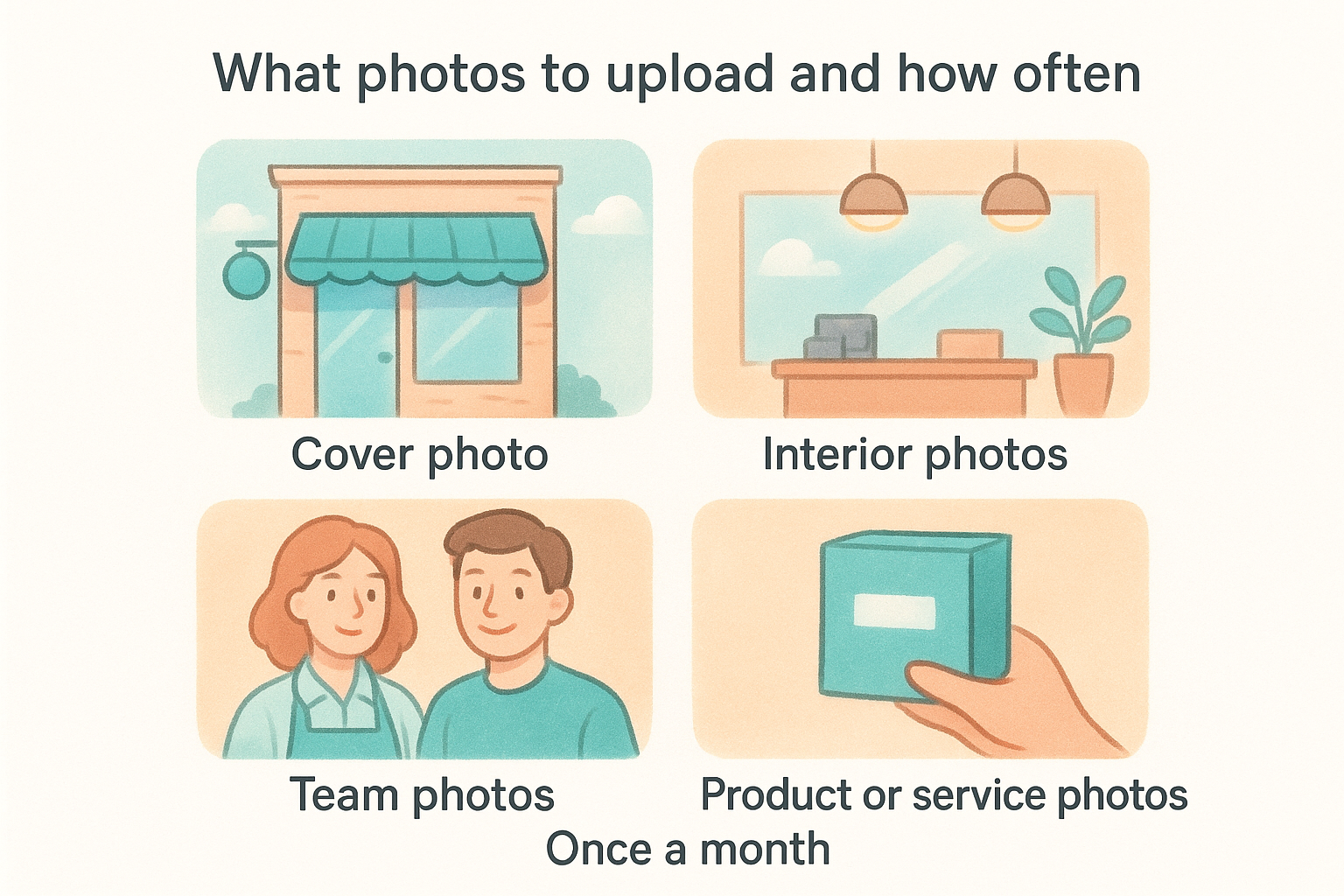
What photos to upload and how often
Your profile should have a minimum set of photos before you consider it ready for searchers. Upload at least one photo in each of these categories to start:
- Cover photo : Your storefront or most recognizable branded image
- Interior photos : Two to three shots showing the inside of the location
- Team photos : Staff or owner photos that show real people work there
- Product or service photos : What customers can actually expect to receive
Profiles with more than 100 photos receive significantly more direction requests and calls than profiles with fewer than 10, according to Google's own data.
After the initial upload, add new photos at least once a month per location. Fresh uploads signal to Google that your listing is active.
How to use Google Posts
Google Posts appear directly in your profile and give you a way to promote offers, events, and updates without relying on a third-party platform. Each post stays visible for seven days, so set a recurring reminder to publish new content weekly. Use a short title, one to two sentences of description, and a clear call-to-action button like "Call now" or "Learn more."
Step 5. Earn trust with reviews and citations
Reviews and citations are the backbone of prominence, which is one of the three core ranking factors Google uses for local results. When you work through how to optimize Google Business Profile listings at the location level, no amount of category adjustments or photo uploads replaces the trust signal that comes from consistent customer feedback and accurate directory data across the web.
How to get more reviews
Ask customers directly after a positive interaction. Send a short follow-up message with your Google review link right after a visit or purchase, and keep the request to one sentence plus the link. Below is a simple template you can use across all locations:
"Hi [Name], thanks for visiting [Location Name]. If you have a moment, we'd love your feedback: [Google Review Link]"
Respond to every review you receive , both positive and negative, within 48 hours. Google treats active review responses as engagement signals that indicate your listing is well-managed.
Ignoring negative reviews signals to Google and potential customers that nobody is watching your listing.
How to build local citations
Citations are mentions of your business name, address, and phone number on external directories like Yelp, Apple Maps, and Bing Places. Each accurate citation reinforces the NAP data already on your profile. Fix inconsistent or outdated listings first before adding new ones, since conflicting information across directories weakens your prominence score rather than building it.
A simple plan to maintain your profile
Knowing how to optimize Google Business Profile listings is only half the work. Consistent maintenance is what keeps your rankings stable over time. Without a repeatable routine, profiles drift: hours go stale, photos stop uploading, and reviews pile up without responses.
Run through this monthly checklist for every location:
- Update hours for any holidays or schedule changes
- Upload at least two new photos per location
- Publish two to four Google Posts with current offers or news
- Respond to all new reviews within 48 hours
- Check NAP data against your website and key directories
If you manage five or more locations , that workload compounds quickly . A dedicated team makes this sustainable without letting any single profile fall behind.
Multi Web Team handles profile optimization, ongoing SEO management, and website updates for multi-location businesses so you can focus on running your locations instead of maintaining your listings.










