
What Is Google Business Profile Optimization? A Quick Guide
Your Google Business Profile is often the first thing potential customers see when they search for a business like yours, before they ever click through to your website. For multi-location businesses and franchises, that means dozens of these profiles are either working for you or against you . So understanding what is Google Business Profile optimization and how to do it right isn't optional, it's essential for driving foot traffic to every single location.
Google Business Profile optimization is the process of improving your listing's completeness, accuracy, and relevance so it ranks higher in local search results. When done well, it puts your business in front of people who are actively looking for what you offer, right in your area. When ignored, you're handing those customers to competitors. For businesses managing multiple locations, the stakes multiply fast .
At Multi Web Team, we handle local SEO and web management for multi-location businesses and franchises every day, and GBP optimization is a core part of that work. In this guide, we'll break down exactly what it involves, why it matters, and how to optimize each of your profiles so they actually generate leads. Whether you're managing five locations or fifty, you'll walk away with a clear, actionable plan to improve your local visibility.
What Google Business Profile optimization is
A Google Business Profile (formerly Google My Business) is a free listing that appears when people search for your business or businesses like yours on Google Search and Google Maps . When someone types "pizza near me" or "gym in Austin," Google pulls from these profiles to build the local pack, that cluster of three business listings you see above the organic results. So understanding what is Google Business Profile optimization means understanding how to make Google choose your listing over the competition every single time a nearby customer searches.
Optimization is not a one-time setup. It is the ongoing process of making your profile as complete, accurate, and relevant as possible so Google's algorithm ranks it higher and customers click it more often. Every field you fill out, every photo you upload, and every review you respond to sends a signal to Google that your profile is active, trustworthy, and worth surfacing . For multi-location businesses, this compounds quickly because each location's profile is its own ranking asset.
A fully optimized profile can be the difference between a customer walking through your door and walking straight past it to a competitor down the street.
The signals Google looks for
Google uses three main factors to decide which local listings rank: relevance, distance, and prominence . Relevance measures how well your profile matches what someone searched for. Distance is straightforward, but proximity alone will not save a poorly optimized listing. Prominence reflects how well-known and trusted your business appears, based on reviews, citations, and the completeness of your profile. You control two of those three factors directly, which is why optimization carries so much weight.
Here is a breakdown of which profile elements influence each ranking signal:
| Profile element | Signal it sends to Google |
|---|---|
| Business name, address, phone | Relevance and trust (NAP consistency) |
| Primary and secondary categories | Relevance to specific searches |
| Business description and attributes | Relevance and completeness |
| Photos and videos | Engagement and authenticity |
| Reviews and responses | Prominence and trustworthiness |
| Posts and updates | Activity and recency |
| Q&A section | Relevance to customer intent |
Why multi-location businesses face extra pressure
Managing a single profile is straightforward. Managing fifteen, thirty, or a hundred location profiles is a fundamentally different challenge. Each location needs its own accurate address, local phone number, hours of operation, and category setup. A single error, like a wrong phone number or outdated hours at one location, can directly cost you customers there while making your entire brand look inconsistent.
Inconsistency across profiles also confuses Google's algorithm, which can suppress rankings across multiple locations rather than just the one with the error. That is why a systematic, repeatable optimization process matters far more for franchises and multi-location operators than it does for a single-location business.
Step 1. Build a complete, accurate foundation
The first step in understanding what is Google Business Profile optimization in practice is making sure every profile has accurate, consistent information from the start. Google cross-references your business name, address, and phone number against dozens of other sources across the web. If your profiles have inconsistencies, even minor ones like "St." versus "Street," Google loses confidence in your listing and your rankings take a hit.
Lock in your NAP across every location
NAP consistency (name, address, phone number) is the single most important foundation element for multi-location businesses. Every location profile must use the exact same format for your business name, address, and phone number as it appears on your website and other directories. Use a spreadsheet to track this across all locations before you touch anything else.
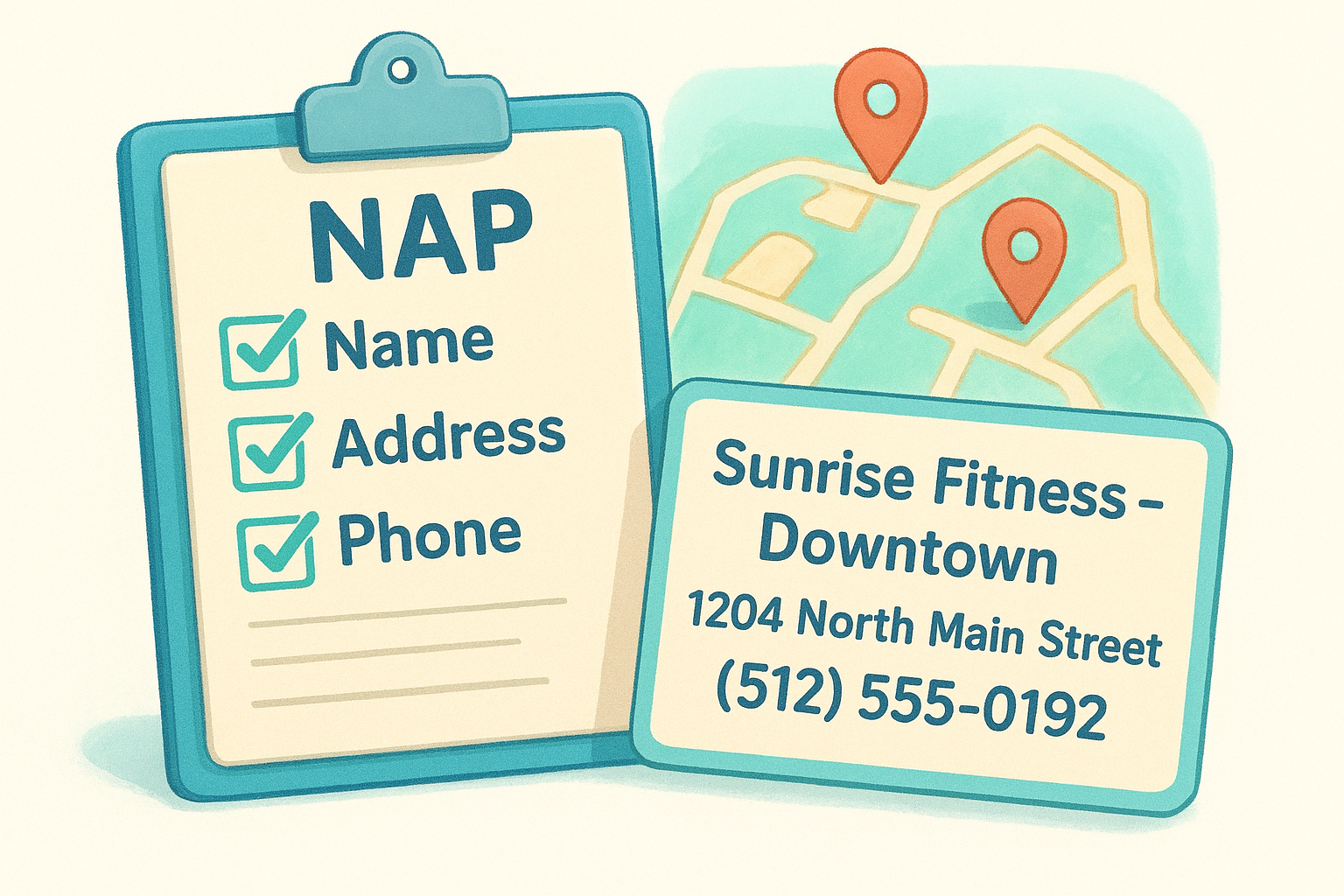
A single inconsistency in your address format can suppress rankings across multiple locations simultaneously, not just the one with the error.
Here is a simple template to standardize your NAP data before entering it into each profile:
| Field | Format to use | Example |
|---|---|---|
| Business name | Exact brand name + location | Sunrise Fitness - Downtown |
| Street address | Full street name, no abbreviations | 1204 North Main Street |
| City, State, ZIP | Standard USPS format | Austin, TX 78701 |
| Phone number | Local number, not a call center line | (512) 555-0192 |
| Website URL | Location-specific page, not homepage | www.example.com/austin |
Complete every available field
Beyond NAP, Google rewards profiles that use every available field . Fill in your business hours, business description (up to 750 characters), opening date, and any applicable attributes like "wheelchair accessible" or "free Wi-Fi." These attributes filter into specific searches and directly affect your relevance score .
Your business description should lead with what you do and where you do it, using plain language a customer would actually search. For example: "Sunrise Fitness in downtown Austin offers personal training, group classes, and open gym access seven days a week." That gives Google clear signals and gives customers a concrete reason to choose your location.
Step 2. Match categories and services to searches
Categories and services are the two most direct ways you control what searches trigger your listing . Google uses them as a primary relevance signal, so getting them wrong means your profile shows up for the wrong searches, or doesn't show up at all. This is one of the most impactful levers in what is Google Business Profile optimization, and most businesses leave it misconfigured.
Choose your primary category with precision
Your primary category carries more weight than any other category field. It tells Google the core nature of your business, so it has to be specific. Avoid broad categories like "Restaurant" when "Mexican Restaurant" or "Fast Casual Restaurant" is available. The more precise your primary category, the more relevant searches you can appear in.
Choosing a vague primary category is one of the most common reasons a well-maintained profile still underperforms in local search.
You can add up to nine additional secondary categories , and you should use them strategically to cover the full range of what each location offers. For example, a gym location might use:
- Primary: Gym
- Secondary: Personal Trainer
- Secondary: Fitness Center
- Secondary: Yoga Studio
Each secondary category opens your profile to an additional set of search queries without diluting your primary signal.
Add services to capture specific searches
The services section lets you go deeper than categories. You can add individual services with descriptions under each category, and Google uses this content to match your profile to long-tail searches. Fill in every service your location actually offers, and write short, plain descriptions that include the service name and location.
Here is a template for structuring your service entries:
| Service name | Description |
|---|---|
| Personal Training | One-on-one personal training sessions at our Austin location. |
| Group Fitness Classes | Daily HIIT, yoga, and cycling classes open to all members. |
| Open Gym Access | Full-facility access available seven days a week. |
Use location-specific language in your descriptions wherever it fits naturally. This reinforces your geographic relevance and gives Google more content to match against nearby searches.
Step 3. Improve trust with photos, posts, and Q and A
Photos, posts, and Q&A might seem like secondary elements, but they directly influence how customers and Google both perceive your profile. Activity signals carry real weight in Google's algorithm, and profiles that receive regular updates rank more consistently than ones that sit static after initial setup. For multi-location businesses asking what is Google Business Profile optimization in day-to-day terms, this step is where the work becomes visible to customers before they ever call or visit.
Upload photos that reflect real operations
Google profiles with photos receive significantly more clicks than those without them. You should upload at least ten high-quality photos per location, covering the exterior, interior, staff, and products or services. Use real images taken at each specific location , not generic stock photos, because customers can spot inauthenticity fast and Google tracks engagement on photos over time.

Profiles with a strong, current photo set consistently outperform bare profiles in both click-through rates and direction requests on Google Maps.
Here is a checklist of photo types that carry the most weight per location:
- Exterior photo: Shows your storefront from the street so customers recognize the location on arrival
- Interior photo: Sets accurate expectations for the environment inside
- Team photos: Builds familiarity and trust before a customer walks in
- Product or service photos: Shows what you actually offer, not just a text description
- At-work photos: Demonstrates your team in action and adds authenticity
Use posts and Q&A to stay active and relevant
Google Posts let you publish updates, offers, and events directly on your profile , and each post remains visible for up to seven days. Post at least twice a month per location to keep the profile active. Write each post like a direct message to a nearby customer: state the offer clearly, include a deadline if one applies, and end with a specific action like "Call to book" or "Visit us this weekend."
The Q&A section is public and indexed by Google , so treat it as content, not an afterthought. Seed it with the three to five questions customers most commonly ask at each location, then answer them yourself. This gives you control over what appears and adds keyword-rich content that Google associates directly with that location's profile.
Step 4. Create a review and response system
Reviews are one of the strongest signals in what is Google Business Profile optimization because they directly influence your prominence score, the factor that separates well-established businesses from new ones in local search rankings. Google looks at the volume, recency, and quality of your reviews when deciding which profiles to surface, and customers read them before deciding whether to visit. For multi-location businesses, letting reviews pile up without a system in place means missing a significant ranking and trust-building opportunity at every location.
A steady flow of recent reviews signals to Google that your business is active and worth recommending, more than a large volume of old ones ever will.
Ask for reviews at the right moment
You get more reviews when you ask at the right time , not after the fact. Train your staff to request a review immediately after a positive customer interaction, whether that's at checkout, after a service is completed, or following a successful delivery. You can also automate the ask with a follow-up text or email that includes a direct link to your Google Business Profile review page, which removes friction and increases the response rate.
Use this simple review request template across your locations:
| Channel | Message template |
|---|---|
| In-person | "If you enjoyed your experience today, we'd really appreciate a Google review. It only takes a minute." |
| Text message | "Thanks for visiting [Location Name]! If you have a moment, please leave us a Google review here: [link]" |
| "Your feedback helps our [City] team improve. Leave us a quick review: [link]" |
Respond to every review with a system
Responding to reviews , both positive and negative, sends a clear signal to Google that your profile is actively managed. For positive reviews, keep your response brief, thank the customer by name , and reference the specific location. For negative reviews, acknowledge the issue, avoid being defensive, and offer to resolve it offline with a direct contact number or email. Build a simple response template for your team so the tone stays consistent across all locations.
Step 5. Track performance and keep it updated
Optimization is not a one-time task you complete and forget. Google rewards profiles that stay current and active , so tracking performance and making regular updates is what separates profiles that sustain their rankings from ones that gradually slip. Understanding what is Google Business Profile optimization at its fullest means treating your profile like a living asset that needs attention each month, not just at launch.
Profiles that go dormant after initial setup lose ground to competitors who keep posting, updating, and responding consistently.
Use Google Business Profile Insights
Google gives you free built-in performance data directly inside your profile dashboard, called Insights. This data shows you how many people searched for your profile, how they found it (direct search vs. discovery), how many requested directions, and how many clicked to call. Check these numbers monthly for each location to identify which profiles are performing well and which ones need attention.
Use this tracking table to review performance across your locations on a consistent schedule:
| Metric to track | What it tells you | Action if it drops |
|---|---|---|
| Search views | How often your profile appeared | Review categories and keywords |
| Map views | How often you appeared in Maps results | Check NAP accuracy and photos |
| Direction requests | Customer intent to visit | Confirm hours and address are current |
| Phone calls | Direct leads from the profile | Audit your call-to-action in posts |
| Photo views | Engagement with your visual content | Upload fresh photos for that location |
Schedule regular profile audits
Set a repeating monthly calendar reminder to audit every location profile for outdated information. Seasonal hours, temporary closures, new services, and updated phone numbers all need to reflect in real time. A profile showing wrong holiday hours costs you actual customers and damages trust the moment someone shows up to a locked door.
Run through this audit checklist each month for every location:
- Confirm business hours are current, including any holiday adjustments
- Verify the phone number and address match your website exactly
- Add at least one new photo per location
- Publish at least two new posts per location
- Check for unanswered questions in the Q&A section
- Respond to any reviews received since the last audit
Next steps
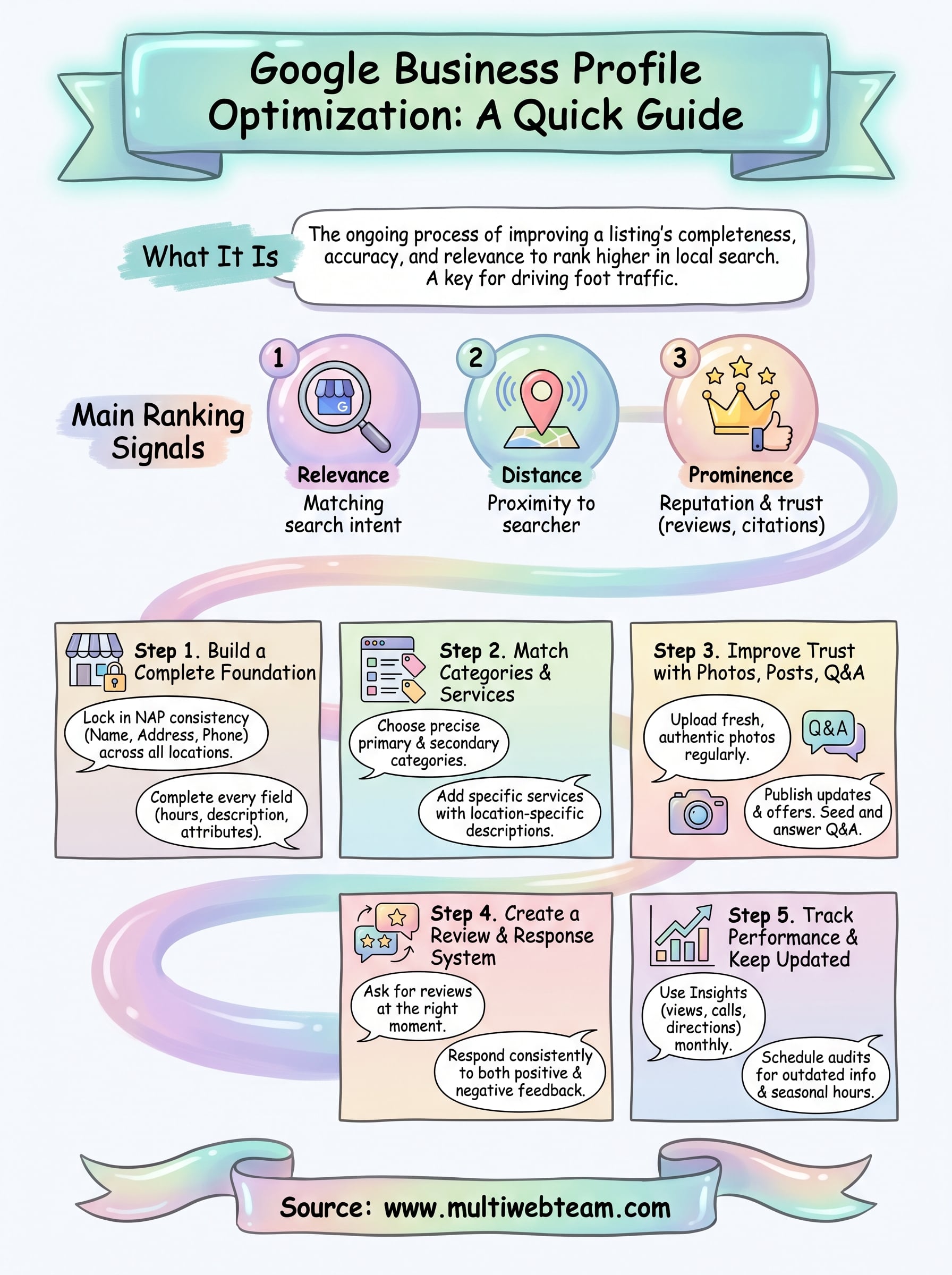
Now you have a clear picture of what is Google Business Profile optimization and the five steps needed to make it work for every location you run. Completing your profile foundation, matching categories to real customer searches, staying active with photos and posts, building a review system, and tracking performance month over month gives each location its best chance to show up when nearby customers search.
For multi-location businesses and franchises, the real challenge is executing this consistently at scale without it consuming your team's time. That is exactly what Multi Web Team handles for growing businesses every day, from ongoing profile management to local SEO across all your locations.
If you want a dedicated team managing your web presence and local search performance so you can focus on running your business, explore what Multi Web Team can do for you.










