
15-Step Local Business SEO Checklist to Rank in Maps (2026)
Most local searches lead to a visit, a call, or a purchase within 24 hours. But if your business doesn't show up in Maps or the local pack, those customers go straight to a competitor. That's where a local business SEO checklist comes in, a clear set of actions you can follow to make sure each of your locations is visible, accurate, and ranking where it matters. Whether you run two locations or twenty , the fundamentals stay the same.
The problem is that local SEO has a lot of moving parts. Google Business Profiles, citations, on-page signals, reviews, schema markup, skip one step, and you might wonder why a location isn't getting traction. At Multi Web Team, we handle local SEO and website management for multi-location businesses and franchises every day, so we see firsthand what moves the needle and what's just noise. This checklist is built from that hands-on experience .
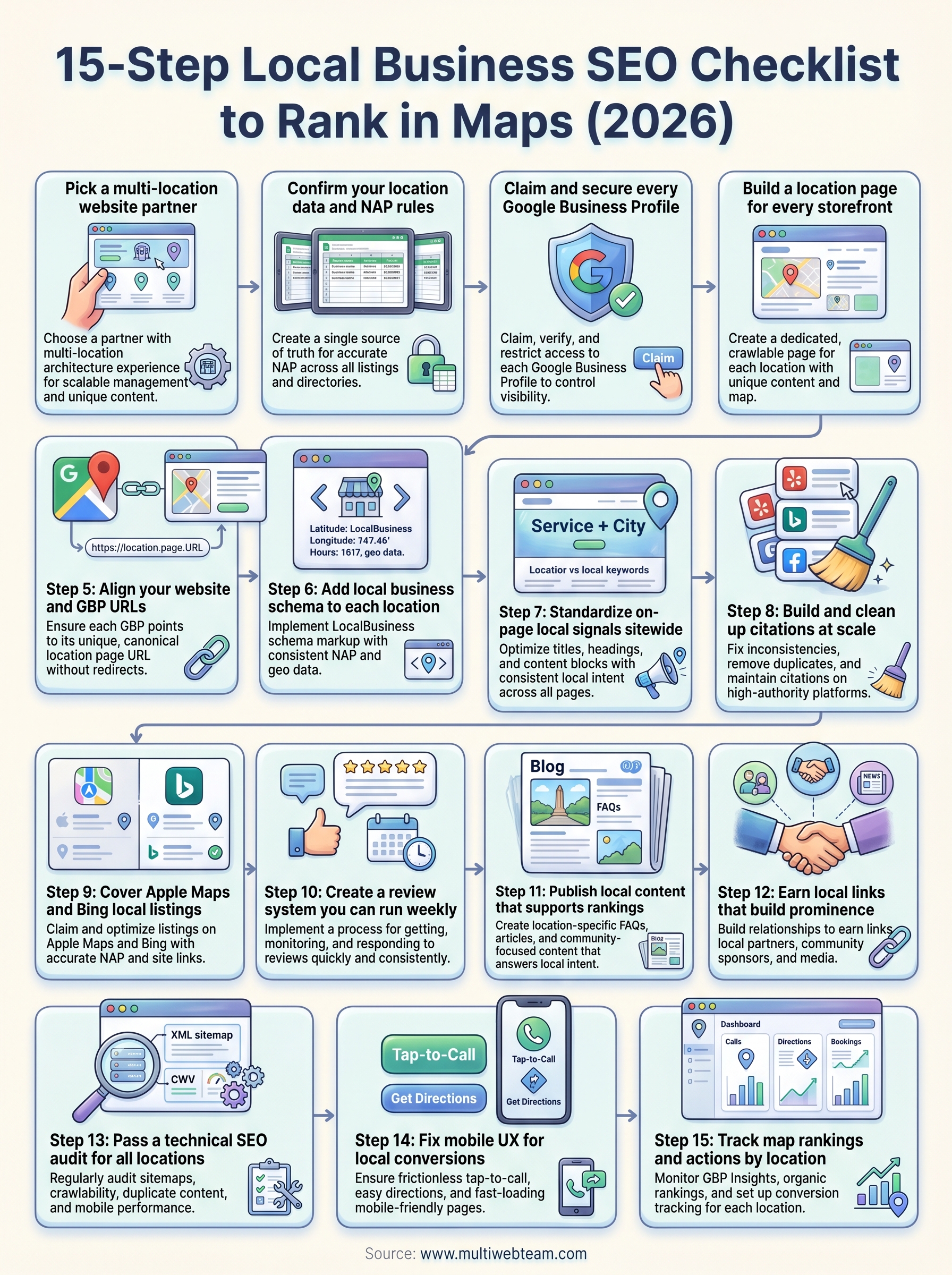
Below, you'll find a 15-step checklist covering everything from claiming your Google Business Profile to tracking your rankings over time. Each step includes what to do, why it matters , and how it fits into the bigger picture. Bookmark this page, work through it at your own pace, and start giving each of your locations the local search visibility it deserves.
1. Pick a multi-location website partner
Before you tackle anything else on this local business SEO checklist , you need the right foundation . Your website partner and platform shape every other decision, from how you structure location pages to how quickly you can push updates across dozens of locations at once. Getting this right early saves you from costly rebuilds and SEO rework later.
What this step solves for multi-location brands
Managing a single website is relatively simple. Managing 15, 50, or 200 location pages is a different challenge entirely. Without a partner who understands multi-location architecture, you end up with duplicate content, inconsistent local signals, and location pages that fail to rank. The right partner keeps your brand consistency intact while giving each location the unique content it needs to compete in local search results.
What to look for in a partner and platform
Look for a partner with a clear track record in multi-location SEO , not just general web design. Your platform should support individual location pages with unique URLs, custom metadata, and the ability to publish location-specific content without manually editing every page. You also want responsive ongoing support so that when a location's hours change or a new branch opens, updates happen within hours, not weeks. Ask to see live examples of multi-location sites they have built and managed over time.
The platform matters less than the process. A partner with a solid multi-location workflow will outperform a sophisticated platform run without a clear strategy every time.
How to structure roles, access, and approvals
Define who can do what before anyone logs in. Corporate-level users should control branding, site structure, and global SEO settings. Location managers can handle local content like promotions, photos, and hours, but they should not change URLs or metadata without review. Build a clear approval workflow so every update gets checked before it goes live, especially for anything that touches your SEO foundation.
What to document before you start
Create a shared document that captures every location's name, address, phone number, and website URL before your partner starts any build work. Include brand guidelines, logo files, and existing content you want to carry forward. You should also flag which locations are highest priority so your partner can sequence the build in a way that gets your most important locations live and optimized first.
2. Confirm your location data and NAP rules
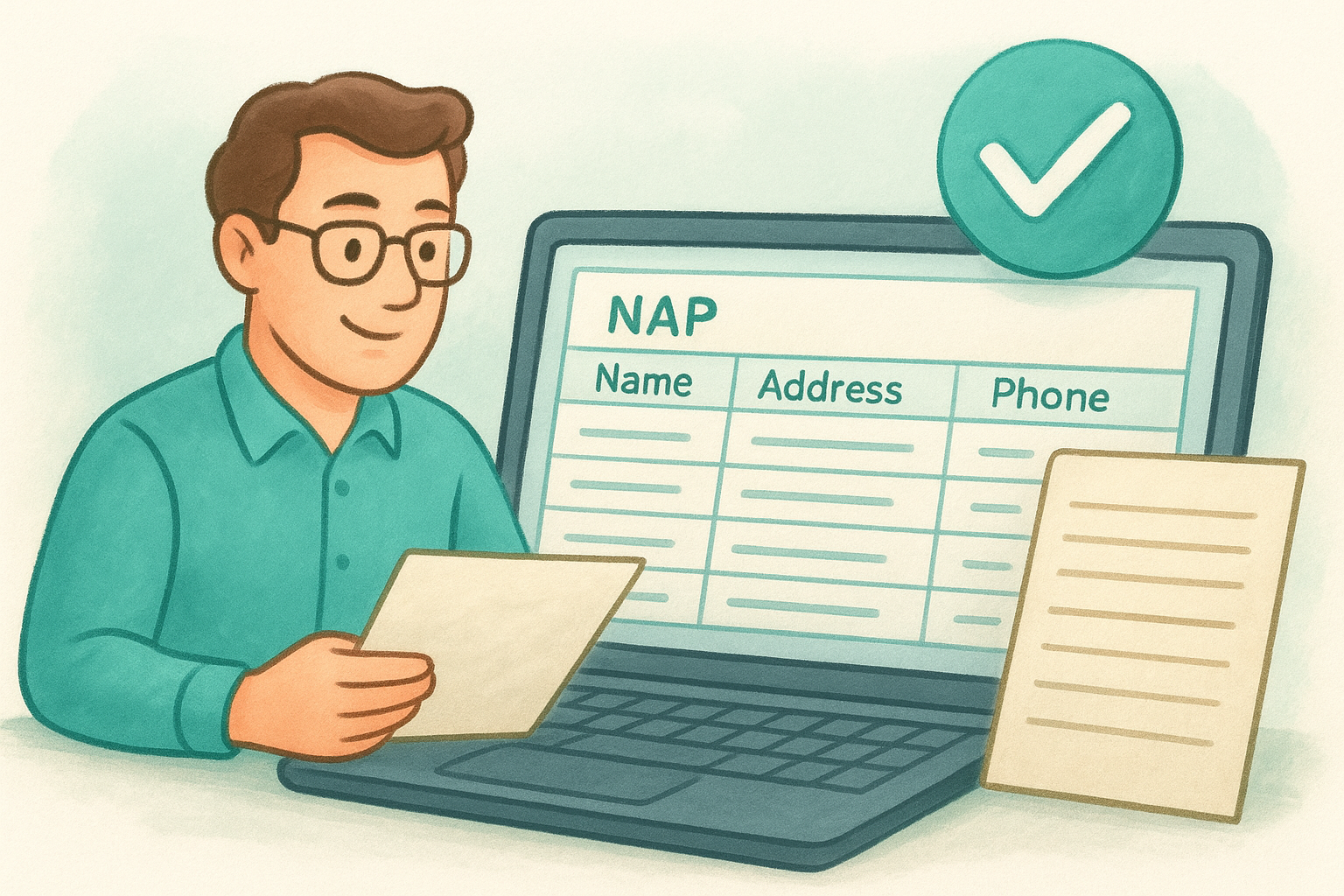
Inconsistent location data is one of the most common reasons businesses stall on any local business SEO checklist . Your name, address, and phone number(NAP) must match exactly across your website, Google Business Profile, and every directory listing you own. Even small differences, like "St." versus "Street," send conflicting signals to Google and erode your local rankings.
Create a single source of truth for NAP
Build a master location spreadsheet that every team member references before making any update anywhere. This document should include the full legal business name, street address, suite number, city, state, ZIP, phone number, and website URL for every location. Lock editing permissions so only one person or team can change the master record.
Decide on naming and suite formatting standards
Pick one format and enforce it across every platform. For example, decide whether you use "Suite 100" or "Ste 100" and stick with that choice everywhere. Inconsistent suite or unit formatting is a quiet ranking killer that's easy to miss during audits.
NAP consistency is not just about SEO. It's about making sure customers who find you online can actually reach the right location.
Handle departments, practitioners, and kiosks
Some locations have sub-listings for specific departments or practitioners , like a clinic with individual doctor profiles. Document these separately and apply the same NAP rules so they don't conflict with your main location listing.
Prevent duplicates before they happen
Before you create any new listing, search each directory and Google Maps for existing entries tied to that address. Duplicates split your authority and confuse customers. Catching them early is far easier than cleaning them up later.
3. Claim and secure every Google Business Profile
Your Google Business Profile (GBP) is the most direct lever you have for ranking in Maps. Without a claimed and verified profile for each location, you have no control over what Google shows searchers, and that gap in your local business SEO checklist can cost you customers every single day.
Claim, verify, and lock down access
Go to Google Business Profile and search for each location before creating anything new. Unclaimed profiles often already exist because Google generates them automatically from third-party data. Claim each one, complete the verification process, and then restrict access so only trusted managers can make changes to the listing.

Set primary and secondary categories correctly
Your primary category is the single most important signal you send to Google about what your business does. Choose the most specific category that accurately describes your main service. Secondary categories let you expand relevance for related searches without diluting your primary signal.
Picking a broader primary category to cast a wider net usually backfires. Specific categories consistently outperform vague ones in local pack rankings.
Add services, attributes, and business details
Fill in every field Google offers. Services, products, and attributes like "wheelchair accessible" or "free Wi-Fi" influence both rankings and how your profile appears to potential customers. Incomplete profiles signal to Google that the listing may not be reliable or actively managed.
Set hours and special hours across locations
Accurate business hours prevent customers from showing up to a closed location. Use the special hours feature for holidays and seasonal changes, and review each location's hours quarterly to make sure nothing has slipped out of date.
4. Build a location page for every storefront
Every location your business operates needs its own dedicated page on your website. This is a non-negotiable step in any local business SEO checklist because Google needs a unique, crawlable URL to associate with each physical address. Without it, your Google Business Profile has nowhere meaningful to send searchers, and your local rankings suffer as a result.
Required elements for a high-performing location page
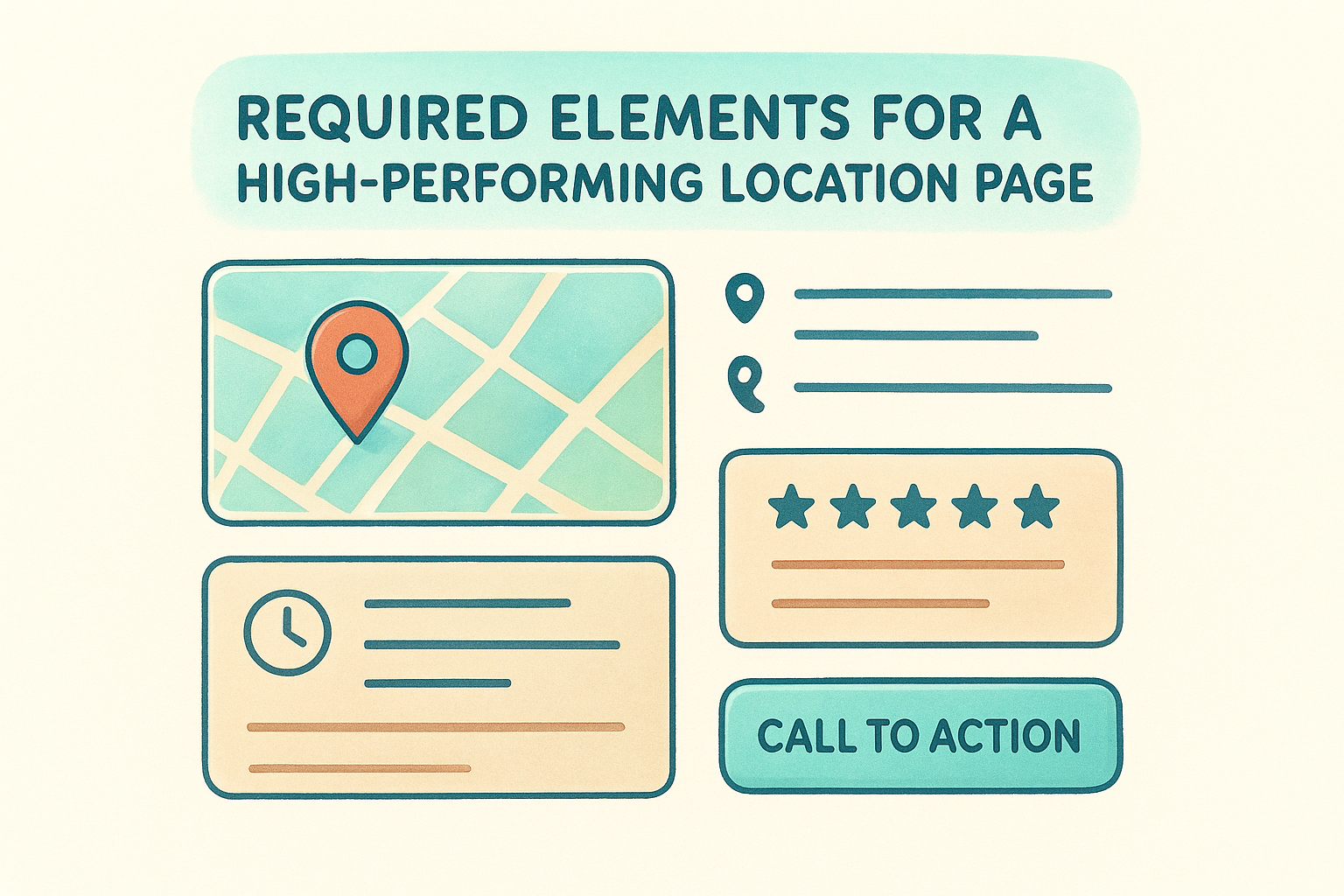
Each location page needs the full NAP details (name, address, phone number), business hours, a description of services available at that specific location, and a clear call to action. Include the city and neighborhood name naturally in the page heading and opening paragraph so Google understands the geographic focus without forcing keywords awkwardly into the copy.
Map, directions, and local trust signals
Embed a Google Map for each location directly on the page. Alongside the map, add parking notes, nearby landmarks, or transit directions that help customers actually get there. Customer reviews specific to that location also build trust and reinforce local relevance signals.
A location page without a map or directions is a missed conversion opportunity, especially for customers searching on mobile.
Unique content rules for multi-location SEO
Avoid copying the same content block across every location page and swapping only the city name. Each page needs genuinely unique content that reflects the specific location, such as local team members, community involvement, or location-specific promotions. Thin, templated pages rarely rank well and can drag down the authority of your entire site.
Internal linking from the main navigation
Your main navigation and footer should link to a locations directory page, which then links to each individual location page. This structure passes authority consistently and helps Google discover and index every location page without relying solely on external links or sitemaps.
5. Align your website and GBP URLs
The URL you plug into your Google Business Profile is a direct signal that tells Google which page represents that location. If that URL points to your homepage, a broken page, or the wrong location, you break the connection Google needs to rank that listing accurately. This step on your local business SEO checklist is easy to overlook but has a direct impact on how each profile performs in Maps .
Match each GBP to the right location page
Open each Google Business Profile and confirm the website URL field points to that location's dedicated page , not a redirect chain or a shared landing page. If you have 12 locations, each one should link to its unique URL with the correct city slug or address structure.
One wrong URL in your GBP can silently suppress a location's rankings for months before you catch it.
Fix tracking parameters and broken URLs
UTM parameters and other tracking strings added to GBP URLs sometimes cause Google to treat the destination as a different page from the canonical version. Audit each URL in Google Search Console to confirm the linked pages are indexed and returning a 200 status , not redirecting, throwing errors, or blocking crawlers.
Use the right canonical setup
Your location pages should each carry a self-referencing canonical tag so Google knows which version of the page to index. Avoid pointing multiple location pages to a single canonical URL, as this signals to Google that the pages are duplicates.
Avoid location page indexation traps
Check your robots.txt file and noindex tags to make sure no location pages are accidentally blocked from crawl. Pages that Google cannot index cannot rank, regardless of how well-optimized they are.
6. Add local business schema to each location
Schema markup is structured data that helps Google understand exactly what your business is, where it operates, and what it offers. Adding LocalBusiness schema to each location page is one of the most direct ways to reinforce every other signal in your local business SEO checklist and give Google fewer reasons to guess.
Choose the right schema types per location
Google supports a wide range of LocalBusiness subtypes, from Restaurant
to MedicalClinic
to AutoRepair
. Pick the most specific subtype
that accurately describes each location, since a precise type carries more weight than a generic LocalBusiness
tag. You can explore the full list at Schema.org.
Include consistent NAP and geo data
Your schema must mirror the exact NAP data
from your master location spreadsheet. Any mismatch between your on-page content, your GBP, and your schema creates conflicting signals. Include the latitude
and longitude
coordinates alongside the street address to give Google precise geographic context
for each location.
Consistent geo data in your schema is especially valuable for ranking in map packs where location proximity plays a direct role in results.
Add opening hours and service area where relevant
Use the openingHoursSpecification
property to list each day and time range separately. For service-area businesses
that serve customers at their location rather than from a storefront, add the areaServed
property to define the geographic regions you cover.
Validate markup and prevent conflicts
Run each location page through Google's Rich Results Test after adding schema. Fix any errors or warnings before publishing, and confirm that no conflicting schema blocks appear on the same page from plugins or third-party scripts.
7. Standardize on-page local signals sitewide
On-page signals tell Google which location serves which searcher. When you ignore this step in your local business SEO checklist , even well-structured location pages lose ground to competitors who align their titles, content, and conversion elements with local intent.
Titles and headings that target local intent
Your page title and H1 heading should include both the primary service and the city or neighborhood you serve, for example, "Yoga Studio in Austin, TX." Keep the format consistent across all locations so Google reads a predictable pattern and can attribute each page to the right geographic area.
Forcing city names into headings awkwardly reads as spam. Write naturally for the reader first, and the local signal will follow.
Content blocks that scale across locations
Build reusable content templates with clearly marked zones for location-specific text. Each location fills in the unique sections, like nearby landmarks or local team bios, while brand-level copy stays consistent. This approach keeps content fresh without creating unmanageable editing overhead across dozens of pages.
Image and media optimization for local pages
Add descriptive alt text that includes the service and location name for every image on a location page. Where possible, use original photos of each storefront or local team rather than generic stock images, since unique media reinforces authenticity signals Google rewards in local rankings.
Conversion elements for calls, bookings, and visits
Every location page needs a prominently placed phone number that triggers a tap-to-call action on mobile. Add a directions button linked to Google Maps and a booking form or CTA above the fold so customers can take action without scrolling.
8. Build and clean up citations at scale
Citations are any online mentions of your business name, address, and phone number, and they act as third-party confirmation signals that reinforce what your Google Business Profile already claims. Every item on your local business SEO checklist builds on accurate, consistent citations, so managing them at scale is not optional for multi-location brands.
Pick the directories that actually matter
Not every directory moves the needle. Focus your energy on high-authority platforms like Yelp, Apple Maps, Bing Places, Facebook, and industry-specific directories relevant to your sector. A smaller set of strong, consistent citations outperforms a large volume of low-quality listings spread across irrelevant sites.
Fix inconsistent listings and old phone numbers
Search each directory for every location and compare what you find against your master NAP spreadsheet . Old phone numbers, outdated addresses, and misspelled business names all weaken your local authority. Correct each discrepancy directly in the platform rather than creating a new listing on top of the old one.
A single outdated phone number on a major directory can misdirect customers and send conflicting signals to Google at the same time.
Remove duplicates and near-duplicates
Duplicate listings split your citation authority and confuse both search engines and customers . Search by address, phone number, and business name variations to surface near-duplicates. Most directories offer a reporting or support process to merge or remove them.
Keep citations synced over time
Set a quarterly calendar reminder to audit your top 10 directories for each location. Business hours, phone numbers, and addresses change, and citations that fall out of sync quietly drag down rankings without triggering any obvious warning.
9. Cover Apple Maps and Bing local listings
Google gets most of the attention, but Apple Maps and Bing serve hundreds of millions of users every month. Skipping them on your local business SEO checklist leaves visibility gaps that competitors who show up consistently across platforms will fill.
Set up Apple Business Connect for each location
Apple Maps pulls business data from Apple Business Connect, Apple's free management portal. Claim each location separately , add your correct NAP details, business hours, and photos , and link each listing to its dedicated location page on your website. iPhone users rely heavily on Apple Maps for navigation, so an unclaimed or inaccurate listing directly costs you foot traffic.
Apple Maps is the default navigation app on every iPhone, making Business Connect one of the highest-impact non-Google listings you can claim.
Claim Bing Places and match your NAP standard
Bing Places for Business lets you manage how your locations appear across Bing Search and Bing Maps. Import your locations in bulk if you manage more than a handful of listings, and confirm every name, address, and phone number matches your master NAP spreadsheet exactly. Bing also powers some AI-assisted search results, so keeping these listings accurate extends your reach beyond a standard results page.
Audit for duplicates and wrong pins
Both platforms frequently generate auto-populated listings from third-party data sources before you ever log in. Search each platform by address and phone number to find existing entries, then merge or remove duplicates before they split your authority.
Make sure your website links stay consistent
Confirm that every Apple and Bing listing points to the correct, canonical location page URL rather than your homepage or a redirect. Broken or mismatched links weaken the connection between your listings and your website, which reduces the local authority each platform passes back to your pages.
10. Create a review system you can run weekly
Reviews are one of the strongest ranking signals in local search, and they're also the most visible trust signal for customers deciding between your business and a competitor. Without a repeatable process built into your local business SEO checklist , review volume drops off, response times lag, and your reputation becomes inconsistent across locations.
Make it easy for customers to leave reviews
The biggest barrier to getting reviews is friction. Create a short, direct link to your Google Business Profile review form for each location and add it to post-purchase emails, receipts, and text follow-ups. The fewer steps a customer has to take, the more likely they are to complete the review .

The best time to ask for a review is immediately after a positive interaction, not days later when the moment has passed.
Respond fast with a consistent brand voice
Respond to every review within 48 hours , whether it's positive or negative. Write responses that acknowledge the specific feedback rather than using generic thank-you templates. Consistent, thoughtful responses signal to Google that your business is active and engaged, which supports your Maps visibility over time.
Route issues to the right location owners
Negative reviews that reference a specific staff member or incident need to reach the right location manager quickly . Build a simple notification system so that critical reviews trigger an immediate alert to the person who can actually resolve the issue.
Watch for policy violations and fake reviews
Scan each location's review profile weekly for suspicious activity, including fake negative reviews from competitors or spam accounts. Report policy violations directly through Google Business Profile so your star ratings stay accurate and trustworthy.
11. Publish local content that supports rankings
Publishing content is not just about filling pages. Local content gives Google additional signals that each of your locations is relevant, active, and authoritative in its specific area. When done consistently, it strengthens every other step in your local business SEO checklist and gives customers real reasons to choose you over a competitor.
Pick topics that match local search intent
Start with searches your customers are already running in each city or neighborhood. Tools like Google Search Console can show you which queries are already bringing visitors to your location pages, and those queries point directly to content gaps you can fill. Focus on topics tied to specific services and local conditions rather than broad industry terms.
Create local FAQs that answer real questions
Pull questions from your review responses, customer emails, and front-desk staff at each location. A FAQ section that answers real questions, like parking availability or service waitlist times, signals to Google that your page addresses genuine customer needs.
FAQs that mirror exactly how customers phrase their questions in conversation tend to rank better for voice search and featured snippets.
Use location-specific proof without repetition
Include local team names, community partnerships, and neighborhood-specific details that make each page feel distinct. Avoid lifting the same proof points across every location page with only the city name swapped out, since Google recognizes thin content patterns and deprioritizes pages that repeat identical structures.
Connect content to service and location pages
Every piece of local content should include a clear internal link back to the relevant location page or service page. This passes authority directly where you need it and keeps visitors moving toward a booking, call, or in-store visit rather than leaving without taking action.
12. Earn local links that build prominence
Links from other local websites act as endorsements that tell Google your business has real standing in its community. This step in your local business SEO checklist moves you from technical accuracy to genuine online authority, which separates businesses that hover in the mid-pack from those that rank consistently at the top of Maps.
Partners, suppliers, and local associations
Your existing business relationships are the most natural starting point for earning local links. Suppliers, wholesale partners, and professional associations often maintain member directories or partner pages that link back to member websites. Reach out to each contact and ask for a listing pointing to your correct location page URL . Many will add it the same day.
- Distributor and vendor partner pages
- Industry association member directories
- Local chamber of commerce listings
Community pages, sponsorships, and events
Sponsoring a local event, sports team, or charity drive frequently comes with a link from the organizing website . These opportunities also tend to appear in local news coverage , which adds additional authority from sources Google already treats as credible.
Links from genuinely local websites carry more geographic relevance than links from national sites in the same industry.
Unlinked mentions and link reclamation
Search for your business name and city name together in Google to find articles or directories that mention you without linking back. Contact each site owner and ask them to add a link to your location page , since the mention already exists and the request is reasonable and easy to fulfill.
Avoid link tactics that trigger spam signals
Buying links, joining link schemes, or using automated link-building software violates Google's guidelines and can result in penalties that suppress every location you operate. Build links through real relationships and community activity rather than shortcuts that put your entire domain at risk.
13. Pass a technical SEO audit for all locations
Technical problems silently block your local rankings even when every other step in your local business SEO checklist is done correctly. Running a dedicated audit for all locations catches the issues that prevent Google from properly crawling, indexing, and ranking your pages.
Indexing, sitemaps, and robots rules
Confirm that every location page is included in your XML sitemap and submit it through Google Search Console. Then check your robots.txt file to make sure no location URLs are accidentally blocked. Pages that Google cannot crawl simply do not rank.
Duplicate content and thin page cleanup
Templated location pages often trigger duplicate content issues when the only difference between them is the city name. Audit each page for unique text, images, and details that distinguish it from other locations. Thin or near-identical pages pull down the authority of your entire domain.
A page with fewer than 300 words of unique, location-specific content rarely competes effectively against a well-developed competitor page.
Core Web Vitals and performance basics
Google uses Core Web Vitals scores as a ranking signal, and slow pages lose both rankings and customers. Check your Largest Contentful Paint, Interaction to Next Paint, and Cumulative Layout Shift scores in Search Console for each location URL, then fix anything flagged as poor before it costs you visibility.
Site architecture that scales with growth
Structure your location directory and URL hierarchy so that adding a new location requires minimal manual work. A flat, logical structure where every location page sits one level below the main locations directory keeps crawl depth shallow and helps Google index new pages quickly.
14. Fix mobile UX for local conversions
Most local searches happen on mobile devices, and customers who land on a slow or hard-to-navigate location page leave before they ever call or visit. This step in your local business SEO checklist focuses on removing every barrier between a mobile visitor and the action you need them to take.
Make tap-to-call and directions frictionless
Your phone number on every location page
must be formatted as a clickable tel:
link so that one tap connects the customer directly without copying or dialing manually. Place a "Get Directions" button
near the top of the page and link it directly to Google Maps with your address pre-filled.
One extra tap in the conversion path can cut your mobile call rate significantly across each location.
Improve forms and booking flows on mobile
Keep booking forms short , asking only for the details you genuinely need to confirm an appointment. Use mobile-friendly input types like date pickers and dropdown selectors instead of free-text fields that slow customers down on a small keyboard.
Keep location details visible on small screens
Your address, phone number, and business hours should appear near the top of every location page on mobile without requiring a scroll. Avoid hiding critical location details inside collapsible menus or tabs that customers may not think to open.
Reduce slow scripts and heavy page elements
Large image files and third-party scripts are the most common causes of slow load times on mobile location pages. Compress every image to an appropriate size, defer non-essential JavaScript, and test your load speed using Google PageSpeed Insights for each location URL.
15. Track map rankings and actions by location
Tracking is the step that turns this entire local business SEO checklist into a feedback loop. Without location-level data, you cannot tell which locations are gaining ground, which are losing it, or where to focus your next round of effort.
What metrics matter for Maps and organic results
Your Google Business Profile Insights panel shows impressions, search queries, and profile actions for each location. Pair this data with Google Search Console reports filtered by location page URLs to see how your organic rankings shift alongside your Maps visibility over time.
Set up tracking for calls, directions, and bookings
Tag each location's phone number and directions link with separate tracking events in Google Analytics 4 so you measure actual customer actions rather than just page views. Connect Google Business Profile to your reporting dashboard so call clicks and direction requests appear alongside your website conversion data in a single view.
Tracking direction requests by location gives you a direct signal of how many customers each Maps listing is actually sending to your door.
Monitor competitor changes and new entrants
Check your top three competitors for each location at least once a month, looking for new reviews, category changes, or freshly launched location pages. A competitor who adds a new location near one of yours can shift local pack results within weeks, and you need to respond before your rankings slip.
Build a monthly maintenance checklist
Run a short monthly audit that covers GBP accuracy, citation changes, and review response rates alongside any Search Console errors flagged for your location pages. Keeping this routine consistent prevents small issues from stacking into larger ranking problems over time.
Keep your locations visible
Working through this local business SEO checklist is not a one-time event. Each step you complete strengthens the next, and the businesses that rank consistently in Maps are the ones that maintain their listings, content, and technical foundation on a regular schedule rather than fixing things only when rankings drop. Set aside time each month to review your GBP accuracy, respond to new reviews, and check for any technical issues flagged in Search Console.
Managing all of this across multiple locations is a real operational challenge, especially when your core business demands most of your attention. That is where having a dedicated team behind your web presence makes the difference between locations that rank and locations that get passed over. If you want a partner who handles local SEO and website management specifically for multi-location businesses , reach out to Multi Web Team to see how we can keep every one of your locations visible and converting.










