
8 Small Business SEO Tips To Rank Higher Locally In 2026
Most small businesses don't lose customers because of a bad product, they lose them because nobody can find them online . If your Google presence is weak, potential customers are walking straight to competitors who show up first. The good news? You don't need a massive budget or a marketing degree to fix that. You need the right small business SEO tips and the discipline to follow through.
Local search has become the front door for brick-and-mortar businesses and service providers. Over 80% of consumers use search engines to find local businesses, and if yours isn't optimized for that, you're invisible to the people most likely to buy from you. That's especially true if you're managing multiple locations , where each storefront needs its own visibility in its own market.
At Multi Web Team, we build and manage websites for multi-location businesses and franchises, with local SEO baked into everything we do. We've seen firsthand what moves the needle and what wastes time. This article breaks down eight practical steps you can start applying right now to rank higher in local search results heading into 2026.
1. Use a managed multi-location website foundation
Your website is the backbone of every small business SEO tip you'll ever apply. If the foundation is broken, with slow pages, inconsistent location data, or a generic site built for one storefront, none of the tactics on this list will deliver what they should. Multi-location businesses face a specific challenge: each location needs its own presence on search engines without undermining the strength of the central brand.
Why this matters in 2026
Google's local ranking systems have gotten sharper at identifying whether your website genuinely serves a specific location or just mentions a city name in passing. Thin location pages, missing NAP (name, address, phone) consistency, and slow mobile load times are all signals that push you down in local results. If you're running three, five, or fifteen locations off a single generic page, you're leaving search visibility on the table for every one of them.
A website built specifically for multi-location SEO can multiply your local search footprint without multiplying your management workload.
How to do it step by step
Start by auditing your current site to confirm whether each location has a dedicated page with unique content , a local phone number, and a physical address. If those pages don't exist, build them before doing anything else. Next, make sure your site architecture is clean : a main homepage that links clearly to each location page, with consistent navigation across all of them. If you're managing updates manually across many pages, a managed website service that handles content, SEO, and maintenance under a single subscription keeps everything in sync without the overhead.
Tools and metrics to check
Use Google Search Console to check which location pages are indexed and receiving impressions. Look at the Coverage report to identify pages Google is ignoring or flagging as duplicates. Then track organic clicks by page to see which locations are pulling traffic and which ones need more attention. A simple baseline table helps you stay organized:
| Location | Indexed? | Monthly Clicks | Impressions |
|---|---|---|---|
| Location A | Yes | 120 | 1,400 |
| Location B | No | 0 | 0 |
| Location C | Yes | 45 | 600 |
Once you have this data in front of you, you know exactly where to focus first.
2. Pick local keywords with real purchase intent
Most small business SEO tips focus on getting traffic, but traffic without purchase intent doesn't pay the bills. The keywords that matter most are the ones people type when they're ready to hire someone, buy something, or walk through a door. Targeting the wrong terms wastes your time and pulls in visitors who will never convert.
Why this matters in 2026
Search behavior has shifted toward highly specific, location-aware queries . People aren't searching "plumber" anymore; they're searching "emergency plumber open now in Denver." Google's systems are built to match those queries with businesses that explicitly target them. If your content is optimized for broad, informational terms, you're competing with national publications instead of winning customers in your own backyard.
The closer your keywords match what buyers are actually typing, the shorter the path from search result to paying customer.
How to do it step by step
Start with your core services or products , then attach your city or neighborhood to each one. Filter for commercial intent by keeping phrases that signal someone is ready to act, not just browsing. Focus on three keyword structures:
- Service + city ("HVAC repair Austin")
- Service + "near me" ("pizza delivery near me")
- Service + qualifier ("best emergency plumber Chicago")
Tools and metrics to check
Use Google Search Console to find the exact queries already driving impressions to your site. Focus on click-through rate (CTR) for each query, and prioritize pages ranking between positions 5 and 15 since those are closest to meaningful visibility.
Review your keyword list monthly and swap out terms that earn impressions but no clicks. When a term gets views and nobody clicks through, your page title or meta description isn't matching what the searcher actually wants.
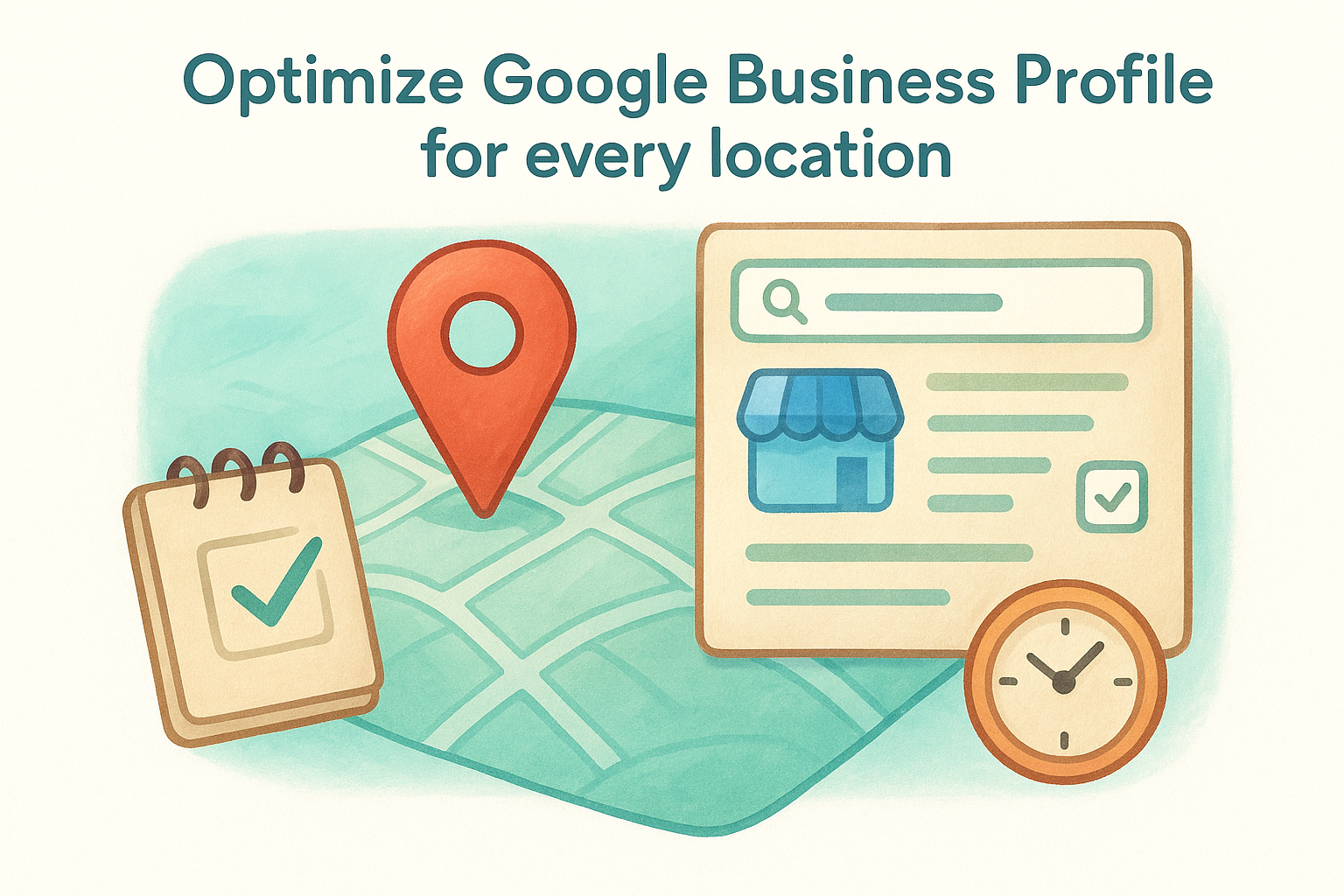
3. Optimize Google Business Profile for every location
Your Google Business Profile(GBP) is the single most visible element of your local SEO presence. It controls what appears in the map pack , the knowledge panel, and location-based searches. For multi-location businesses, every location needs its own fully completed profile with accurate, location-specific information.
Why this matters in 2026
Google uses your GBP data directly to decide whether your business appears in the local 3-pack , which captures the majority of clicks for local searches. An incomplete or outdated profile signals unreliability to both Google and potential customers. Among all the small business SEO tips available, keeping your GBP current is the one with the fastest visible impact.
A fully optimized Google Business Profile can get a location ranking in map results within weeks, even when the website is still catching up.
How to do it step by step
Claim and verify every location separately through Google Business Profile Manager . Then fill out every field: business name, address, phone number, hours, services, and photos. Add at least five current photos per location and update your hours whenever they change. Respond to every review, positive or negative, since active review responses signal ongoing management to Google's ranking systems.
Tools and metrics to check
Inside your GBP dashboard, monitor profile views and direction requests on a monthly basis. A consistent drop in either metric often points to outdated information or a suspended listing that needs immediate attention before it costs you map pack visibility.
4. Build location pages that do not duplicate content
Duplicate content is one of the fastest ways to tank your local rankings. If every location page on your site is essentially a copy-paste of the same text with just the city name swapped out, Google treats those pages as near-duplicates and typically only surfaces one of them, leaving every other location invisible in search results. Among all the small business SEO tips in this list, getting location pages right gives you the clearest local ranking signal.
Why this matters in 2026
Google's systems are now very good at detecting thin, templated pages that offer no real value to the reader. A location page that duplicates your homepage content with a different city name tells Google you aren't serious about serving that market. Unique, locally relevant content tells a completely different story and directly improves your chances of ranking in that specific area.
Each location page should be able to stand on its own as a genuinely useful resource for someone in that city.
How to do it step by step
Write unique introductory content for each location that references local context, whether that's a nearby landmark, a neighborhood name, or the specific services most popular in that area. Add a location-specific FAQ section and embed a Google Map for that address. Pull in local reviews specific to that branch so the page reflects real customer activity from that market.
Tools and metrics to check
Use Google Search Console to check the Duplicate Content report under the Coverage section. If multiple location pages share the same indexed title or meta description, that confirms duplication. Track individual page impressions for each location monthly to verify that each page is gaining independent traction in search.
5. Clean up on-page SEO on your core pages
On-page SEO covers everything within your own pages that signals relevance to search engines. For multi-location businesses, this includes your homepage, service pages, and every location page . Even if your local presence is otherwise solid, poor on-page signals quietly limit how high any of your pages can rank.
Why this matters in 2026
Google reads your title tags, meta descriptions, header structure, and body content to understand what each page is about. If those elements are generic, missing, or misaligned with your target keywords, your page competes poorly against sites that have done the work. Applying the right on-page SEO fundamentals is one of the most direct small business SEO tips you can act on without waiting for external signals to build.
Getting your on-page elements right creates an immediate, measurable lift in how Google understands and ranks your pages.
How to do it step by step
Work through these four on-page elements for each core page:
- Title tag : Include your primary keyword and location, keep it under 60 characters
- Meta description : Write a clear reason to click, under 160 characters
- H1 tag : Match the page's main topic directly
- Body content : Place your target keyword naturally within the first 100 words
Tools and metrics to check
Use Google Search Console to find pages with missing or duplicate title tags under the Coverage and Performance reports. Monitor average position and CTR for each core page every month.
When average position improves but CTR stays flat , revisit your meta descriptions since they aren't giving searchers a clear enough reason to click through to your page.
6. Add schema to win rich results and AI answers
Schema markup is structured data you add to your HTML to help search engines read your pages more precisely. For local businesses, this translates directly into richer search listings and a better chance of appearing in the AI-generated answer features that now dominate the top of many search results pages.

Why this matters in 2026
AI-powered features like Google's AI Overviews pull information from structured, machine-readable data on your pages. If your pages lack schema, you're essentially invisible to those features. LocalBusiness schema and FAQ schema are two of the highest-value markup types for small and multi-location businesses, since they give Google the exact signals it needs to surface your information in rich results and AI summaries.
Businesses with properly implemented schema consistently outperform competitors in rich result click-through rates, even when both rank at the same position.
How to do it step by step
Start with the three schema types that move the needle fastest for local businesses:
- LocalBusiness schema : Add to every location page with your name, address, phone number, hours, and geographic coordinates
- FAQ schema : Add to service pages that include a question-and-answer section
- Review schema : Display aggregate star ratings from your review platforms directly in search results
Use Google's Structured Data Markup Helper to generate the JSON-LD code without writing it from scratch.
Tools and metrics to check
One of the most overlooked small business SEO tips is validating your schema after you add it. Run every updated page through Google's Rich Results Test to confirm the markup is error-free. Then monitor rich result impressions in Google Search Console under the Enhancements tab each month to verify that Google is reading and serving your structured data correctly.
7. Fix technical issues that block local rankings
Technical SEO is the area most small business owners skip because it feels invisible. But broken pages, slow load times, and crawl errors actively prevent Google from indexing your content, which means no amount of keyword work or profile optimization will save your local search rankings .
Why this matters in 2026
Google's crawlers have a limited budget of time to spend on your site. If they hit redirect chains, 404 errors, or pages that load poorly on mobile , they move on and your pages don't rank. This is one of the most overlooked areas in any list of small business SEO tips , but technical problems create a hard ceiling on how far your other efforts can take you.
A technically clean website lets every other SEO investment you make actually land and hold.
How to do it step by step
Run a technical audit and fix issues in this priority order:
- Mobile usability : Fix any elements that break on smaller screens using Google's Mobile-Friendly Test
- Page speed : Compress images and eliminate render-blocking scripts to reach a load time under 3 seconds
- Crawl errors : Resolve 404 pages and fix broken internal links across every location page
- Redirect chains : Replace multi-step redirects with direct 301 redirects to preserve link equity
Tools and metrics to check
Use Google Search Console to pull your Core Web Vitals report and the Page Indexing report every month. Watch your Crawled - Currently Not Indexed count closely, since a rising number signals technical barriers that are actively stopping Google from surfacing your pages in local results.
8. Build local authority with citations and links
Local authority comes from two sources: citations (consistent mentions of your business name, address, and phone number across the web) and backlinks from other trusted local sites. Both send trust signals to Google that confirm your business is real, established, and worth surfacing in local search results.
Why this matters in 2026
Google weighs local authority signals alongside your on-page content and GBP data when deciding which businesses to rank. Inconsistent citations across directories confuse its systems and dilute your local rankings. Among all the small business SEO tips in this guide, citation accuracy is one of the few areas where a single mistake, like a mismatched phone number on a major directory, can quietly suppress rankings across multiple locations.
Consistent NAP data across every directory you appear in directly strengthens Google's confidence that your business information is accurate and trustworthy.
How to do it step by step
Start by claiming and correcting your listings on the directories that carry the most weight with Google's local systems:
- Google Business Profile : Keep it perfectly matched to every other directory listing you maintain
- Yelp and Apple Maps : Both feed into widely used mapping and review platforms
- Industry-specific directories : Add your business to niche directories relevant to your exact service category
Tools and metrics to check
Use Google Search Console to track new backlinks in the Links report each month. A growing number of referring domains from local sources confirms that your authority-building work is producing results. Also search your business name directly and check whether your name, address, and phone number match consistently across the top directory results that appear.
A simple plan to keep moving
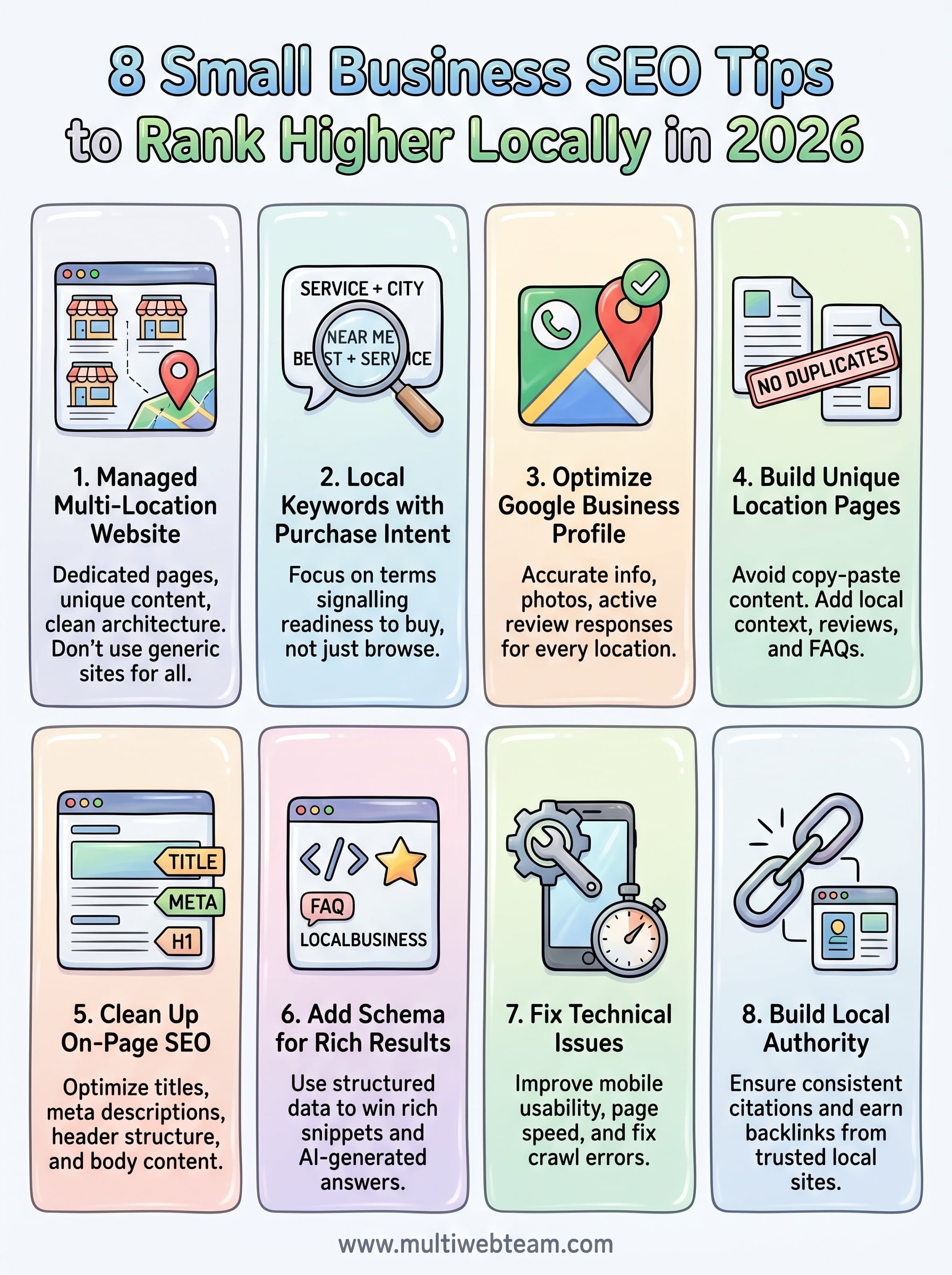
These eight small business SEO tips work best when you treat them as a system, not a checklist you run through once and forget. Start with your website foundation and Google Business Profile since those two have the fastest impact on local visibility . Then layer in location pages, on-page fixes, schema, and technical cleanup over the following weeks. Citations and links build naturally as everything else takes shape.
Progress matters more than perfection here. Pick two items from this list and finish them before moving to the next two. Consistent forward motion beats a big launch that stalls because you tried to do everything at once.
If you run multiple locations and need a website built to support local SEO from the ground up , Multi Web Team handles design, ongoing updates, and location-specific optimization under one subscription. No hourly fees, no surprise costs, just consistent work that keeps your locations visible where it counts.










