

How To Design a Restaurant Website That Converts Diners
Most restaurant websites fail at one job: getting someone to walk through the door or place an order. They look fine, maybe even pretty, but they don't actually drive revenue. If you're figuring out how to design a restaurant website , the goal isn't just to put something online, it's to build a page that turns hungry browsers into paying customers .
The difference between a restaurant website that sits there and one that converts comes down to specific design choices, smart feature placement, and an understanding of what diners actually want when they land on your page. Things like menu accessibility, mobile responsiveness , and clear calls to action matter far more than flashy animations or stock photos of food you don't serve.
This guide breaks down the full process step by step, from choosing the right platform to structuring pages that drive reservations and online orders. At Multi Web Team, we build and manage websites for multi-location restaurants and food service franchises every day, so the advice here comes from real work with real restaurant businesses. Whether you're launching a single location or managing a dozen, you'll walk away with a clear plan to get it done right.
What makes a restaurant website convert
A restaurant website converts when it removes friction between the visitor's intent and the action you want them to take . Most people land on a restaurant site with one of three goals: check the menu, make a reservation, or place an order. If your site makes any of those tasks slow or confusing, you lose the customer before they ever set foot in your door. When thinking about how to design a restaurant website that actually performs, conversion is the lens you should apply to every single design decision.
The fold matters more than you think
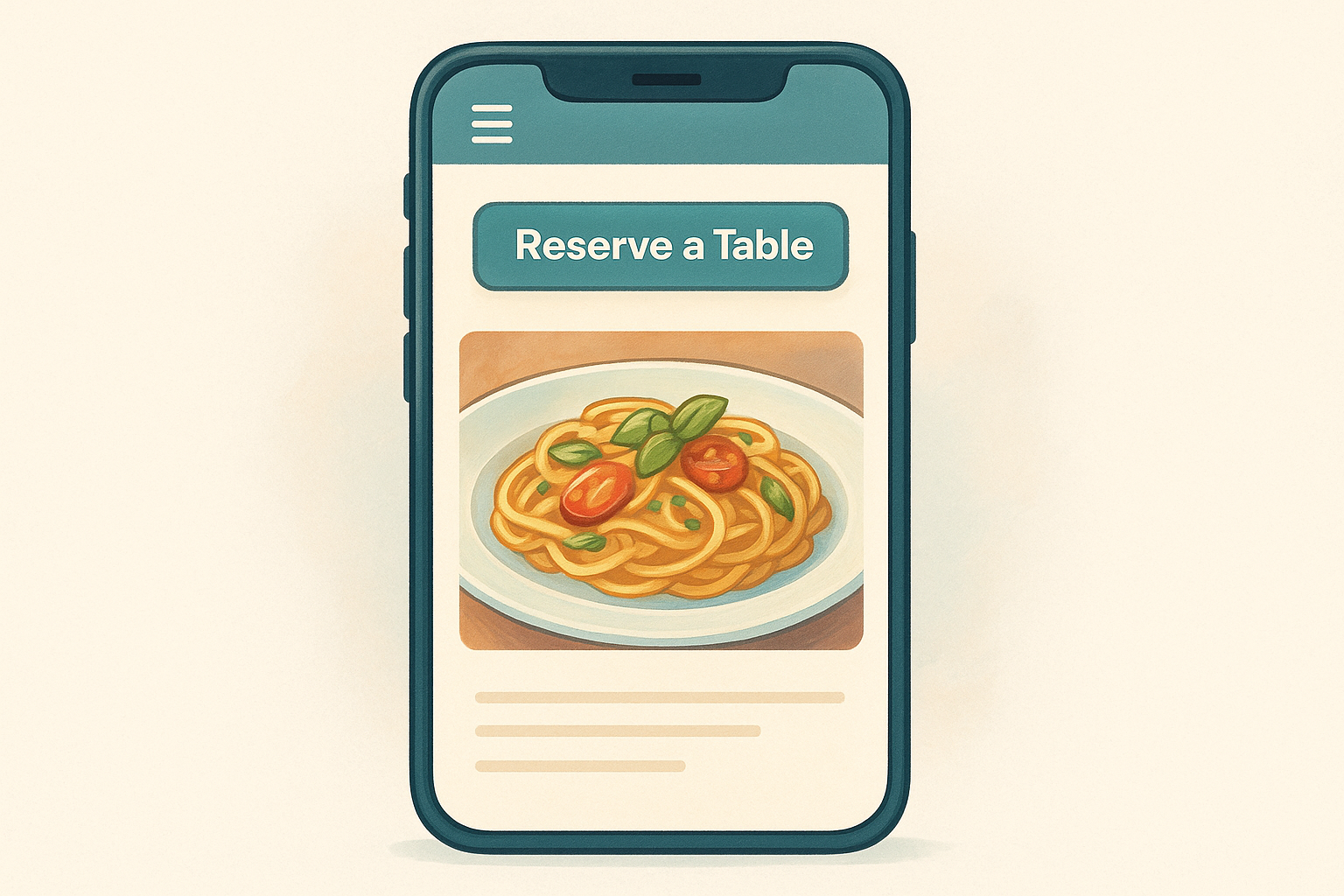
The first screen a visitor sees before they scroll is called "above the fold," and it carries an outsized amount of weight. Your restaurant name, a strong photo of the actual food you serve, and a clear primary call to action like "Order Now" or "Reserve a Table" should all appear in that space. Visitors decide within a few seconds whether to stay or bounce. Don't make them search for a reason to stick around.
Your secondary calls to action also belong close to the top. Links to your menu and your location are the two pieces of information diners want most, so surface them immediately rather than burying them in a navigation dropdown.
What you show above the fold is your first impression and your last chance at the same time.
Speed and mobile experience directly affect revenue
More than 60% of restaurant-related searches happen on mobile devices , and slow-loading pages push people away before they ever see your menu. Your site needs to load in under three seconds on a phone, with buttons large enough to tap easily and navigation simple enough to use with one thumb. Google's Core Web Vitals measure exactly these performance factors, and they influence both your search rankings and how real users experience your site.
A mobile-first design isn't a bonus feature, it's the baseline expectation. If your site looks great on a desktop but breaks down on a phone screen, you're losing the majority of your potential customers before the conversation even starts.
Trust signals close the gap
People choose restaurants based on trust and social proof , even when they're browsing online. Reviews, real photos of the food you actually serve, and accurate location and hours information all signal that your restaurant is active and worth visiting. A site that shows current specials or seasonal menu updates tells visitors the business is paying attention, which builds confidence before they ever walk through your door.
Embedding your Google rating or displaying third-party review counts adds credibility without requiring visitors to leave your site to verify you're legitimate.
Step 1. Map pages and conversions
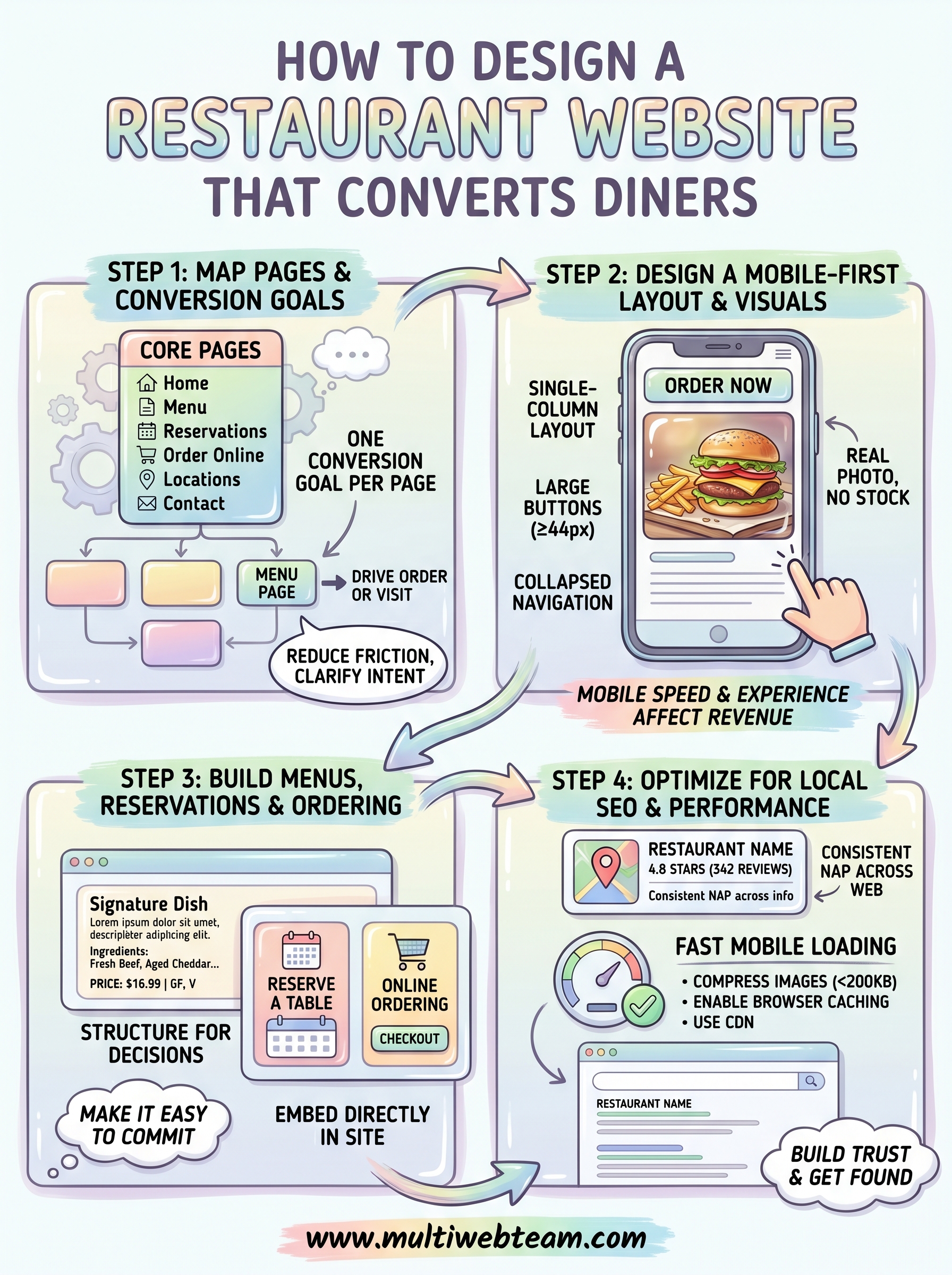
Before you touch a design tool or pick a color palette, you need a clear map of what pages your restaurant website requires and what specific action each page should drive. When you think about how to design a restaurant website, this planning phase determines whether every page has a job or just takes up space. A scattered page structure creates confusion for visitors and leaves money on the table.
Define your core pages first
Most restaurant websites need the same foundational pages to function well. Start with these before adding anything else, and keep your visitor's goal in mind as you build the list:
| Page | Primary Conversion Goal |
|---|---|
| Home | Drive clicks to menu, reservations, or ordering |
| Menu | Keep visitors engaged and prompt an order or visit |
| Reservations | Capture a confirmed booking |
| Order Online | Complete a transaction |
| Locations | Drive foot traffic and map directions |
| Contact | Answer questions and reduce friction |
Every page on your site should have one clear action you want the visitor to take next.
Assign one conversion goal per page
Once you have your page list, write down a single conversion goal for each one. If a page tries to do three things at once, it usually accomplishes none of them. Your home page should funnel visitors toward your menu or reservation button , not scatter their attention across six different options.
For your menu page specifically, the conversion goal isn't just to display food items. It's to create enough desire and urgency that the visitor places an order or books a table right after browsing. Structure the page to support that outcome by placing your order or reservation button at both the top and bottom of the menu, not buried only at the end.
Step 2. Design a mobile-first layout and visuals
When thinking about how to design a restaurant website, most people picture what it looks like in a desktop browser. That's the wrong starting point. Over 60% of restaurant-related searches happen on mobile devices , so your design decisions should begin with the smallest screen and expand outward from there. Every button, image, and navigation element needs to work on a phone before you concern yourself with how it renders on a laptop.
Build your layout for a small screen first
Start with a single-column layout that stacks content vertically so visitors never need to pinch-zoom or scroll sideways. Your navigation should collapse into a simple hamburger menu, and your primary call-to-action buttons need to be at least 44x44 pixels so they're easy to tap with a thumb. Keep body text at a minimum of 16px to stay accessible and readable without zooming.
Design for mobile first, and your desktop layout will almost always fall into place naturally.
Apply these layout rules specifically to your restaurant site:
- Place your Order Now or Reserve a Table button near the top of every page
- Use full-width images rather than side-by-side columns on mobile views
- Limit main navigation to five items or fewer to keep choices simple
- Keep contact forms short, with no more than three to four fields per step
Use real photos of your actual food
Stock food photography undercuts trust the moment a diner visits your restaurant and the plates look nothing like what they saw online. Invest a few hours with a food photographer to capture your actual dishes, your dining space, and your team . Real images increase time on page and give visitors a concrete reason to choose your restaurant over a competitor showing the same generic bowl of pasta.
Step 3. Build menus, reservations, and ordering
The functional core of how to design a restaurant website that drives revenue sits in three features: your menu, your reservation system, and your online ordering flow . Get these wrong and every other design choice you've made loses its impact. Visitors who can't find your menu in two clicks or can't book a table in under a minute will leave and go somewhere easier.
Structure your menu for decisions, not just browsing
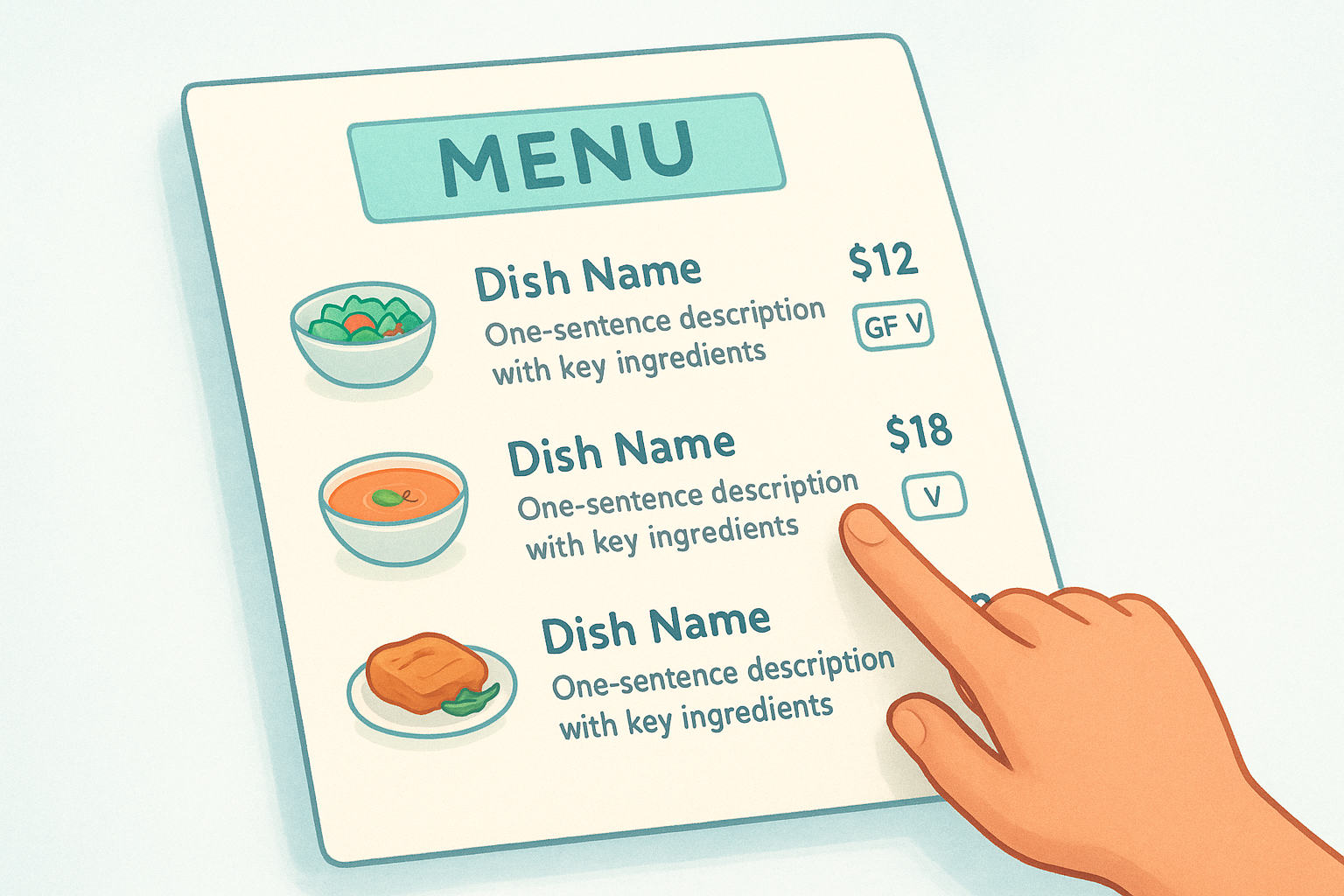
Your menu page needs to do more than list dishes. It should guide visitors toward a decision and remove hesitation before they commit. Organize items by category with clear headings, include brief descriptions that highlight key ingredients, and show pricing upfront without making visitors click through to find it. Use this basic menu item structure as a template:
[Dish Name]
[One-sentence description with key ingredients]
[Price] | [Dietary flags: GF, V, Vegan]
Your menu should make someone hungry and confident enough to order, not confused about what anything actually is.
Connect a reservation and ordering system directly
Third-party plugins or embedded tools handle the technical lift of reservations and online orders , but you control where and how they appear on your page. Place your reservation widget on both your home page and a dedicated reservations page. For online ordering, embed the flow directly within your site rather than redirecting visitors to a separate app, which reduces drop-off significantly.
Common integrations to consider:
- Reservations: An embedded form that captures date, time, party size, and contact info
- Online ordering: A checkout flow that stays within your site's existing design
- Confirmation emails: Automated messages that confirm bookings and orders immediately
Step 4. Optimize for local SEO and performance
The last major step in how to design a restaurant website that actually brings in customers is making sure search engines can find your pages and that those pages load fast enough to keep visitors on them . A beautifully designed site that ranks on page three of Google for your neighborhood might as well be invisible. Local SEO and performance are not afterthoughts; you build them into the site from the start.
Claim and optimize your Google Business Profile
Your Google Business Profile is often the first thing a potential diner sees when they search for restaurants near them, even before your website. Claim your profile at Google Business Profile , add accurate hours, phone number, address, and photos, and keep it updated whenever details change. Consistency between the name, address, and phone number on your website and your Google Business Profile directly affects how well you rank in local search results.
Inconsistent business information across Google and your own site confuses both search engines and customers, and it costs you rankings.
Speed up your site before launch
Page speed affects both your Google rankings and your bounce rate , so run your site through Google PageSpeed Insights before you go live and fix the issues it surfaces. Apply these specific performance improvements to your restaurant site before publishing:
- Compress images to under 200KB without visible quality loss
- Enable browser caching so repeat visitors load your pages faster
- Use a content delivery network (CDN) to serve assets from servers close to your visitors
- Remove unused JavaScript and CSS files that add unnecessary load time
Target a mobile score of 90 or above to stay competitive in local search.
Next steps
Now you have a complete framework for how to design a restaurant website that actually drives reservations and orders. The steps work in sequence: map your pages and conversion goals first, build a mobile-first layout with real photography, set up your menu and booking features correctly, then lock in your local SEO and performance before you go live. Skipping any step creates gaps that cost you customers even after everything else is in place.
If you manage multiple locations or run a food service franchise, keeping every location's website current and optimized is a full-time job on its own. Multi Web Team handles exactly that , building and managing restaurant websites for multi-location businesses under a straightforward subscription model that includes unlimited updates and ongoing SEO work. You focus on running your restaurants while we handle the web. See how Multi Web Team works for restaurant businesses and find out what the right setup looks like for your locations.










