Website Management for Small Businesses: What It Is and Costs
Your website should bring in customers while you run your business, not sit there as another task on your to-do list. Yet most small business owners find themselves stuck editing plugins at midnight or paying a freelancer $75 every time a menu or promotion changes. Website management for small businesses covers exactly this gap: the ongoing work of updating, securing, and optimizing a site after it goes live, not just the one-time build.
If you're trying to figure out what website management actually includes and what it should cost, here's the direct answer: it typically runs anywhere from $50 a month for basic upkeep to $500 or more for full-service SEO and unlimited content changes, depending on how hands-off you want to be. The right setup depends on how many locations you run, how often your offerings change, and whether you have any internal staff to handle updates.
This article breaks down what's included in professional website management, walks through realistic pricing tiers , and compares DIY platforms against managed subscription services, so you can decide which approach fits a growing, multi-location business like yours.
Why website management matters for small businesses
First impressions happen in seconds
Visitors decide whether to trust your business within about 50 milliseconds of a page loading, according to research cited by Google's own web development guidance. That's faster than a blink. A cluttered layout , a broken image, or an outdated design tells a potential customer that nobody's minding the store, even if your actual location is spotless and your staff is sharp. For a franchise or multi-location brand, one bad-looking location page can make a shopper assume every location runs the same way, which isn't fair, but it's how people think.
Growth compounds this problem. Every new location you open adds another page, another set of hours, another local audience checking reviews and directions before they ever walk in. If your site was built once and forgotten, it starts working against you the moment your business changes shape, and small businesses change shape constantly through new menus, new staff, new seasonal hours, and new promotions.
Search engines rank active sites higher
Here's the part most small business owners underestimate: a stale website doesn't just look bad, it actively loses ground in search results. Google's ranking systems favor sites that show signs of being maintained, and its own guidance on creating helpful content makes clear that freshness, accuracy, and relevance matter more than a one-time design polish. A site that hasn't been touched in eighteen months sends the opposite signal.
A website you never touch after launch is a website that stops earning new customers.
Think about what happens when a competitor down the street posts weekly specials, updates their Google Business Profile, and refreshes their location pages, while yours sits frozen from the day it launched. Search engines notice the gap, and so do customers comparing options before they choose where to spend money.
Outdated content costs you real customers
Mistakes on a website aren't cosmetic, they're expensive. Wrong hours listed during a holiday, an expired promotion still showing as active, or a menu that hasn't caught up with a price change all create a moment where a customer feels misled before they even arrive. That moment often ends with them choosing a competitor instead, and they rarely tell you why.
Multiply that risk across five, ten, or fifty locations, and the cost of neglect scales fast. Here's what tends to go wrong when a small business website sits unmanaged versus when it's actively maintained:
| Situation | Unmanaged site | Actively managed site |
|---|---|---|
| Holiday hours | Often missing or wrong, causing wasted trips | Updated ahead of each holiday |
| Promotions | Expired offers still listed | Swapped out as soon as they end |
| Multi-location accuracy | Inconsistent across pages | Centrally controlled, location-specific |
| Search visibility | Slowly declines over months | Maintained or improved through regular updates |
| Mobile performance | Degrades as plugins age | Monitored and kept current |
That table isn't hypothetical. It reflects the pattern we see over and over with growing franchises that treated their site as a one-time project instead of an ongoing part of running the business.
Security neglect turns into a liability
Security is the part nobody thinks about until it's a crisis. Outdated plugins, unpatched software, and expired SSL certificates are the most common entry points for the kind of hack that takes a site down for days and can quietly redirect visitors to malicious pages before you even notice. Small business sites are actually targeted more often than people assume, precisely because owners assume they're too small to be worth attacking.

Downtime from a security issue doesn't just cost you sales during the outage. It can get your domain flagged by browsers or removed from search results entirely while Google reviews it for safety, a process that can take days or weeks to resolve. Regular monitoring and patching , the kind that's baked into proper website management for small businesses, is what prevents that scenario from ever starting. It's a lot cheaper to pay for maintenance than to pay for recovery after the fact.
How to manage your small business website effectively
Managing a website well isn't about heroic effort once a year. It's about small, consistent actions that stack up over time. Website management for small businesses works best when you treat it like inventory or payroll: a recurring task with a schedule, not a fire you put out when someone complains the phone number is wrong.
Build a maintenance schedule you'll actually follow
Start by breaking maintenance into cadences instead of treating it as one giant chore. Weekly tasks catch the stuff customers notice immediately, monthly tasks catch the stuff that affects rankings, and quarterly tasks catch the stuff that prevents disasters.
 Weekly:
- Check contact forms and phone links actually work
- Update any expired promotions or seasonal offers
- Scan for broken images or dead links

Monthly:
- Review page load speed on mobile
- Update Google Business Profile to match website hours
- Publish or refresh at least one piece of location-specific content

Quarterly:
- Update plugins, themes, and CMS core files
- Renew or verify SSL certificate status
- Audit each location page for accuracy across menus, staff, and services
Most small business owners skip this because it feels like busywork until the week a customer shows up to a location that's actually closed for renovation.
Keep local SEO signals current
Search engines reward sites that stay accurate, and nowhere does that matter more than local search rankings for multi-location businesses. Every location page needs its own address, phone number, hours, and locally relevant content, kept in sync with what's posted on your Google Business Profile and any directory listings. Google's guidance on local search ranking factors is clear that relevance, distance, and prominence all depend on consistent, current information across your site and your listings.
A location page that hasn't been touched since it launched is invisible to the customers searching near it right now.
Inconsistency between locations is one of the fastest ways to lose ground here. If one franchise location has a fully updated page with photos and current promotions, and another still shows last year's holiday hours, search engines pick up on that gap and rank the neglected page lower.
Track performance, not just uptime
Knowing your site is online isn't the same as knowing it's working. You need visibility into how visitors actually behave once they land on a page, which pages convert into calls or visits, and where people drop off before taking action.
- Traffic by location , so you know which pages are pulling their weight
- Conversion actions , like form submissions, calls, or directions requests
- Page speed scores , especially on mobile where most local searches happen
- Search rankings for location-specific terms, tracked monthly
Regularly reviewing these numbers tells you where to focus your next update instead of guessing.
Decide what stays in-house and what gets outsourced
Finally, be honest about capacity. Someone on your team can probably swap out a photo or fix a typo, but few small business owners have the time or expertise to handle security patching, SEO strategy, and page speed optimization on top of running locations. Deciding early which tasks you'll own and which you'll hand off, whether to a freelancer or a managed service, keeps maintenance from quietly becoming nobody's job at all.
How much does website management cost
Prices for website management for small businesses swing wildly because the term covers everything from a $30-a-month uptime check to a $1,000-a-month agency retainer that includes design, SEO, and unlimited edits. The honest answer is that cost depends on how much you want handled for you versus how much you're willing to do yourself, and how many locations need coverage. Before you sign anything, figure out which of these tiers actually matches what your business needs today, not what a sales rep talks you into.
Basic maintenance plans
At the low end, $50 to $150 a month usually buys you the essentials: security patches, backups, uptime monitoring, and maybe a handful of small content edits per month. This tier works fine for a single-location business with a simple site and no real SEO ambitions. What it doesn't include is anything proactive, so if your rankings slip or your competitor starts outranking you, nobody's watching for it or fixing it.
Mid-tier management with SEO
Somewhere between $150 and $400 a month, providers start adding real SEO work into the mix: keyword tracking, on-page optimization, Google Business Profile management, and more frequent content updates. This tier makes sense for a growing business with two or three locations that needs each one showing up in local search, not just a homepage that ranks for the brand name. Local SEO optimization at this level typically includes location-specific landing pages, which matter far more for multi-location businesses than a single generic contact page ever will.
Full-service, unlimited-update subscriptions
At $400 to $500-plus a month, you're paying for a team that treats your site like an ongoing marketing channel instead of a maintenance chore. Unlimited content changes, continuous SEO management, and location-specific optimization all roll into one predictable bill. For a franchise with five, ten, or fifty locations, this is usually the only tier that scales, because per-change pricing at that volume gets expensive fast and slows everything down while you wait on a freelancer's queue.
The real cost of website management isn't the monthly fee, it's what you lose when nobody's updating the site at all.
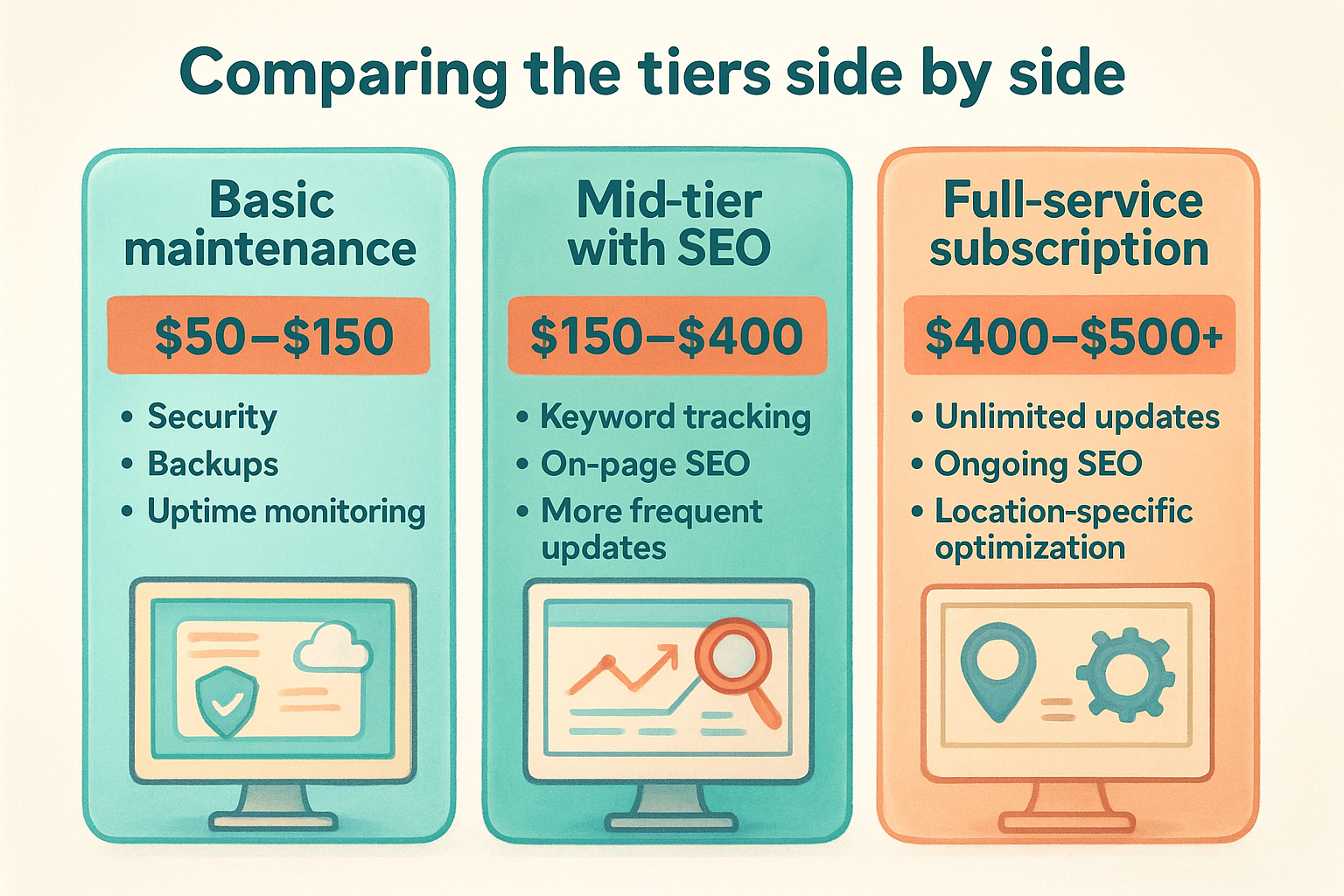
Comparing the tiers side by side
| Tier | Typical monthly cost | What's included | Best fit |
|---|---|---|---|
| Basic maintenance | $50-$150 | Security, backups, uptime monitoring, minor edits | Single-location, low-complexity sites |
| Mid-tier with SEO | $150-$400 | Keyword tracking, on-page SEO, more frequent updates | 2-3 locations building local visibility |
| Full-service subscription | $400-$500+ | Unlimited updates, ongoing SEO, location-specific optimization | Franchises and multi-location brands |
Hidden costs to watch for
Many providers advertise a low base rate, then charge extra for every content change, every new location page, or every SEO report you request. Ask upfront whether pricing is truly all-inclusive or whether it's a base fee with add-ons waiting to appear on your next invoice. A subscription model that bundles unlimited updates and SEO into one flat rate, rather than billing per task, tends to save multi-location businesses the most money over a year, simply because franchises change things constantly and per-change fees add up faster than owners expect.
DIY website management vs. hiring a professional service
Every small business owner faces this decision at some point: keep updating the site yourself, or hand it off to someone who does it for a living. Neither choice is automatically wrong, but the right answer depends on how many locations you run, how often things change, and what your time is actually worth per hour.
When DIY makes sense
Solo operators with one location and a simple site can often manage fine on their own, especially with platforms like Wix, Squarespace, or WordPress that don't require code to swap a photo or update hours. If your offerings rarely change and you're comfortable learning a dashboard, DIY website management can save real money in the early stages of a business. The catch is time. What looks like a five-minute edit often turns into an hour once you factor in finding the right menu, remembering your login, and troubleshooting whatever broke since your last visit.
Where DIY breaks down for multi-location businesses
Growth is where the DIY model starts costing more than it saves. Once you're running three, five, or twenty locations, every promotion, price change, and holiday schedule needs to go live across multiple pages, often on the same day. Doing that manually invites the exact inconsistency problem search engines and customers both notice. Security patching and SEO strategy also demand specialized knowledge that most owners simply don't have time to develop while they're busy running actual locations.
The moment your website work starts competing with your actual business for your attention, it's time to hand it off.
Franchise owners in particular tend to discover this the hard way, usually after a corporate promotion goes live on some location pages but not others, or a plugin update breaks the online ordering button during a lunch rush.
Comparing the two approaches
Here's how the trade-offs actually stack up once you account for time, cost, and risk:
| Factor | DIY management | Professional service |
|---|---|---|
| Upfront cost | Low or none | Monthly subscription fee |
| Time investment | Hours per week, growing with locations | Minimal, handled by the provider |
| SEO expertise | Limited to what you learn yourself | Built into the service |
| Consistency across locations | Prone to gaps and errors | Centrally managed and standardized |
| Response to security issues | Reactive, often after damage is done | Proactive monitoring and patching |
| Scalability | Breaks down past 2-3 locations | Designed to scale with growth |
Making the call for your business
Quantify the decision instead of guessing. Multiply the hours you spend on website tasks each month by what your time is worth running the business, then compare that number to what a managed subscription actually costs. Owners are often surprised to find that a $300 or $400 monthly plan costs less than the hours they're currently losing to DIY edits, especially once you add in the SEO work nobody's doing at all right now. Reaching a handful of locations without an internal marketing team is usually the tipping point where outsourcing stops being a luxury and starts being the cheaper option on paper, not just the easier one.
What to look for in a website management provider
Choosing a provider is where most small business owners get burned, not because they picked a bad company, but because they never asked the right questions upfront. A website management provider should function like an extension of your team, not a vendor you have to chase down every time a menu changes. Before you sign a contract, run through what actually separates a solid partner from one that will nickel-and-dime you for the next three years.
Confirm what "unlimited updates" really means
Plenty of providers advertise unlimited updates, then define "update" so narrowly that adding a new location page or swapping out a video counts as a separate paid project. Ask for specifics in writing: does unlimited cover new pages, photo galleries, promotional banners, and seasonal menu swaps, or just text edits? A provider that hesitates to answer clearly is telling you something.
If a provider can't explain their pricing in one sentence, expect surprise fees later.
Look for real local SEO experience, not just design skill
A beautiful website that doesn't rank locally isn't doing its job. Ask any prospective provider how they handle local SEO optimization across multiple locations specifically, since managing SEO for one site is a different skill than managing it for twenty location pages that all need to rank in their own city. Request examples of franchise or multi-location clients they've worked with, and ask to see actual ranking improvements, not just a portfolio of nice-looking homepages.
Check response time and turnaround commitments
How fast a provider turns around a change tells you how they'll treat you once the contract is signed. A holiday hours update or an emergency fix for broken online ordering shouldn't sit in a queue for a week. Ask directly:
- What's the average turnaround for a simple content change?
- Is there a faster track for urgent fixes, like a broken contact form or wrong pricing?
- Who do you actually contact when something breaks, a person or a ticket system?
- Are there business hours limitations, or does support cover weekends too?
Compare providers against a simple checklist
Before committing, run every candidate through the same list of criteria so you're comparing apples to apples instead of relying on a sales pitch.
| Criteria | Why it matters |
|---|---|
| Transparent, flat-rate pricing | Avoids surprise per-change fees as your business grows |
| Multi-location SEO experience | Ensures every location page can actually rank, not just the homepage |
| Fast turnaround on requests | Keeps promotions and hours accurate in real time |
| Security and backup practices | Protects you from downtime and data loss |
| References from similar businesses | Confirms they've solved your specific problem before |
Read the contract before you sign anything
Finally, read the fine print on contract length and cancellation terms. Some providers lock you into a year with penalties for leaving early, while others operate month-to-month because they're confident you'll stay for the results. Contract flexibility is often the clearest signal of how a provider actually performs once you're a paying customer instead of a prospect. If they're only good on a long-term lock-in, that tells you something about how confident they are in their own service.
Managing websites for multi-location businesses and franchises
Running one website is manageable. Running twenty versions of the same website, each with its own address, hours, and local audience, is a different problem entirely. Multi-location website management has to solve for consistency and individuality at the same time: every location needs its own accurate page, but the brand as a whole needs to look and function like one cohesive business. Get that balance wrong and you either end up with a generic template that ignores local search, or a patchwork of pages that don't match each other.
Centralized control with local flexibility
The businesses that get this right build their site on a structure where corporate updates push out everywhere at once, while each location still keeps its own address, hours, staff bios, and photos. A new national promotion should land on every location page the same afternoon, not trickle out over two weeks as a freelancer works through a list. At the same time, a single location running a grand opening event or a regional menu item needs the freedom to publish that without waiting on approval from corporate or touching code across the whole site.
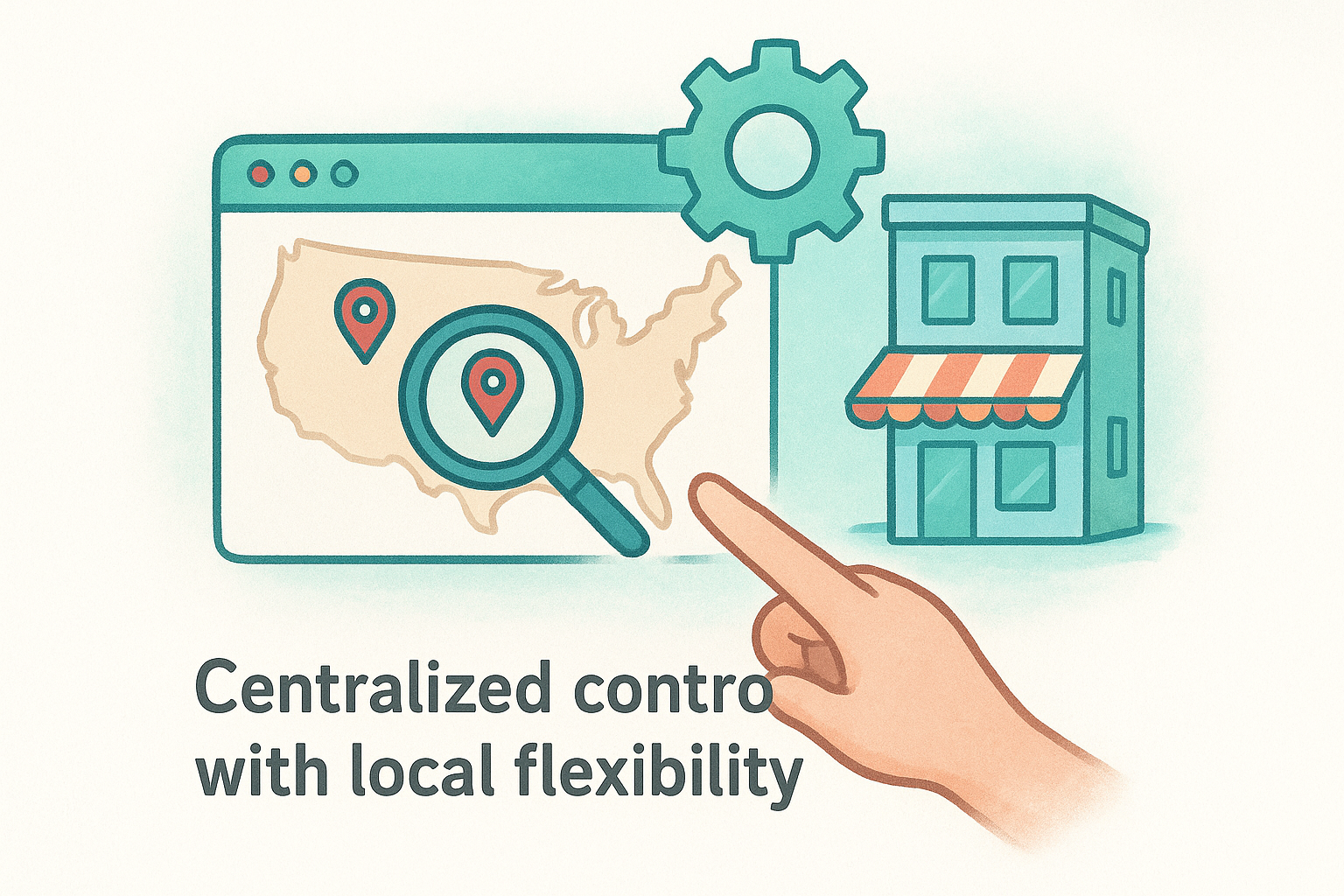
A franchise website only works if every location can be updated on its own without breaking the ones around it.
Franchise-specific SEO challenges
Local search adds a layer most single-location owners never deal with. Each location is competing in its own city against its own set of local competitors, which means each page needs unique content, not a copy-pasted template with the city name swapped out. Google's guidance on building location pages is clear that thin, duplicate content across location pages hurts rankings rather than helping them. A franchise with fifty locations effectively needs fifty small SEO campaigns running at once, coordinated but not identical.
What franchise owners should demand from their setup
Before you scale past a handful of locations, make sure your website management approach actually supports the following:
- Bulk updates that push a single change across every location page in minutes, not days
- Unique local content for each location, including area-specific keywords, staff, and services
- Consistent branding so every page looks and reads like the same business
- Individual analytics per location, so underperforming pages get flagged instead of hiding inside averaged company-wide numbers
- A single point of accountability , whether that's an internal manager or an outside provider, so no location page becomes an orphan nobody's watching
Why this usually means outsourcing sooner than expected
Franchise owners often assume they can handle this in-house until the third or fourth location opens and the math stops working. At that point, someone is spending hours every week copying updates across pages, chasing down which location still has last season's hours listed, and trying to learn SEO on the side. Multi Web Team built its subscription model specifically around this gap: unlimited updates and multi-location SEO handled centrally, so a franchise can open a new location and have its page live, optimized, and consistent with the rest of the brand without adding a single hour to an owner's workload. That's the difference between a website that scales with the business and one that quietly falls behind every time a new sign goes up.
Common website management mistakes to avoid
Even business owners who understand why maintenance matters still fall into predictable traps. Most of these mistakes don't come from ignorance, they come from being too busy running locations to notice a small problem before it becomes an expensive one. Knowing what to avoid is often more useful than knowing what to do, since website management for small businesses fails more often from neglect than from bad strategy.
Letting the site go stale between updates
Treating a website like a brochure you print once and never touch is the most common mistake on this list. Owners assume the site is "done" after launch, then wonder six months later why traffic has dropped and why a competitor's newer pages keep outranking theirs. Search engines and customers both read an untouched site the same way: as a business that's stopped paying attention.
A website that hasn't changed in months is telling search engines, and customers, that your business hasn't either.
Ignoring mobile performance
Most local searches happen on a phone, often from someone standing outside deciding whether to walk in. A site that loads slowly, forces pinch-zooming, or hides the phone number below three scrolls loses that customer before they ever browse a menu or a service list. Mobile performance isn't a nice-to-have anymore, it's the first test most visitors run without even realizing it.
Inconsistent branding and information across locations
Franchises run into this one constantly. One location's page shows current hours and fresh photos, while another still lists a phone number that changed two years ago. That inconsistency doesn't just confuse customers, it actively damages trust in the whole brand, since people assume sloppy web pages reflect sloppy in-store service.
Skipping security updates until something breaks
Delaying plugin updates, ignoring SSL renewal reminders, and skipping backups all feel harmless right up until a site goes down or gets flagged during a busy weekend. By then you're paying for emergency recovery instead of routine maintenance, and you've likely lost sales and search visibility while the issue gets fixed.
Choosing the cheapest provider without checking the fine print
A low monthly rate looks appealing until every content change, every new location page, and every SEO report shows up as a separate line-item charge. Hidden fees turn a $99-a-month plan into a $400-a-month bill by the third month, and by then you're locked into a contract that's expensive to leave.
A quick self-check
Run through this list honestly and see how many apply to your current setup:
- Has your site gone more than a month without any content update?
- Do you know your current mobile page speed score?
- Are hours and promotions consistent across every location page right now?
- Has your CMS or plugins been updated in the last quarter?
- Do you actually know what your provider charges for a new location page?
If you answered no to more than one of these, that's not a reason to panic, it's a sign your current approach to maintenance has a gap worth closing before it costs you customers or rankings.
The bottom line on website management
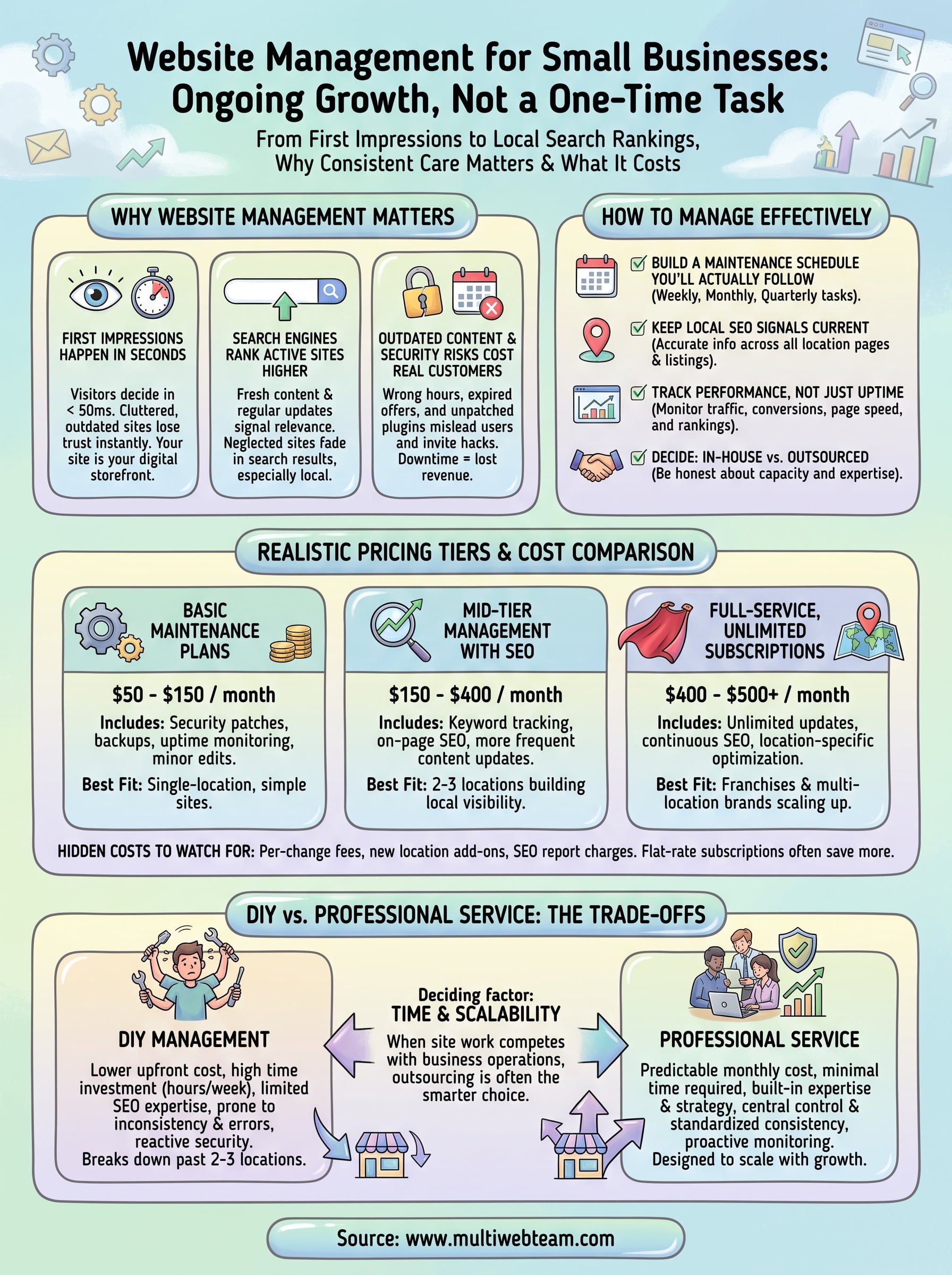
A website only earns its keep when someone keeps it current, secure, and visible in local search. Website management for small businesses isn't a one-time project you check off after launch, it's an ongoing part of running the business, same as payroll or inventory. Whether you handle it yourself or hand it off, the goal stays the same: accurate hours, fresh promotions, fast pages, and location content that actually ranks where your customers are searching.
Growing past two or three locations is usually where DIY stops being the cheaper option, even if it still feels that way on paper. Multi-location businesses need centralized control, consistent branding, and local SEO running on every page at once, not a freelancer's queue. If that gap sounds familiar, see how Multi Web Team manages it for you with one flat monthly subscription covering unlimited updates and full SEO support.