

July 22, 2026

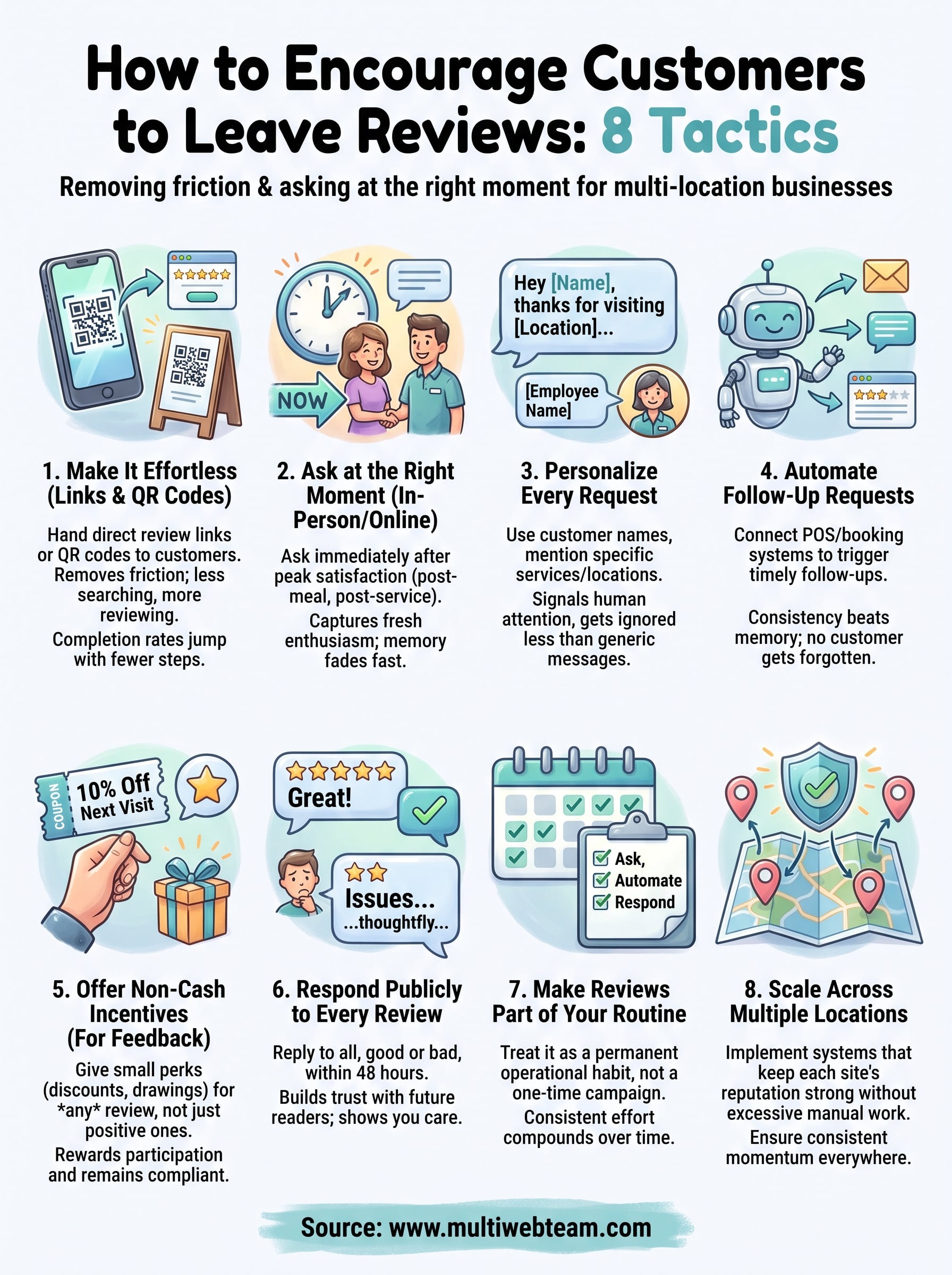
How to Encourage Customers to Leave Reviews: 8 Tactics

You know reviews matter. What you don't know is why your customers keep walking out happy and never leaving a word online. If you're running a multi-location business or franchise, this problem multiplies fast. One location might have 80 reviews, another has three, and prospective customers judge each spot on its own reputation. Learning how to encourage customers to leave reviews isn't about begging or bribing people. It's about removing friction and asking at the right moment.

This article gives you eight tactics that actually work, not vague advice about "providing great service." You'll get specific scripts, timing strategies, and tools for making the ask easy so customers follow through instead of forgetting five minutes after checkout. These are methods we've watched move the needle for real businesses managing reviews across multiple sites.

Because every location needs its own review momentum for local search visibility, we'll also touch on keeping each site's reputation strong without turning review requests into a full-time job. Whether you manage one location or fifty, these tactics scale without adding hours to your week.

Let's get into the eight tactics.

1. Make leaving a review effortless with links and QR codes

Most customers who skip leaving a review aren't unhappy. They're just busy, and hunting for your business on Google or Yelp feels like a chore. The fix is simple: hand them a direct review link that opens the review box immediately, or a QR code they can scan in five seconds. No searching, no typing your business name, no guessing which of your twelve locations they visited.

How it works

Every Google Business Profile has a unique review link buried in its settings. You grab that link, shorten it if you want, and turn it into a QR code using any free generator. Then you place that code where customers naturally pause: on receipts, table tents, checkout counters, or in a text message right after service. For multi-location businesses, this means generating a separate code for each location, since a customer at your Denver store shouldn't be reviewing your Austin one.

Why it works

Friction kills intent. A customer who genuinely meant to leave a review will still skip it if the process takes more than two taps. Removing every unnecessary step, like logging in again or searching for your listing, turns a vague good intention into a completed review. This single change often does more for review volume than any incentive program.

Cut the steps between "I liked this" and "I left a review" down to two taps, and completion rates jump.

Example in action

A regional gym chain we worked with printed QR codes on membership cards and taped smaller versions to the mirrors near the front desk. Members scanned the code while waiting to check out, and the location's review count nearly tripled in ninety days, all without staff saying a word.

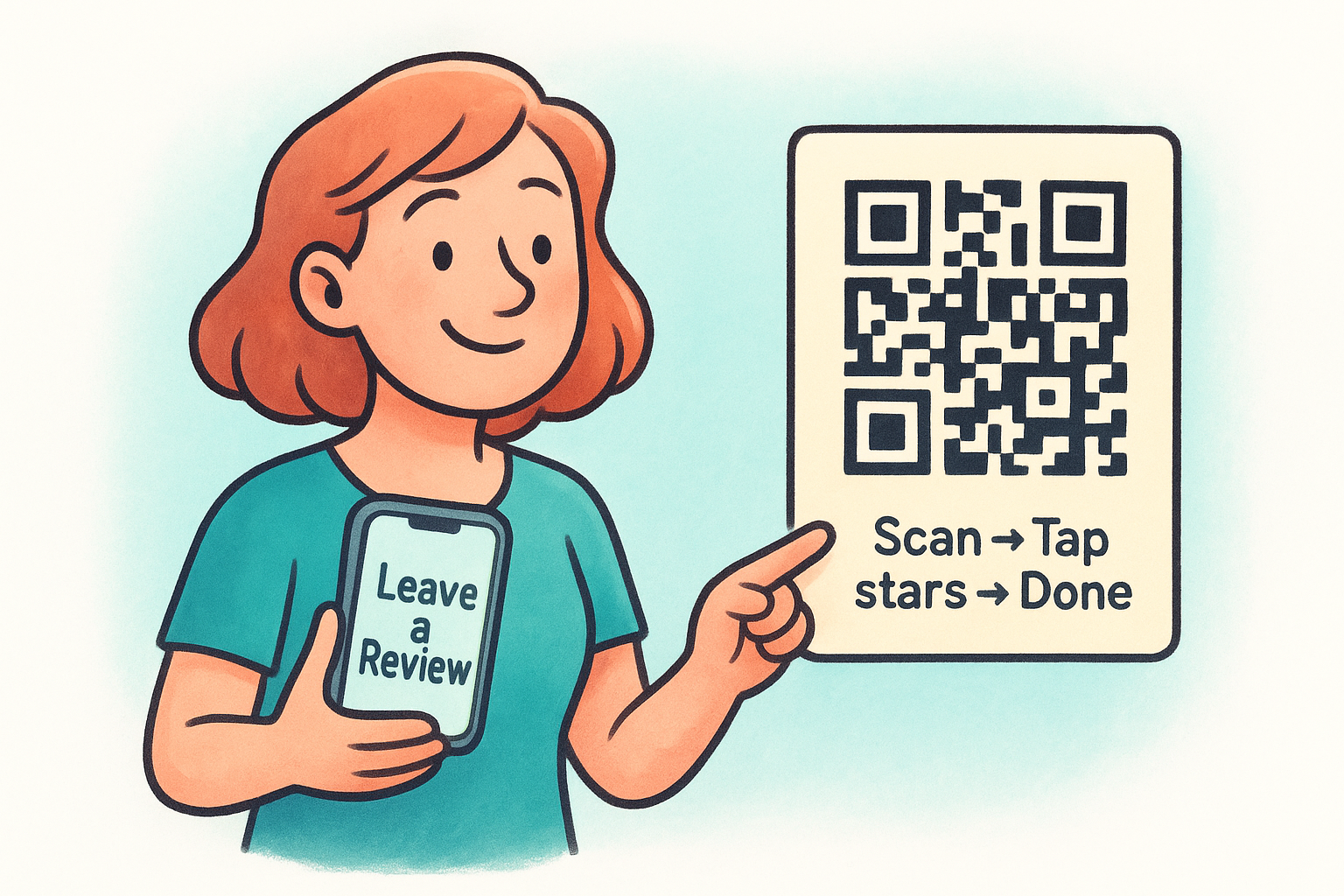
 Review us in 10 seconds:
[QR CODE]
Scan → Tap stars → Done 

Managing this across multiple locations gets messy fast if you're generating and tracking codes by hand. Part of what a service like Multi Web Team handles is making sure each location's review link stays current and easy to find on its own page, so no one's guessing which code belongs where.

2. Ask at the right moment, in person or online

Timing beats wording almost every time. Ask too early and the customer hasn't formed an opinion yet. Ask too late and the moment fades, along with their motivation to type anything. The right moment is right after a customer experiences the payoff of your product or service, not before, not days later.

How it works

For in-person businesses, that means right after a good meal is finished, a repair is completed, or a class wraps up, while the staff member who helped them is still standing there. For online interactions, it means right after a support ticket closes or a delivery confirms, when the experience is still fresh. Train your team to ask a simple question in the moment: "Glad that worked out. Would you mind leaving us a quick review?" Pair it with the QR code from tactic one so there's zero delay between the ask and the action.

Why it works

Memory fades fast, and so does emotional momentum. A customer who felt great about your service ten minutes ago might feel neutral about it tomorrow, simply because life moved on. Asking during peak satisfaction captures that feeling before it evaporates, which is why in-person requests consistently outperform requests sent days later.

The best time to ask for a review is the moment your customer is happiest, not the moment you remember to ask.

Example in action

A franchise pizza chain trained cashiers to ask for a review only when handing over the order, never before. Reviews mentioning "fast" and "fresh" jumped noticeably within a month, because customers wrote while the experience was still top of mind.

3. Personalize every review request

Generic review requests get ignored the same way generic marketing emails do. A message that says "We'd love your feedback" reads like spam, even if a real person sent it. Personalizing the request by name, service, and location signals that an actual human noticed the customer, not a mass campaign.

How it works

Include the customer's first name, mention what they bought or which service they used, and reference the specific location or employee who helped them. A text that says "Hey Maria, thanks for visiting our Round Rock location today. Mind sharing how your visit with Carlos went?" beats a blank template every time. Most point-of-sale and CRM tools let you pull this data automatically, so personalization doesn't mean manual typing for every customer.

Why it works

Customers can tell the difference between a form letter and a message written for them specifically. Naming the employee or location also nudges customers to write more detailed reviews, since they already have a person and place to mention. Detailed reviews carry more weight with future customers and with Google's ranking systems than one-line reviews ever will.

A review request with a name and a detail attached gets answered more often than one that reads like it went to a thousand other people.

Example in action

A multi-location salon chain added the stylist's name to every automated text request. Reviews mentioning specific stylists by name increased, and those stylists started requesting the tactic for their own repeat clients because it visibly boosted their bookings.

4. Automate follow-up emails and text requests

Asking in person works great until you're juggling five locations and forty shifts a week. That's where automated follow-up requests pick up the slack. A well-timed text or email goes out without anyone on staff remembering to send it, which means no customer slips through the cracks just because the front desk got busy.

How it works

Connect your point-of-sale or booking system to an automation tool that triggers a review request a few hours after a visit, or the next morning for evening appointments. The message should link straight to the review page from tactic one, not a generic homepage. Set a schedule per location so requests always credit the right store, and cap follow-ups at one reminder so you're not nagging anyone.

Why it works

Consistency beats memory. Staff forget, get slammed during rushes, or simply skip the ask when a line forms. Automation removes that variable entirely, so every customer gets the same chance to leave a review regardless of how busy the shift was.

Automated requests don't get distracted during a rush, so no customer gets forgotten.

Example in action

A multi-location auto shop set up a text that fires four hours after each invoice closes. Response rates beat their old "ask at checkout" method by a wide margin, since customers reviewed once they'd actually driven the car and confirmed the fix worked.

5. Offer non-cash incentives for honest feedback

Some customers need a small nudge beyond a friendly ask, especially if reviewing feels like extra work with no upside for them. Non-cash incentives like a discount on their next visit, an entry into a monthly drawing, or a small perk from your loyalty program can tip the scales, as long as you stay compliant with platform rules. Google's guidelines explicitly prohibit paying for reviews or offering rewards tied to a positive rating, so the incentive must apply to leaving feedback, not to leaving glowing feedback specifically.

How it works

Offer the same small reward to every customer who leaves a review, regardless of star rating. A sign at checkout or a line in your follow-up text might read: "Leave us a review and get 10% off your next order." Track redemptions per location so you know which incentive actually moves the needle.

Why it works

A modest reward removes the last bit of hesitation for customers who liked their experience but wouldn't otherwise bother typing anything. Rewarding participation, not praise, keeps your reviews honest and your business protected from platform penalties.

Reward the act of reviewing, never the star rating, and your incentive program stays both honest and compliant.

Example in action

A multi-location coffee franchise offered a free pastry coupon for any review, positive or critical. Review volume rose across every location, and the handful of critical reviews gave managers useful, specific feedback to act on.

6. Respond publicly to every review you receive

Silence after a review, good or bad, tells every future reader that nobody's paying attention. Responding publicly to every review shows prospective customers that a real person reads feedback and acts on it, which encourages the next customer to bother writing one too. This tactic doesn't generate new reviews directly, but it keeps the ones you already have working harder for you.

How it works

Set a rule that every review, across every location, gets a reply within 48 hours. Thank positive reviewers by name and mention a specific detail from their review. For critical reviews, acknowledge the issue, apologize without excuses, and offer to fix it offline. Assign one person per location, or one central manager for a small franchise, so replies stay consistent and on brand.

Why it works

Public responses build trust with people who haven't reviewed yet but are reading before they decide to visit. A thoughtful reply to a three-star review often reassures a skeptical reader more than a page full of five-star praise ever could. Customers also notice when owners engage, which makes them more willing to add their own voice next time.

A business that replies to every review looks like it's run by people who care, and that reputation spreads faster than any single review does.

Example in action

A franchise dental group replied to every review across twenty locations within a day, including a handful of one-star complaints about wait times. New patients frequently mentioned the responses in their own reviews, saying the replies were what convinced them to book.

Making reviews part of your routine

None of these eight tactics work as a one-time push. Reviews compound over time when you treat asking, automating, and responding as a permanent part of how you run each location, not a campaign you run once and forget. Pick two or three tactics from this list, whichever fit your team's bandwidth, and build them into your weekly checklist rather than your someday list.

Once you're consistent, the payoff shows up everywhere: stronger local search rankings, more trust from first-time visitors, and less guesswork about which locations need attention. That's the real goal behind learning how to encourage customers to leave reviews , not a bigger number on your profile, but a reputation that keeps working for you across every site you run.

If managing review links, follow-up texts, and location pages across multiple sites sounds like more than your team has time for, see how Multi Web Team keeps every location's website and reviews on track.

By cinchweb July 22, 2026
Learn how to get on Google Maps first page with proven ranking factors, profile setup tips, and multi-location strategies from Multi Web Team.
By cinchweb July 20, 2026
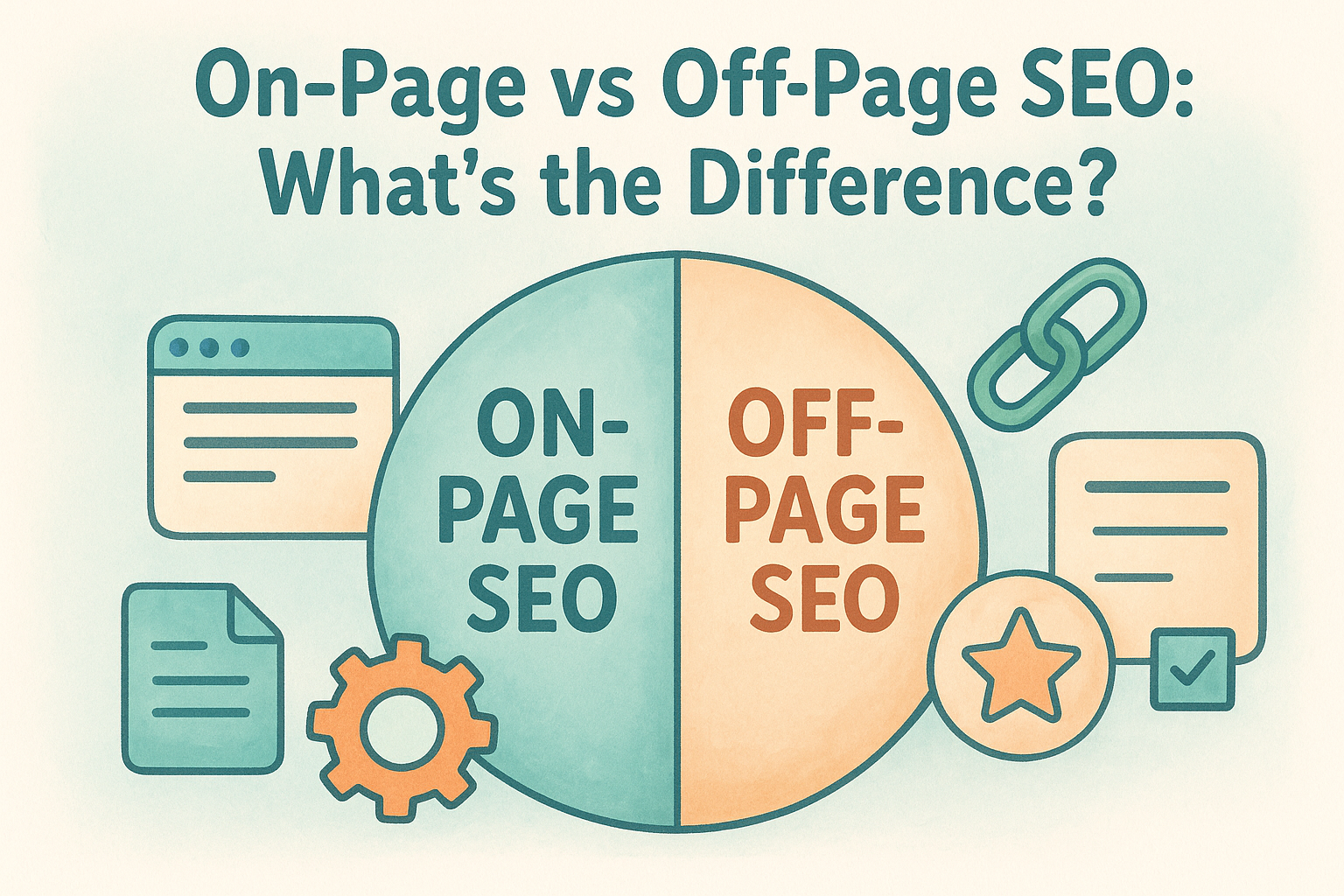
Learn on page vs off page seo differences and how multi-location brands audit both to boost rankings across every location page.
By cinchweb July 18, 2026
See what website management for small businesses costs, pricing tiers, DIY vs. outsourcing, and how to pick the right provider.
By cinchweb July 18, 2026
Learn local SEO for auto repair shops: optimize Google Business Profile, build location pages, earn reviews, and outrank nearby competitors.
By cinchweb July 17, 2026
Explore 10 examples of the best website design for lawyers, from niche branding to video testimonials, and see how multi-location firms scale smartly.
By cinchweb July 16, 2026
Discover 11 proven tactics to improve Google Maps ranking, from GBP optimization to citations, reviews, and multi-location SEO strategies.
By cinchweb July 14, 2026
Get a website redesign cost breakdown by page count and locations, spot hidden fees, and compare traditional quotes vs. subscription pricing.
By cinchweb July 13, 2026
Learn what is local search marketing and why multi-location brands lose customers without location-specific SEO, reviews, and citation management.
By cinchweb July 13, 2026
Compare 9 affordable law firm website design options, from DIY templates to full-service agencies, and find the best fit for your budget and locations.
By cinchweb July 12, 2026
Learn what is local citation building, why NAP consistency drives local rankings, common errors to avoid, and how to manage citations across multiple locations.
SHOW MORE