
Local Business SEO Guide: How To Rank In The Map Pack
When someone searches for a service "near me," Google doesn't just pull up a list of websites, it shows a map with three businesses front and center. That's the local map pack, and if your business isn't in it, you're losing customers to competitors who are. This local business SEO guide breaks down exactly how to get there, from optimizing your Google Business Profile to building citations that actually move the needle. No fluff, no theory , just the steps that work.
Whether you run one location or twenty, the fundamentals are the same: Google needs to trust that your business is real, relevant, and close to the searcher. The difference is that multi-location businesses have to get this right across every single location, and that's where things get complicated fast. A missed NAP inconsistency or a neglected profile can quietly tank an entire location's visibility. At Multi Web Team, we handle local SEO optimization for multi-location businesses and franchises every day, so the strategies in this guide come straight from that hands-on experience.
Below, you'll find a step-by-step breakdown covering Google Business Profile setup , citation building, review strategy, on-page optimization, and more. By the end, you'll have a clear action plan to rank in the local map pack and start turning local searches into real customers walking through your door.
How Google ranks the map pack
Before you can optimize anything, you need to understand what Google is actually evaluating when it decides which three businesses make the cut. Google uses three main ranking factors for the local map pack, and each one tells you exactly where to focus your effort . Knowing these factors turns local SEO from guesswork into a repeatable system.
According to Google's own documentation, local results are based primarily on relevance, distance, and prominence, which means every optimization you make should tie back to one of these three signals.
Relevance
Relevance measures how well your business profile matches what someone is searching for . Google looks at the categories you select, the services you list, the keywords in your business description, and the content on your website. If someone searches "pizza delivery downtown," Google wants to see that your Google Business Profile and website clearly communicate that you are a pizza restaurant offering delivery in that area.
To improve relevance, focus on these four areas:
- Choose the most specific primary category that describes your core business
- Add all applicable secondary categories that reflect additional services
- Write a business description that naturally includes your services and location
- Align your website content with the services listed on your profile
Distance
Distance measures how close your business is to the person searching , or to the location they specified in their query. This is the one factor you cannot directly control, since you cannot move your physical location. What you can control is making sure Google knows exactly where you are by keeping your address accurate and consistent everywhere it appears online.
For multi-location businesses, distance is actually an advantage. Each location has its own geographic footprint, which means each location can rank in its own local map pack for nearby searches. That is why setting up a separate, fully optimized Google Business Profile for each location matters so much rather than relying on a single profile.
Prominence
Prominence is the most complex of the three factors, and it is also the one where consistent, ongoing effort pays off the most . Google defines prominence as how well-known a business is, both offline and online. Online, that translates to the number and quality of reviews, the consistency of your citations across the web, backlinks to your site, and your overall organic search ranking .
A business with 400 reviews, consistent listings across major directories, and mentions from local news outlets signals authority to Google. A business with 12 reviews and a sparse profile signals the opposite. Prominence is the factor most influenced by the day-to-day work covered throughout this local business seo guide.
| Factor | What Google Evaluates | What You Control |
|---|---|---|
| Relevance | Categories, services, keywords, website content | Yes, fully |
| Distance | Physical proximity to the searcher | No, but you can ensure accuracy |
| Prominence | Reviews, citations, backlinks, search ranking | Yes, through ongoing effort |
Understanding these three factors gives you a clear lens for every decision you make going forward. Each step in this guide targets one or more of these signals directly, so every action you take builds toward a stronger local presence .
Step 1. Set up and optimize your Google Business Profile
Your Google Business Profile (GBP) is the single most important asset in your local SEO toolkit. It feeds directly into all three ranking factors: relevance, prominence, and distance . If you skip this step or leave your profile half-finished, every other tactic in this local business seo guide becomes less effective. Start here before anything else.
Claim and verify your profile
Go to Google Business Profile and search for your business name. If it already exists, claim it. If it does not, create a new listing from scratch. Google requires verification before your profile goes live, and the most common method is a postcard mailed to your business address containing a code you enter online. Some businesses qualify for phone or email verification, which moves faster.
Once you verify your profile, avoid making large edits immediately, since frequent changes right after verification can delay your listing from appearing in search results.
Fill out every field completely
A partial profile signals to Google that your business is incomplete, which directly hurts your relevance score. Every blank field is a missed opportunity to tell Google what your business does and where it serves customers. Work through the following checklist when building out your profile:
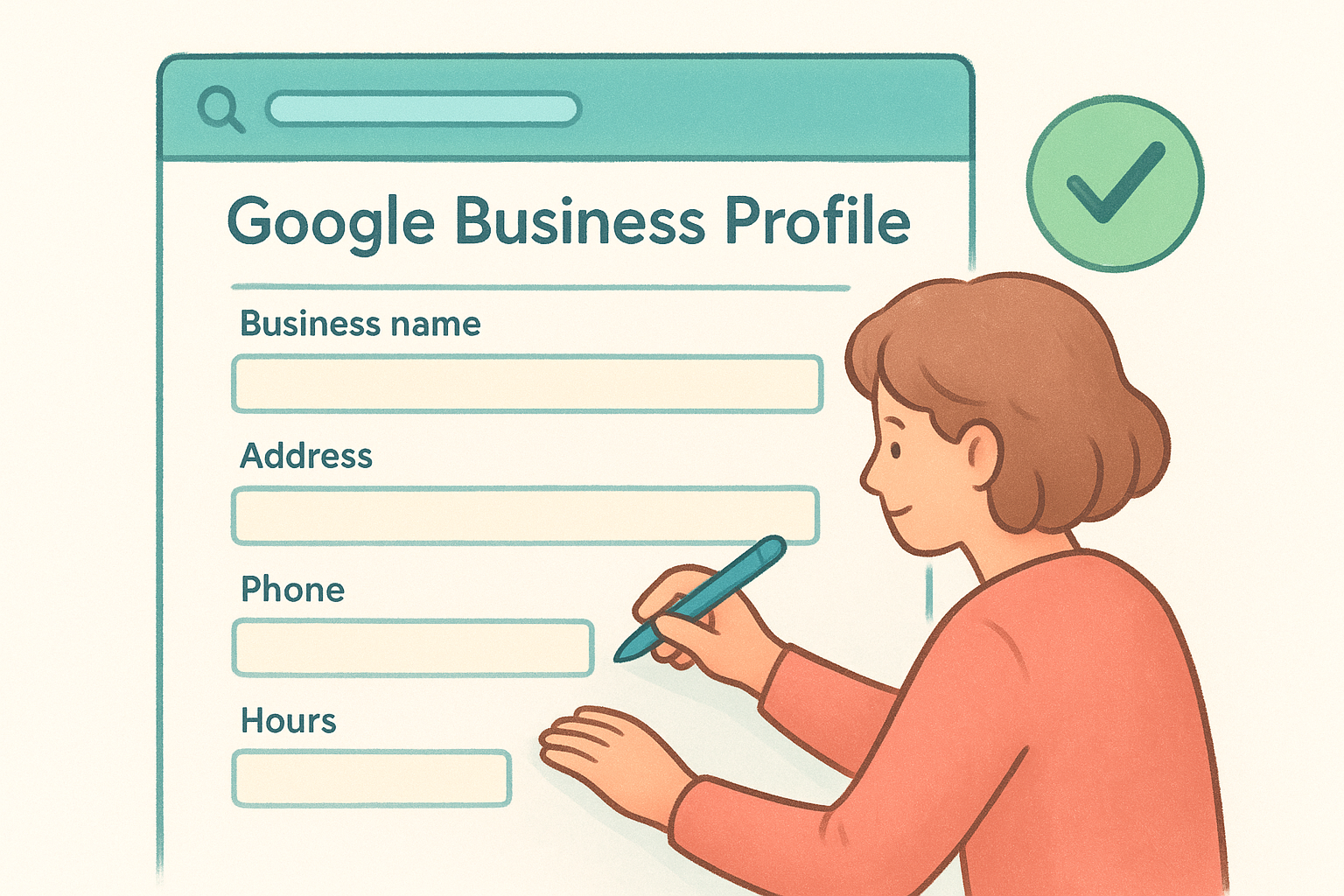
- Business name: Use your real-world name exactly as it appears on your signage
- Address: Enter the full, precise address including suite or unit numbers
- Phone number: Use a local number tied to that specific location
- Website: Link to your location-specific page, not just your homepage
- Hours: Set regular hours and update them for holidays
- Business description: Write 250 to 750 characters covering your core services and location naturally
- Services and products: Add individual services with descriptions and prices where applicable
- Attributes: Select relevant attributes such as "wheelchair accessible" or "outdoor seating"
Add photos and post regularly
Businesses with photos receive significantly more clicks and direction requests than those without. Upload at least 10 high-quality photos covering your storefront exterior, interior, team, and the products or services you offer. Use Google Posts to share promotions, events, or updates at least twice per month. Consistent posting signals to Google that your profile is actively managed , which builds your prominence score over time and keeps your listing competitive against less active competitors.
Step 2. Fix NAP and build consistent citations
NAP stands for Name, Address, and Phone number, and consistency across every place your business appears online is one of the strongest prominence signals you can send Google. When Google finds conflicting information about your business across different directories, it loses confidence in your data and ranks you lower as a result. Before you build new citations, you need to audit what already exists and correct the discrepancies first.
Even a small difference like "St." versus "Street" in your address can create conflicting signals that dilute your local search authority.
What NAP consistency means in practice
Your business name, address, and phone number need to match exactly across your website, Google Business Profile, and every directory listing . That means the same abbreviations, the same suite number format, and the same phone number format without variation. If your storefront says "Joe's Barbershop," do not list it as "Joe's Barber Shop" or "Joes Barbershop" anywhere online. Pick one format as your master record and use it everywhere without exception.
For multi-location businesses following this local business seo guide, create a separate master NAP record for each location and store them in a shared document your whole team can reference. Consistency breaks down fast when multiple people are submitting listings without a single source of truth.
How to audit and fix your existing citations
Start by searching your business name in Google along with your city. Check the top results for any listings that show outdated or inconsistent information. Then search your phone number in quotes to surface additional directories you may have forgotten about. Claim each incorrect listing on that platform and edit the details to match your master NAP record.
Use this template as your master NAP reference every time you create or update a listing:
 Business Name: [Exact name as it appears on your signage]
Address:       [Street number, Street name, Suite/Unit, City, State, ZIP]
Phone:         [Local number in (XXX) XXX-XXXX format]
Website:       [Location-specific URL, not your homepage]
Where to build new citations
Once your existing listings are clean, start adding your business to high-authority directories that Google checks frequently. Prioritize these platforms first:
- Google Business Profile (covered in Step 1)
- Apple Maps via Apple Business Connect
- Bing Places for Business
- Yelp
- Facebook Business Page
- Better Business Bureau
- Industry-specific directories relevant to your business type
Each citation you build on a trusted, high-traffic platform adds another data point confirming your business details and strengthens your prominence score over time.
Step 3. Build location pages that rank and convert
Your Google Business Profile gets you into the map pack, but location pages on your website support that ranking by giving Google a rich, relevant source to confirm your business details. Every location you operate needs its own dedicated page, not a generic "Contact Us" page with a list of addresses. A strong location page ranks in organic search results while simultaneously converting visitors who find you through the map pack. Done right, these pages do double duty.
Linking your Google Business Profile to a location-specific URL instead of your homepage gives Google a direct signal that you operate in that area, which strengthens your relevance score.
What to include on each location page
Each location page needs to cover the basics covered in this local business seo guide while going deeper than a directory listing. Your page must contain your full NAP information , a written description of that specific location, a Google Maps embed, and your operating hours. Add content that is unique to that location, such as parking instructions, nearby landmarks, or details about the local team. Google treats duplicate content as a negative signal , so copying the same text across every location page and swapping out only the city name will hurt your rankings more than help them.
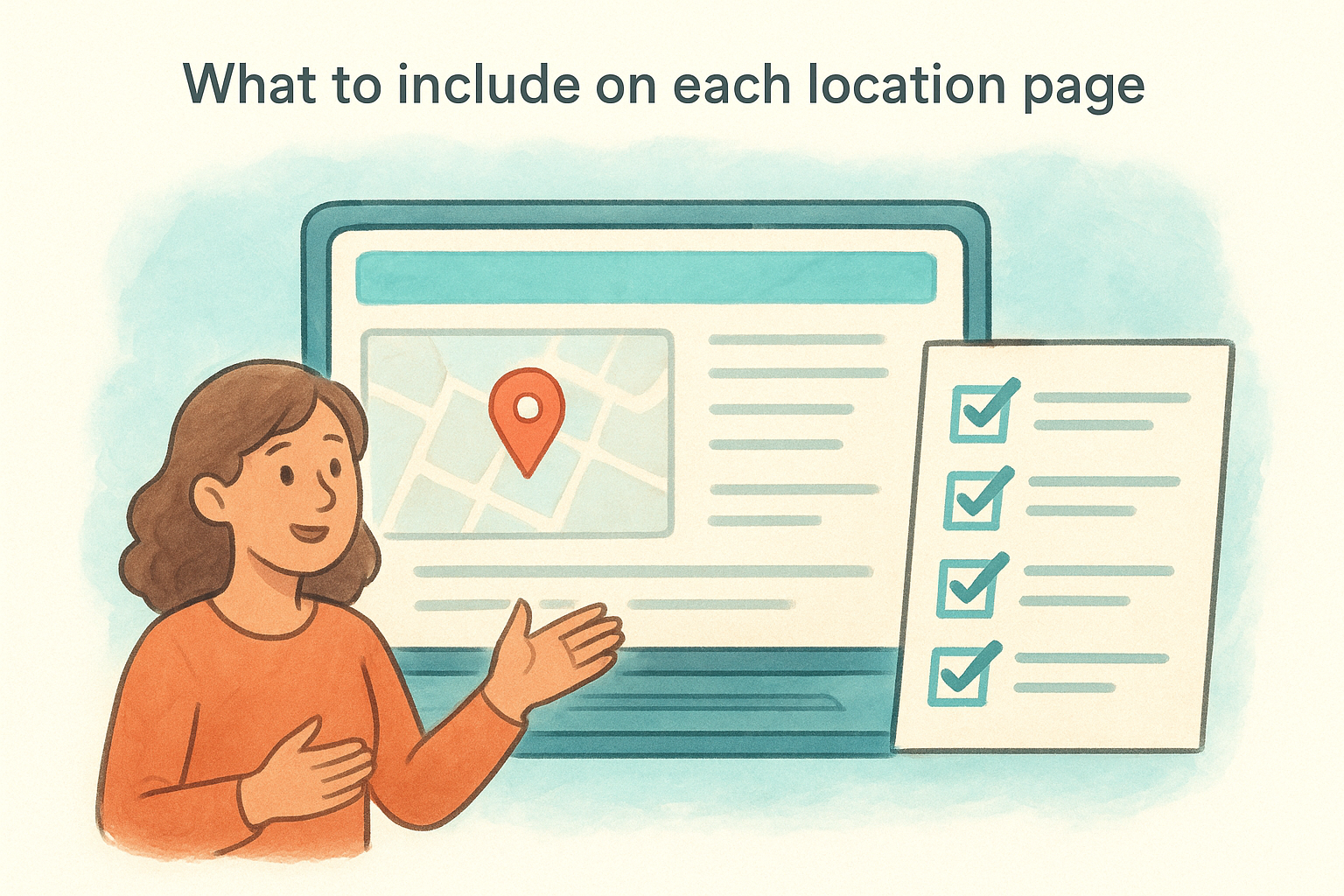
Include the following on every location page:
- Full NAP matching your master record exactly
- A unique 150 to 300 word description of that location
- Embedded Google Map for that specific address
- Location-specific photos, not stock images
- Reviews or testimonials tied to that location
- A clear call-to-action such as "Call this location" or "Book an appointment"
Location page URL and title tag structure
Your URL and title tag structure directly impact how Google categorizes each page , so use a consistent format across all locations. Here is a template you can apply immediately:
 URL:        /locations/[city-name]/
Title Tag:  [Service] in [City, State] | [Business Name]
Meta Desc:  Visit [Business Name] in [City, State] for [core service].
            Located at [address]. Call [phone] or book online today.
H1:         [Service] in [City, State]
Keeping this structure consistent across every location makes your site easier to scale as you add new locations, and it keeps your on-page signals clean and readable for both Google and the visitors you are trying to convert.
Step 4. Get more reviews and manage responses
Reviews are the most visible prominence signal in local search, and Google weighs both the quantity and the recency of your reviews when deciding where to rank you in the map pack. A business with 15 reviews from three years ago loses ground fast to a competitor actively collecting fresh ones. This step in the local business seo guide shows you how to build a steady review flow and respond in a way that strengthens your profile rather than just filling space.
According to Google's support documentation, businesses that respond to reviews are considered more trustworthy, which directly supports your prominence score.
How to ask for reviews without sounding pushy
The biggest reason businesses do not have enough reviews is simply that they never ask . Most satisfied customers do not think to leave a review on their own. You need a direct, low-friction ask at the right moment, which is right after a positive experience. Google provides a shareable review link directly from your Business Profile dashboard , so you can send customers straight to the review box without making them search for your listing.
Use this short message template when following up with customers by text or email:
 Hi [First Name], thanks for visiting [Business Name] in [City]!
If you have a minute, we'd love to hear your feedback on Google.
Here's the link: [Your Google Review Link]
It only takes 30 seconds and means a lot to our team.
Keep the ask simple, personal, and direct. Send it within 24 hours of the visit while the experience is still fresh in the customer's mind.
How to respond to every review
Responding to reviews tells Google your profile is actively managed and tells potential customers that your business pays attention . Respond to every review, positive or negative, within 48 hours. For positive reviews, thank the customer by name and mention a specific detail from their review to show you read it. For negative reviews, acknowledge the issue, apologize without making excuses, and move the conversation offline by providing a phone number or email address to resolve it directly. Never argue publicly, as your response is visible to every future customer reading that thread.
Step 5. Earn local backlinks and brand mentions
Backlinks from other websites tell Google that your business is trusted and recognized beyond your own profile and website. For local SEO, the most valuable links come from websites based in your city or region, because they reinforce both your relevance and prominence in that specific geographic area. A link from your local chamber of commerce, a neighborhood publication covering your industry, or a regional news outlet carries far more local SEO weight than a generic directory submission.
A single backlink from a locally authoritative source, like a city news site or a regional business association, can move your map pack ranking faster than dozens of low-quality directory listings.
Where to find local backlink opportunities
Your best sources of local links are organizations and outlets you already have a real connection to. Start with relationships you already have before reaching out cold, since these conversations are warmer and move faster. Work through this list of high-value local link sources:
- Your local Chamber of Commerce member directory
- City or neighborhood business associations
- Local press and regional online news publications
- Sponsor pages for local events, sports teams, or charities
- Partner businesses that complement but do not compete with you
- University or college supplier and partner pages, if applicable
Each of these sources actively publishes links to local businesses and looks for local content to feature. Getting listed or mentioned by these organizations builds your prominence score exactly the way this local business seo guide recommends, because it creates third-party signals that confirm your business is a real, active part of the local community.
How to pitch for local links and brand mentions
Reaching out for a backlink works best when you lead with a clear reason why the other site benefits from mentioning your business. Do not ask for a link directly in your first message. Instead, offer something of value: a guest post, a local expert quote, or a sponsorship. Use this outreach template as a starting point:
 Subject: [Business Name] + [Their Organization Name] - Quick idea

Hi [Name],

I run [Business Name], a [brief description] based in [City].
I noticed you maintain a local business directory / cover [topic].

I'd love to be considered for inclusion or contribute a
short expert comment on [relevant local topic].

Happy to share more details. Thanks for your time.

[Your Name]
[Phone]
[Website]
Keep the message short, specific, and easy to act on. A one-paragraph pitch almost always outperforms a lengthy explanation, and it shows respect for the recipient's time.
Step 6. Track results and keep improving
Local SEO is not a one-time setup. Rankings shift, competitors adjust their strategies, and Google updates its algorithm regularly , which means the businesses that stay visible are the ones that check their numbers and respond to what the data shows. This step in the local business seo guide shows you exactly what to measure and how to act on what you find.
Tracking without acting on the data is wasted effort. Set a recurring calendar reminder every 30 days to review your numbers and make at least one concrete improvement.
What to measure and where to find the data
Your Google Business Profile dashboard gives you a built-in performance report that covers the metrics that matter most for map pack visibility. Log in to your profile and open the "Performance" section to see how your listing is performing. Review these four metrics every month to understand whether your optimizations are working:
| Metric | What It Tells You |
|---|---|
| Search queries | Which keywords triggered your listing |
| Profile views | How many people saw your listing |
| Direction requests | How many people navigated to your location |
| Website clicks | How many people clicked through to your site |
Google Search Console gives you a second layer of data. Filter your results by location-specific pages to see which search queries are driving impressions and clicks to each location page. If a page gets impressions but low clicks, your title tag and meta description need work. If a page gets clicks but no conversions, the page itself needs a stronger call-to-action.
How to act on what you find
Once you pull your monthly numbers, compare them against the previous month to identify movement in either direction. A drop in direction requests at a specific location usually points to a profile issue, such as outdated hours or a missing photo. A drop in search impressions for a location page often signals that a competitor improved their relevance signals and pushed you down.
Use this simple monthly review checklist to keep your improvements consistent and structured:
 Monthly Local SEO Review Checklist

[ ] Review GBP performance report for each location
[ ] Check for new reviews and respond to any unanswered ones
[ ] Confirm hours and contact info are still accurate
[ ] Review Search Console clicks and impressions by location page
[ ] Check for any new NAP inconsistencies using a Google name search
[ ] Publish at least one new Google Post per location
[ ] Identify one underperforming location and prioritize it next month
Running through this checklist every 30 days takes less than an hour and keeps every location moving forward rather than drifting behind.
Next steps you can do this week
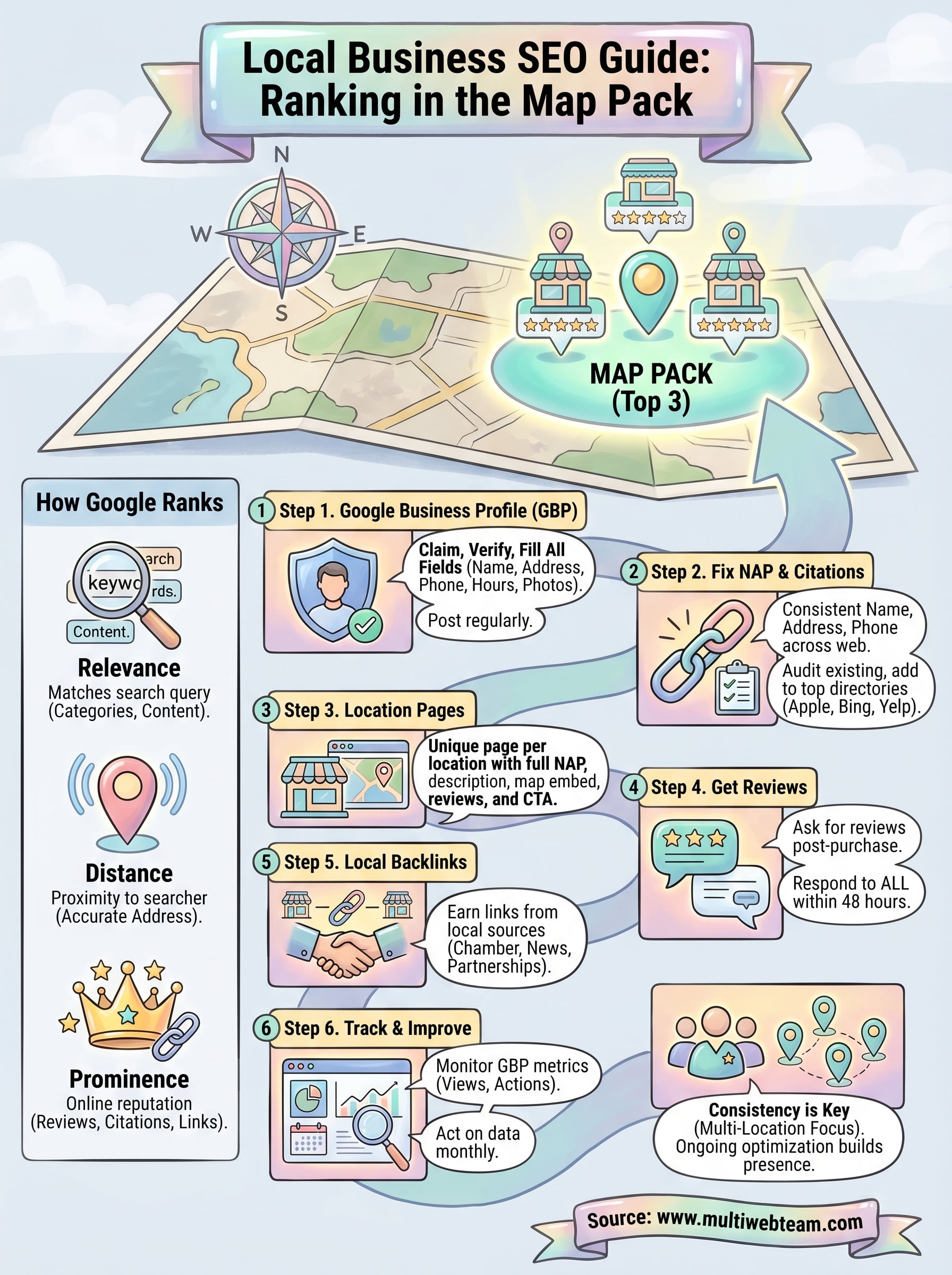
You now have a complete local business seo guide covering every factor that determines your map pack ranking. The question is where to start, and the answer is simpler than you think: pick the three steps you have not done yet and complete them before Friday. Start with your Google Business Profile if it is incomplete, then audit your NAP consistency, and finish by requesting reviews from your five most recent satisfied customers. Those three actions alone will move the needle faster than any tactic you read about but never execute.
Multi-location businesses face a bigger challenge because every location needs this work done consistently. One neglected profile can quietly drag down an entire brand's local visibility while competitors pull ahead. If managing local SEO across multiple locations feels like too much to handle internally, Multi Web Team handles it for you. Consistent optimization across every location is exactly what we do every day, so you can focus on running your business instead of chasing citation errors.










