
9 Web Design Tips for Small Business Owners That Convert
Your website is doing one of two things right now: bringing in customers or pushing them away . There's no middle ground. For most small business owners, the site they paid good money for isn't pulling its weight, it loads slowly, looks outdated on phones, or buries the one thing visitors actually came to find. The truth about web design for small business owners is that pretty alone doesn't cut it. Your site needs to convert.
The gap between a website that just exists and one that actively generates leads comes down to a handful of deliberate design choices . These aren't secrets locked behind expensive agency retainers or design degrees. They're practical, proven principles that any business owner can understand, and demand from whoever builds their site .
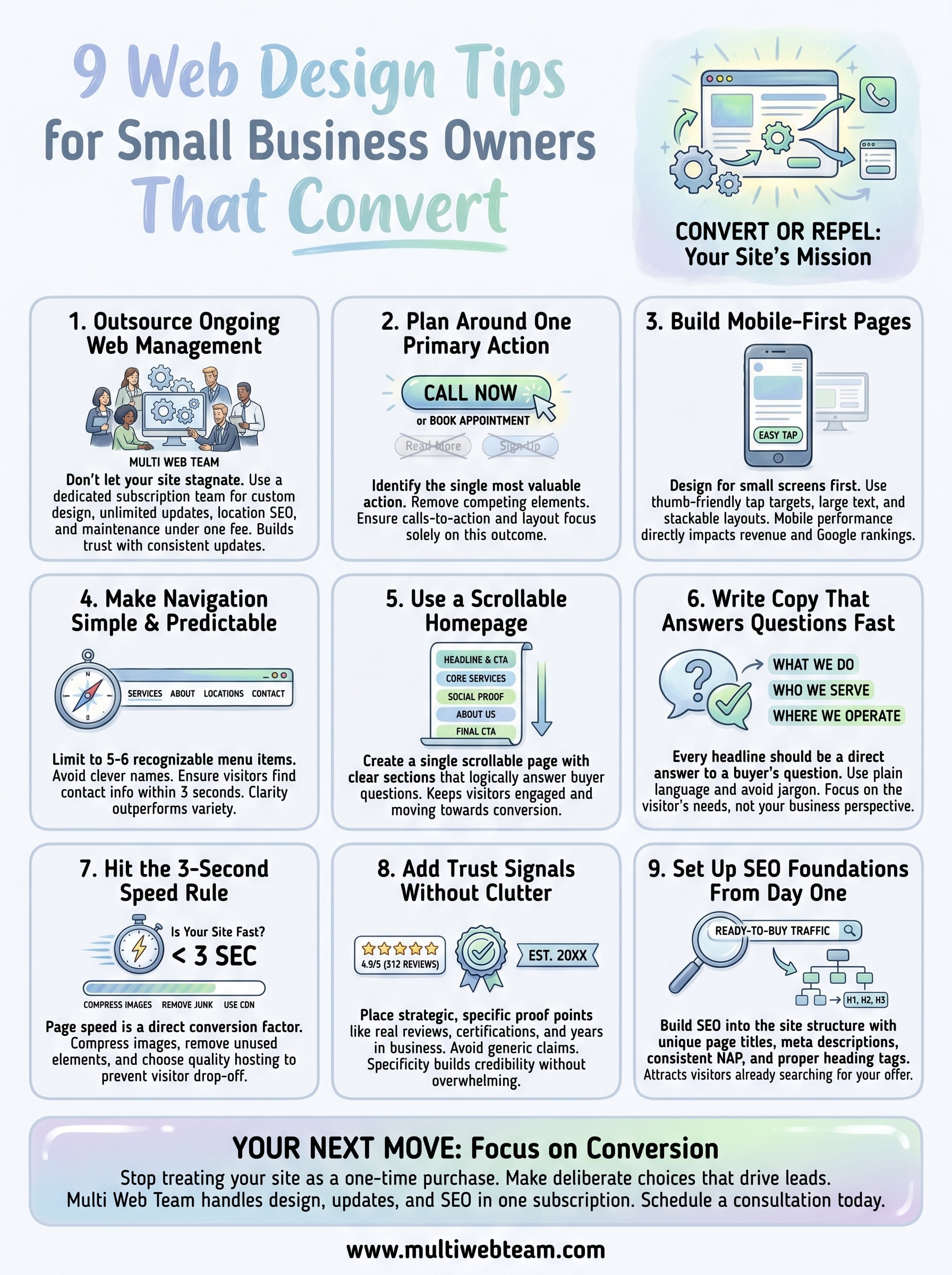
At Multi Web Team, we build and manage websites for multi-location businesses and franchises, so we see what works (and what flops) across hundreds of pages and locations. We've distilled that experience into nine actionable web design tips that directly impact whether a visitor picks up the phone, fills out a form, or bounces to a competitor. Each tip focuses on conversion, not aesthetics for aesthetics' sake . Whether you're launching your first site or rethinking the one you have, this list will give you a clear blueprint to follow.
1. Outsource ongoing web management with Multi Web Team
Most small business owners treat their website like a one-time purchase. Outdated content, ignored SEO, and broken links quietly drain your credibility while you focus on running daily operations. The most effective move you can make is putting your ongoing web management in the hands of a team built specifically for this work, so your site keeps working for you long after launch day.
What to do
Hand your website over to a team that treats it as a living business asset. Multi Web Team runs a subscription-based web design and management service built specifically for multi-location businesses and franchises. They handle everything under one monthly fee, including custom design, content updates, location-specific SEO, and technical maintenance.
Here is what that hands-off model covers:
- Custom website design built around your business model and locations
- Unlimited content updates including photos, promotions, and copy changes at no extra cost
- Multi-location SEO to help each of your locations rank in local search results
- Ongoing technical upkeep so your site stays fast, functional, and current
Why it converts
A website that gets consistent, regular updates builds trust with both visitors and search engines. Google rewards fresh, relevant content with stronger rankings, and better rankings mean more qualified buyers land on your pages before they find a competitor. For web design for small business owners , staying current is what separates businesses that generate steady leads from ones that get scrolled past.
An outdated site with old hours or expired promotions signals to visitors that your business may not be worth contacting.
When Multi Web Team manages your site, you close the gaps that quietly cost you customers. Unlimited updates included in your subscription mean your site always reflects what your business is doing right now, whether that is a new seasonal promotion, a location opening, or a service change.
How to implement it
Getting started requires no technical knowledge. Schedule a consultation through the Multi Web Team website to walk through your business structure, location count, and where your current web presence falls short. From there, the team builds your custom design and ongoing management plan without requiring a design brief or any coding input from you.
Bring your brand materials and a clear picture of what your customers need to find quickly. After that, your only responsibility is flagging the updates you need, and the team handles all execution while you stay focused on running your business.
2. Plan the site around one primary action
Most websites try to do too many things at once. When you give visitors five different buttons to click and three different offers to consider , they hesitate and leave. Every page on your site should push toward one clear outcome, and your homepage should make that outcome impossible to miss.
What to do
Identify the single most valuable action a visitor can take on your site, and build every page element around it. That action might be calling your location, submitting a contact form, booking an appointment, or requesting a quote. Strip out anything that competes with it. Your calls-to-action, headlines, and layout should all point toward that one move.
Why it converts
Visitors make fast decisions. When your page layout removes friction and focuses attention on one clear next step , more people take it. This is one of the most straightforward principles in web design for small business owners : clarity outperforms variety every time. A single focused page converts at a higher rate than a cluttered one with multiple competing paths.
The more choices you give visitors, the less likely they are to choose anything at all.
How to implement it
Start by writing down the one action you want from a new visitor before you touch any design element. Then audit your current homepage against that action. Remove navigation items, banners, and secondary offers that pull attention away from your goal. Place your primary call-to-action button above the fold so visitors see it without scrolling. Repeat that button lower on the page for visitors who read before they act.
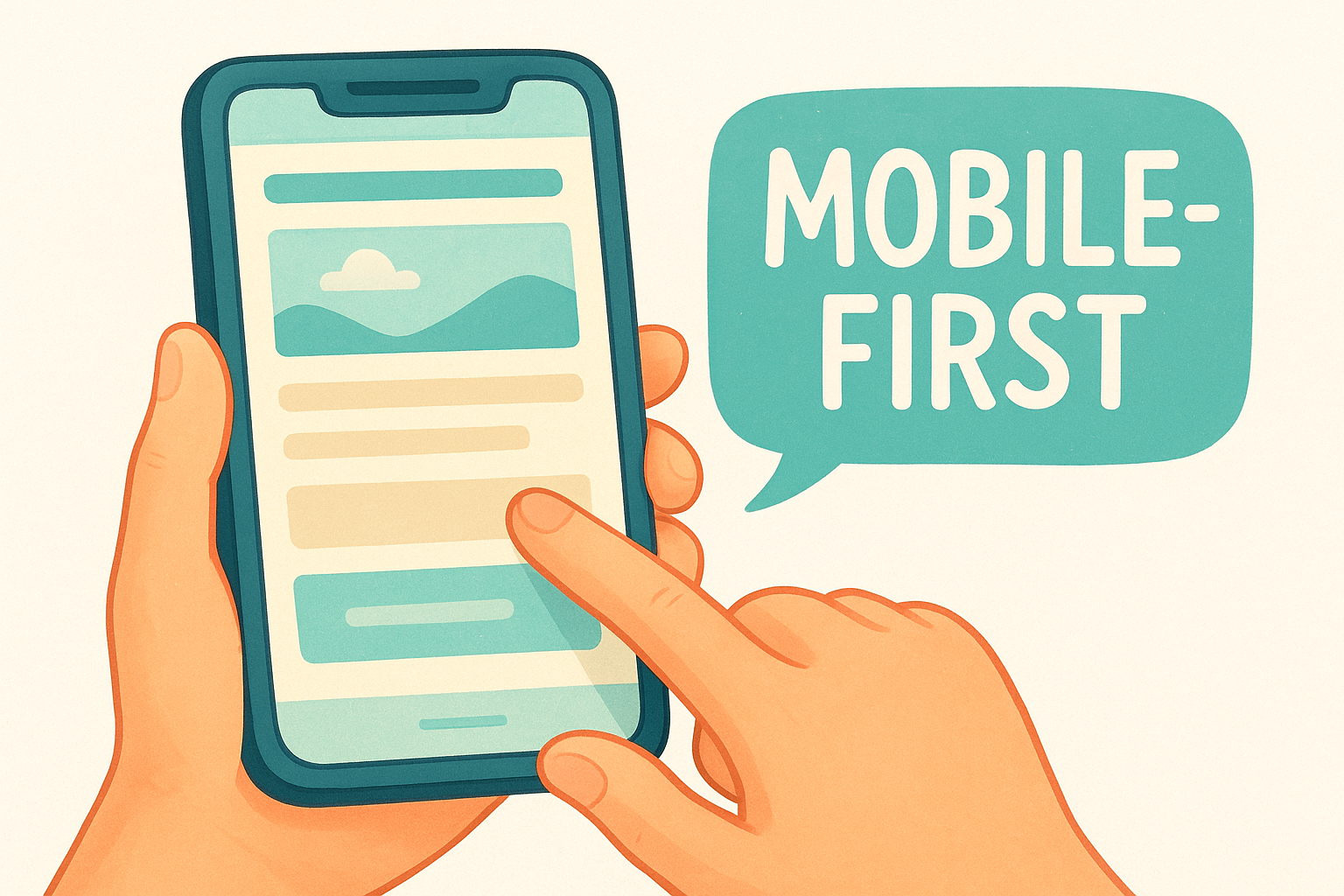
3. Build mobile-first pages that feel easy to use
More than 60% of web traffic now comes from mobile devices. If your site was designed for desktop and then squeezed onto a phone screen, visitors notice immediately, and they leave. Mobile-first design means building your pages to work perfectly on a small screen before scaling up, not the other way around.
What to do
Design every page with thumb-friendly tap targets, large readable text, and layouts that stack cleanly on a small screen. Buttons should be at least 44 pixels tall so fingers can tap them without frustration. Keep forms short , limit pop-ups, and make sure your phone number is clickable with one tap.
Why it converts
Mobile visitors are often ready to act right now , searching for your business while standing near your location or comparing options on the go. A page that loads cleanly and works without pinching or zooming removes the friction between intent and conversion. For web design for small business owners , mobile performance connects directly to revenue, not just aesthetics.
Google uses mobile-first indexing, meaning it ranks the mobile version of your site, not the desktop version.
How to implement it
Run your current site through Google's Mobile-Friendly Test to identify specific problems before making changes. Fix text size, button spacing, and image scaling first since these cause the most visitor drop-off. Ask your web designer to show you every page in a mobile preview before signing off on any design, and always test on a real phone rather than relying on a browser simulation alone.
4. Make navigation simple and predictable
Visitors don't explore websites the way you might explore a new city. They scan, click on the first thing that looks relevant, and leave the moment they feel lost. Confusing menus and buried pages cost you real customers, even when everything else on your site is solid.
What to do
Keep your main navigation to five or six items maximum , and use labels visitors already recognize, such as Services, About, Locations, and Contact. Avoid clever or branded menu names that require explanation. Your goal is for any visitor to know exactly where to click within three seconds of landing on your page.
Why it converts
Predictable navigation removes the mental work from browsing. When visitors find what they need without thinking, they stay longer and trust your business more. This principle sits at the core of web design for small business owners because your visitors are often comparing multiple businesses in the same session. A confusing menu sends them straight to the next result in their search.
Visitors who cannot find your contact information within two clicks will find a competitor who makes it easier.
How to implement it
Audit your current menu by asking someone unfamiliar with your business to find your contact page and a specific service in under 30 seconds. Watch where they hesitate. Any item that takes more than one click to locate needs to move higher in your structure. Place your most important action, whether a phone number or contact link , in the top-right corner of every page since that is where visitors look first on both desktop and mobile.
5. Use a scrollable homepage with clear sections
The modern web visitor scrolls. A homepage that forces visitors to hunt through multiple pages for basic information loses people fast. Organizing your homepage into clear, logically ordered sections keeps visitors moving down the page instead of bouncing out of it.
What to do
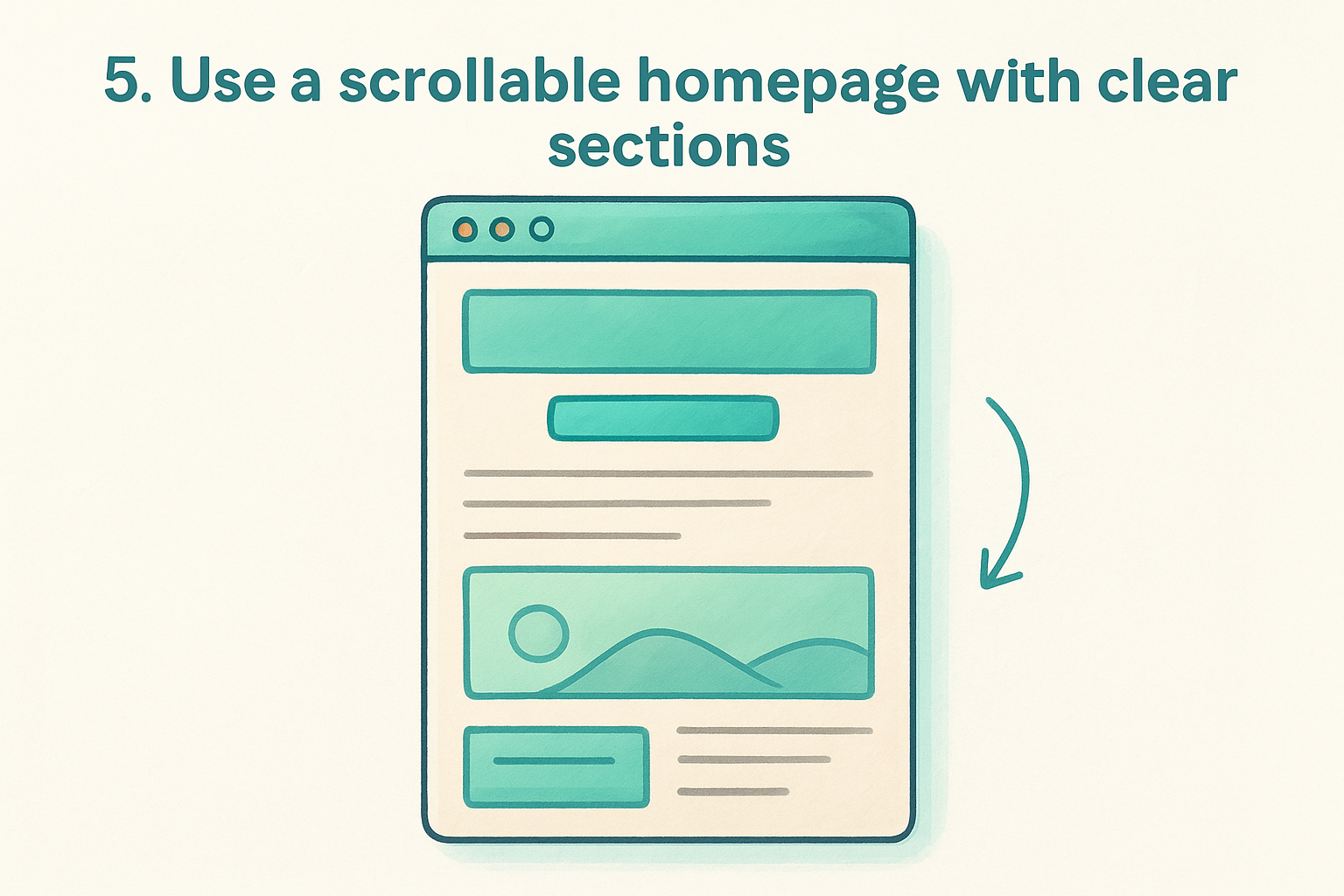
Build your homepage as a single scrollable page divided into distinct sections, each answering one question a buyer typically asks before contacting a business. Think of each section as a separate conversation: who you are, what you offer, why you are the right choice, and what to do next. Clear visual breaks between sections, such as alternating background colors or consistent spacing, help visitors scan without feeling overwhelmed.
A well-structured homepage typically includes these sections in order:
- A headline and primary call-to-action above the fold
- A brief overview of your core services or offerings
- Social proof such as reviews, ratings, or client logos
- A short about section that builds familiarity
- A final call-to-action with contact details
Why it converts
Visitors who scroll are actively engaging with your content. Each section they pass through adds a layer of trust and answers the next question forming in their mind. For web design for small business owners , a structured scrollable homepage removes the need to navigate elsewhere for information, which means fewer exits before reaching your call-to-action.
The longer a visitor stays on your homepage, the more likely they are to contact you.
How to implement it
Map out your ideal buyer's questions before writing a single word of homepage copy. Assign one section to answer each question and keep section headlines direct.
Run your draft past someone unfamiliar with your business and ask them whether each section answers a clear question. If they hesitate, that section needs a sharper headline or tighter copy before the page goes live.
6. Write copy that answers buyer questions fast
Visitors scan pages for answers to the questions already forming in their heads. If your copy doesn't surface those answers within a few seconds, they leave. Every word on your page needs to earn its place by moving a visitor closer to contacting you.
What to do
Write every headline as a direct answer to a question your buyer asks before they hire someone. Lead with what you offer, who it serves, and where you operate. Avoid copy that explains your business from your own perspective instead of addressing the visitor's specific concern. Cut any sentence that doesn't answer something real. Your copy should cover these basics quickly:
- What your business does and for whom
- Where you operate or how to reach you
- Why a buyer should choose you over the next result
Why it converts
For web design for small business owners , copy clarity is a conversion lever that most businesses overlook. Visitors who find their answer fast stay on the page longer and trust your business more. When your copy matches the exact language your buyers use , it also signals relevance to search engines, which sends more qualified traffic your way.
Visitors decide whether a page is worth reading within the first few seconds of landing on it.
How to implement it
Pull your most common customer questions from your inbox, front desk conversations, or recent reviews. These questions belong on your homepage and service pages, answered in plain language. Write your headline first, then your body copy. Read each section aloud to check whether it sounds like something a real person would say. If a sentence takes more than one read to understand , cut it before the page goes live.
7. Hit the 3-second speed rule on every page
Page speed is not a technical nicety. It is a direct conversion factor that determines whether your visitor stays or leaves before your page even finishes loading. If your site takes longer than three seconds to load, you lose a significant portion of your traffic before anyone reads a single word.
What to do
Compress every image before uploading it, remove unused plugins or scripts , and use a content delivery network to serve your files from a server closer to your visitor's location. These three actions alone cover the majority of speed problems that slow down small business websites. Hosting quality also matters, so avoid shared hosting plans that put your site on an overloaded server.
Why it converts
Speed directly shapes how visitors perceive your business. A slow page signals an unreliable business , and most visitors won't wait around to find out if that impression is wrong. In web design for small business owners , page speed is one of the few technical factors that affects both your Google rankings and your actual conversion rate at the same time.
Google uses page speed as a ranking signal, meaning a slow site loses visibility before it ever gets the chance to lose a visitor.
How to implement it
Run your site through Google PageSpeed Insights to get a specific list of fixes ranked by impact. The report tells you exactly which elements are slowing your pages down, from uncompressed images to render-blocking scripts. Share that report with your web team and ask them to address every high-impact item. Check your score again after changes are made to confirm the improvements held before publishing .
8. Add trust signals without clutter
Visitors size up your business in seconds, and the visual credibility of your page plays a bigger role in that judgment than most business owners realize. Trust signals are the elements that tell a stranger your business is legitimate, experienced, and worth contacting. The problem is that piling too many of them onto one page creates visual noise that actually works against you.
What to do
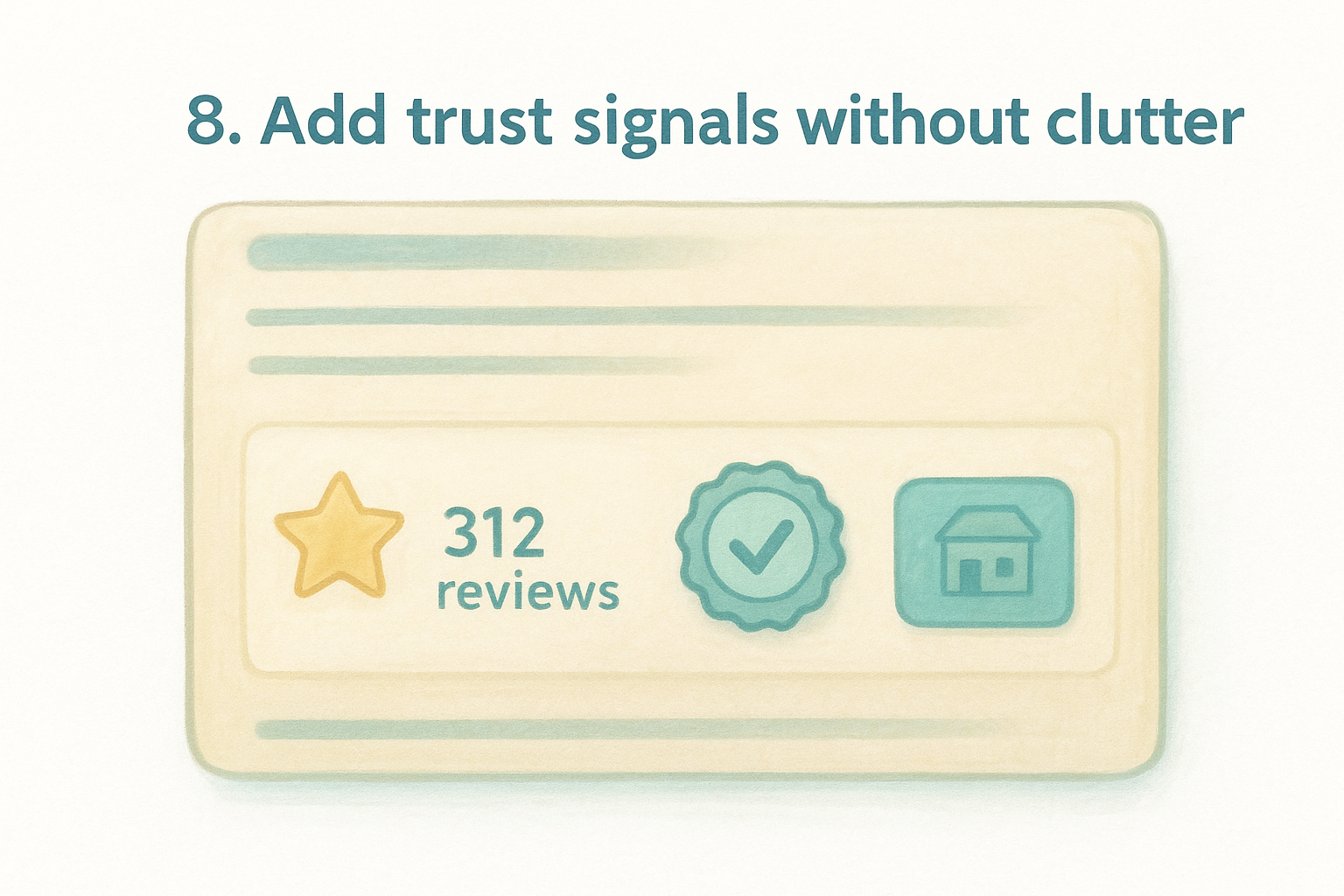
Place trust signals strategically rather than scattering them across every page. The most effective signals for local and multi-location businesses include star ratings with review counts, recognizable logos from associations or certifications, and a short line showing how long you have been in business. Keep each signal tight and specific since vague claims like "trusted by thousands" carry no weight with a skeptical visitor.
Why it converts
In web design for small business owners , trust is the invisible hurdle every visitor clears before they pick up the phone. A visitor who sees a real review count, a familiar certification badge, or a named location address feels confident they are dealing with a real, accountable business.
Specific proof, such as "312 five-star reviews" converts far better than a generic testimonial with no context.
How to implement it
Start by gathering your strongest proof points from Google Business Profile reviews, industry certifications, or years in operation. Place them in a dedicated trust bar directly below your homepage hero section so visitors see them early without scrolling. Ask your web designer to keep each badge or review element uniform in size so the section reads cleanly rather than looking like a patchwork of mismatched graphics.
9. Set up SEO foundations that bring ready-to-buy traffic
A beautifully designed site that nobody finds is just a brochure floating in the dark. SEO foundations built into your site from the start mean your pages show up when buyers search for exactly what you offer, before they ever reach a competitor.
What to do
Focus on the basics that search engines use to understand and rank your pages. Write a unique page title and meta description for every page using the specific terms your buyers type into search. Add your business name, address, and phone number consistently across your site and match that information exactly on your Google Business Profile. Use heading tags (H1, H2, H3) to give each page a clear content structure that search engines can follow without guesswork.
Why it converts
SEO brings you visitors who are already searching for what you sell , which means they convert at a far higher rate than cold traffic from ads or social media. In web design for small business owners , building SEO into the structure from day one is cheaper and more effective than retrofitting it later. Search traffic compounds over time, delivering leads without a recurring cost-per-click.
A page optimized for a specific local search term attracts buyers who are ready to act, not just browse.
How to implement it
Start with Google Search Console to identify which pages Google already indexes and where gaps exist. Submit your sitemap, fix any crawl errors, and confirm that every key page is indexed. Ask your web team to audit your title tags and heading structure before any new page goes live, so SEO is baked in from the first day visitors arrive.
Your next move
Every tip in this list comes back to the same principle: your website should work as hard as your business does . From focusing on one primary action to building in SEO foundations from day one , the choices you make in your design directly determine whether visitors contact you or move on. Most small business owners know their site needs work but keep pushing it down the priority list. That delay costs real revenue every month.
Web design for small business owners doesn't have to mean managing a never-ending project on top of everything else you already handle. Multi Web Team takes the entire workload off your plate, including design, updates, local SEO, and ongoing maintenance, all under one flat monthly subscription. No surprise fees, no chasing contractors, no outdated pages sitting live for months. If you're ready to turn your website into a consistent source of new customers, schedule a consultation with Multi Web Team today.










