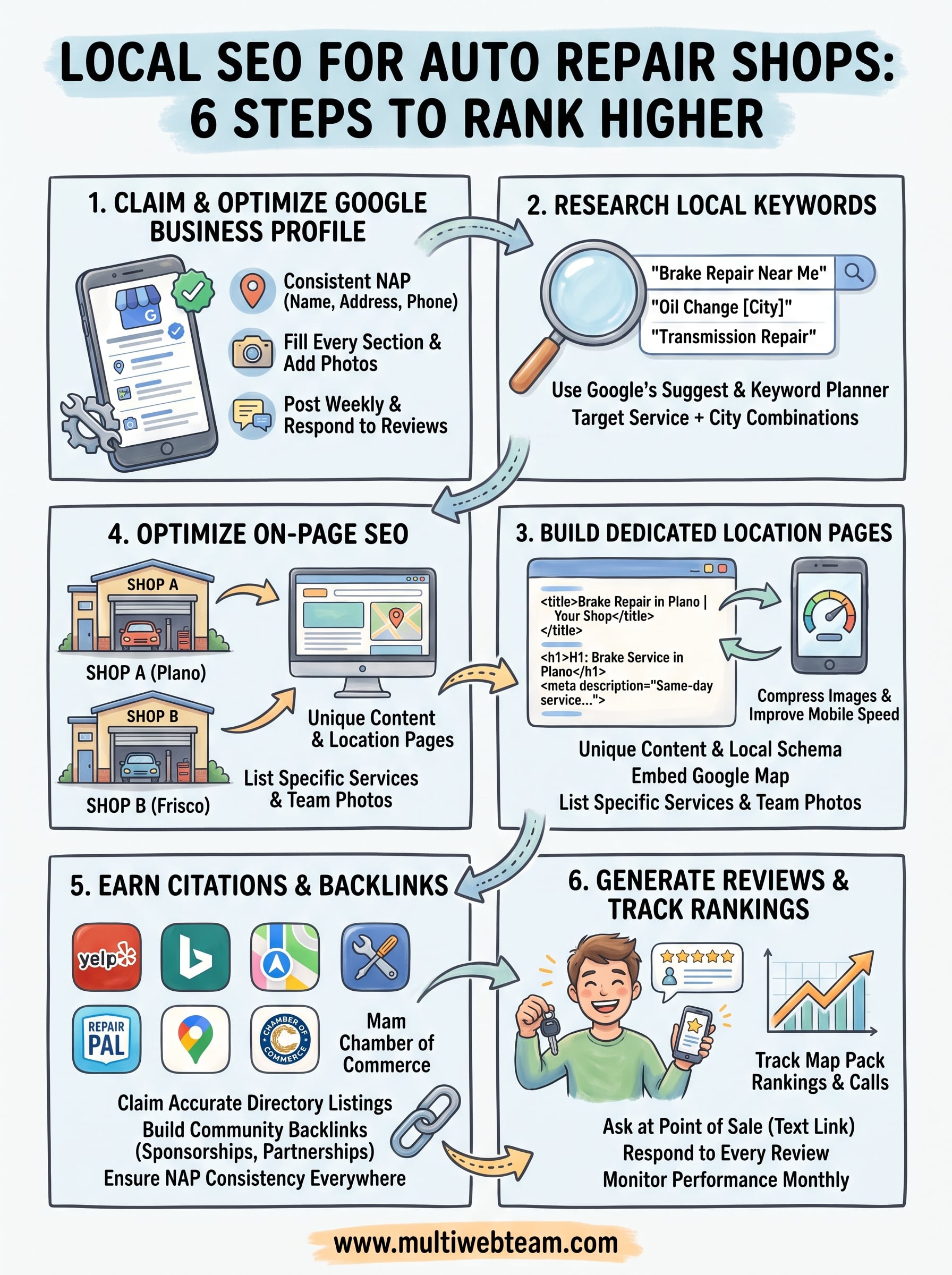
Local SEO for Auto Repair Shops: How to Rank Higher
Your auto repair shop can be the best mechanic in town and still lose jobs to a competitor three blocks away, just because they show up first when someone searches "brake repair near me." That's the reality of local seo for auto repair shops : Google decides who gets the call before a customer ever sees your bay doors. If your Google Business Profile is thin, your reviews are stale, or your location pages don't exist, you're invisible at the exact moment someone needs a mechanic.
This guide answers the question directly: what actually moves the needle for auto repair shop rankings in local search. You'll get the specific steps that push a shop from page two to the map pack, from optimizing your Google Business Profile to building citations that Google trusts.
We'll walk through keyword targeting for services like oil changes and transmission repair, review generation tactics that build trust fast, and how to structure location pages if you run more than one shop. Whether you manage a single garage or a multi-location operation, you'll leave with a practical local SEO checklist you can start using today to turn nearby searches into booked appointments.
Why local SEO matters for your auto repair shop
Someone's dashboard light comes on, or their brakes start grinding, and the first thing they do is pull out their phone. They don't scroll through ten pages of results. They tap one of the top three listings in the map pack, call, and book the first shop that answers with confidence. Local search behavior for auto repair is almost entirely mobile and almost entirely urgent, which means your shop either shows up in that critical window or loses the job to whoever does.
The map pack decides who gets the call
Google's local results, the three listings with the map above the standard organic links, capture the overwhelming majority of clicks for service searches like "transmission shop near me" or "oil change [city]." If your shop isn't in that pack, you're competing for scraps further down the page, where click-through rates drop off fast. This is why Google Business Profile optimization and consistent local signals matter more for auto repair than almost any other local service business. Google's own guidance confirms that proximity, relevance, and prominence drive these rankings, and you can influence two of those three directly through the work covered in this guide ( https://support.google.com/business/answer/7091).
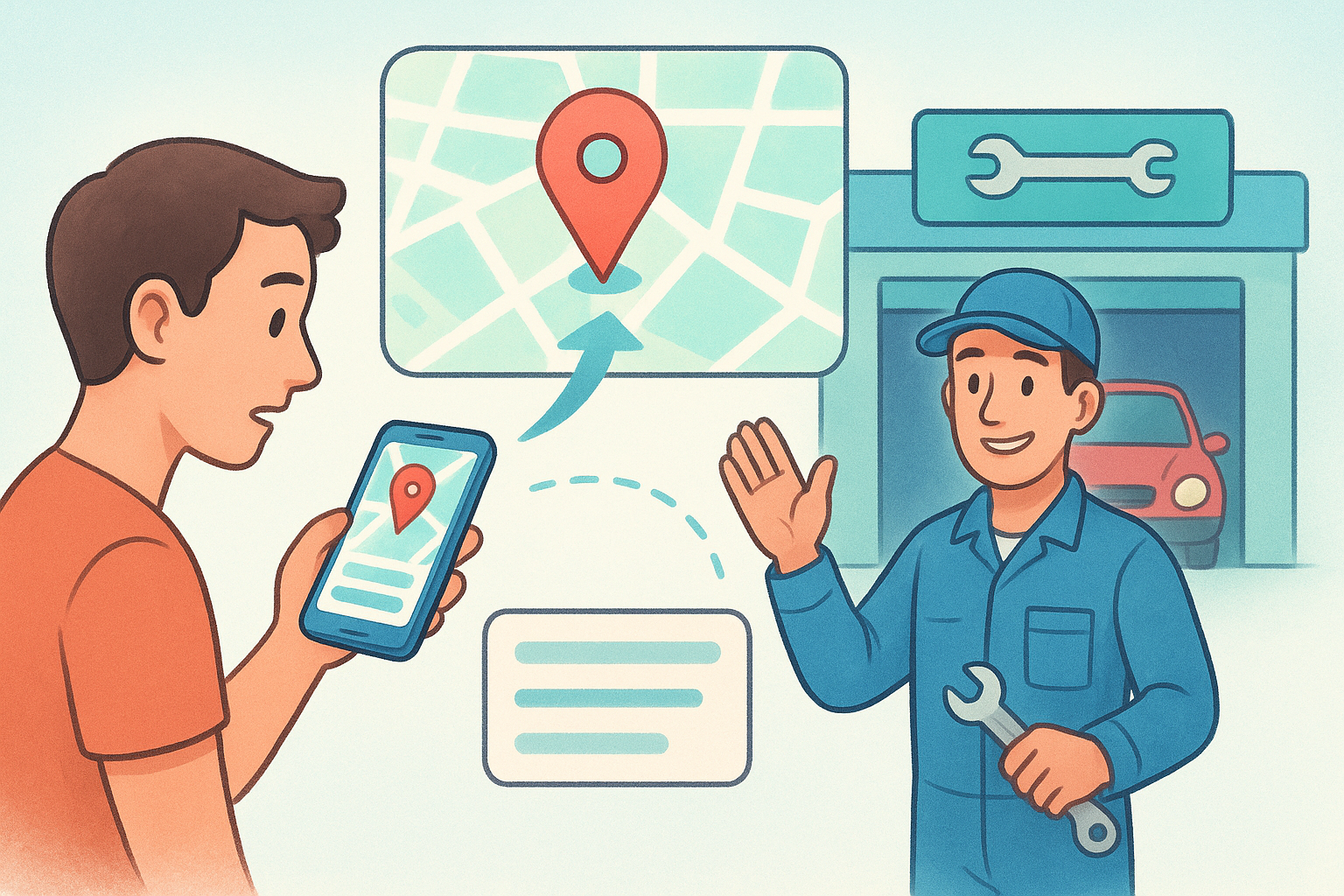
If you're not in the map pack for your core repair services, you're invisible at the exact moment a customer is ready to book.
Why auto repair searches convert so fast
Unlike browsing for a new couch or comparing vacation packages, most auto repair searches come from need, not curiosity. A customer with a flat tire or a check-engine light isn't researching for three weeks. They're choosing within minutes, often based on three factors: how close the shop is, how many reviews it has, and whether the listing looks active and trustworthy. That's a different battlefield than national SEO, and it rewards shop-specific optimization over generic website traffic.
Here's what typically separates shops that dominate local search from ones that struggle to get found:
| Factor | High-ranking shops | Struggling shops |
|---|---|---|
| Google reviews | 100+ recent, responded to | Under 20, months old |
| Google Business Profile | Fully filled out, weekly posts | Claimed but neglected |
| Website content | Service pages per location | One generic homepage |
| Citations | Consistent name/address/phone everywhere | Mismatched or outdated listings |
| Keywords targeted | "brake repair [city]", "oil change near me" | Only "auto repair shop" |
The cost of staying invisible
Every month you skip these fundamentals, you're handing bookings to competitors who've bothered to claim their listing and collect a handful of reviews. Multi-location operators feel this even harder, because a single generic website can't rank each shop for its own city and zip code. Without a dedicated presence for every location, Google has no clear signal about which shop to surface for a search in a specific neighborhood, so it often defaults to whichever competitor made that signal obvious.
Working against this isn't optional if you want steady bookings instead of relying on walk-ins and word of mouth. The good news is that local SEO for auto repair shops doesn't require guesswork. It requires a specific sequence of steps, starting with the listing that controls most of your visibility: your Google Business Profile.
Step 1. Claim and optimize your Google Business Profile
Your Google Business Profile is the single highest-leverage asset you have for local search, and most shops leave it half finished. Start at business.google.com, claim or verify your listing, and confirm every field matches your actual business, not a shortened or outdated version. Google verifies ownership through mail, phone, or video, so budget a few days if you haven't claimed it yet. Once verified, the real work of optimization begins.
Get your business information exactly right
Consistency here isn't cosmetic, it's a ranking signal. Google cross-checks your name, address, and phone number, often called NAP, against other mentions of your shop across the web, and mismatches quietly erode trust in your listing.
- Business name : use your real, legal shop name, no keyword stuffing like "Joe's Auto Repair Brake Oil Change Shop"
- Address : match it exactly to your signage and mail, down to suite numbers
- Phone number : use a local number tied to that specific location, not a call center line
- Categories : set "Auto Repair Shop" as primary, then add secondary categories like "Tire Shop" or "Oil Change Service" if they apply
- Hours : update for holidays and seasonal changes, since stale hours frustrate customers and hurt trust signals
A Google Business Profile with mismatched hours or a wrong phone number costs you jobs before a customer ever calls.
Fill out every section Google gives you
Google rewards profiles that use its full feature set, not just the bare minimum. Write a complete business description that names your services and city naturally, upload real photos of your bay, team, and completed work weekly, and list every service you offer, from alignments to diagnostics. Add attributes like "women-owned" or "veteran-owned" if they apply, since these help with relevance in certain searches.
Post and respond weekly
Profiles that stay active outrank ones that sit dormant. Publish a short Google Post each week, a seasonal promotion, a new service, a staff shoutout, and use the Q&A section to answer common questions like whether you handle a specific make. Respond to every review, good or bad, within 48 hours. This ongoing activity signals prominence , one of the three ranking factors Google confirms it uses ( https://support.google.com/business/answer/7091), and it's the fastest way to separate your shop from competitors who claimed their listing once and never touched it again.
Step 2. Research the local keywords customers actually search
Before you touch your website copy, figure out the exact phrases customers type when their car breaks down. Most shop owners guess at this, and they guess wrong. Someone searching for "ASE certified mechanic" barely exists, but someone searching "brake repair near me" or "check engine light [city]" shows up by the hundreds every month. Keyword research for auto repair isn't about volume alone, it's about matching the words your actual customers use when they need a specific service fixed fast.
Start with Google's own suggestion tools
Open an incognito browser and type your core services into Google's search bar, one at a time. Watch what autocomplete suggests, then scroll to the "People also ask" and related searches at the bottom of the results page. Do this for every major service:
- "oil change [your city]"
- "transmission repair near me"
- "brake pad replacement [your city]"
- "tire rotation cost"
- "check engine light diagnostic near me"
Google's own Keyword Planner, built for ads but free to browse, also shows monthly search volume by location, which helps you prioritize which services to feature first on your site ( https://ads.google.com/home/tools/keyword-planner/).
Rank for the repairs people actually search, not the services you wish they searched for.
Layer in service plus city combinations
Every keyword you target should pair a specific repair with a specific location, because that's how customers actually phrase urgent needs. "Auto repair" alone is nearly impossible to rank for nationally, but "transmission repair Plano TX" is winnable within months. Build a simple list before you write a word of website copy:
| Service | City-specific keyword example |
|---|---|
| Oil change | oil change [city] |
| Brake repair | brake pad replacement [city] |
| Transmission | transmission repair near [city] |
| AC service | car AC repair [city] |
| Diagnostics | check engine light [city] |
If you run multiple shops, repeat this exercise for each location separately, since search behavior in one neighborhood rarely matches another. A customer near your downtown shop might search "mechanic downtown [city]" while a suburban customer searches by zip code instead. Once you've mapped these location-specific keywords , you're ready to build pages that target them directly, which is exactly where the next step takes you.
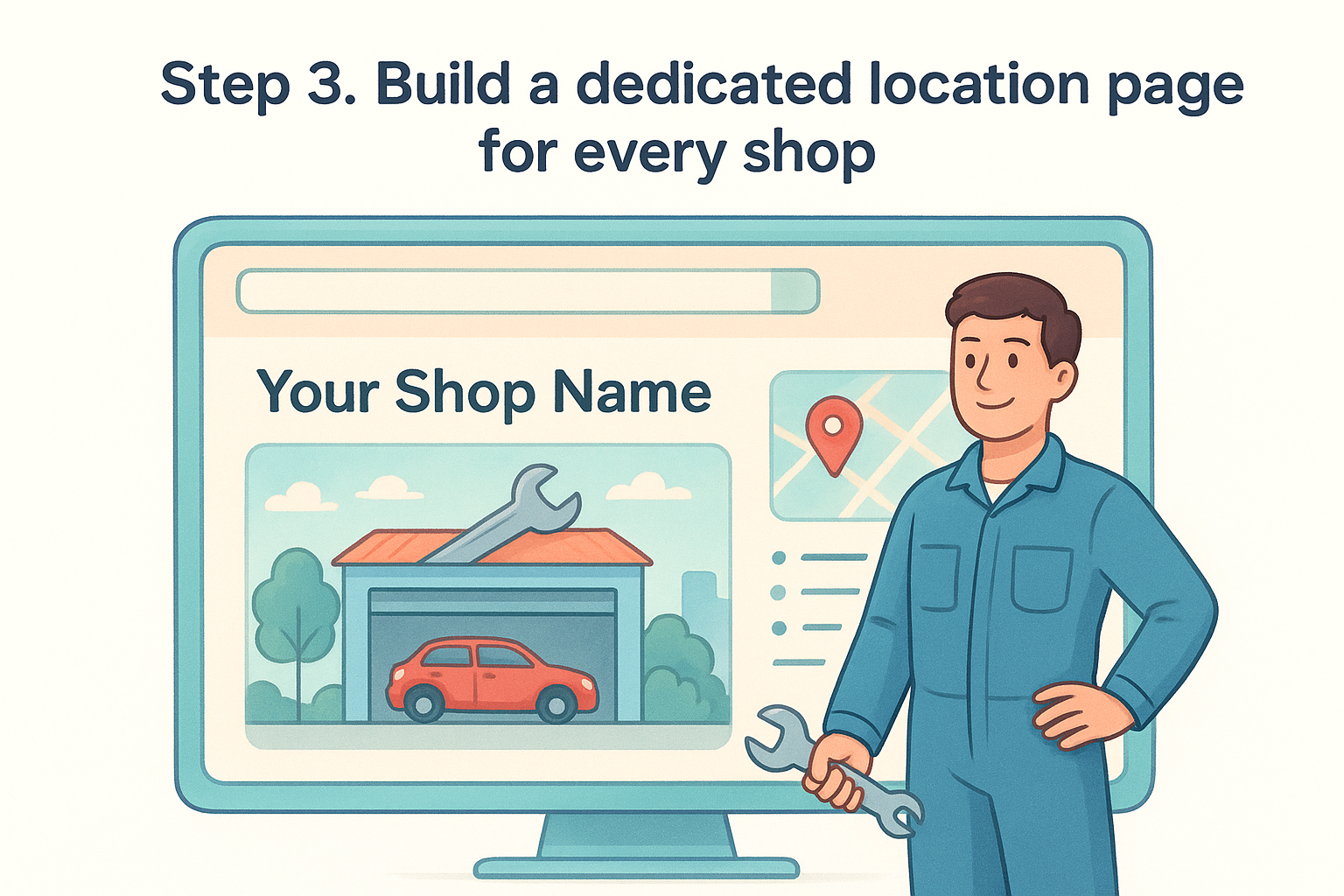
Step 3. Build a dedicated location page for every shop
A single homepage trying to represent five garages can't rank for five different cities, no matter how good the content is. Google needs a distinct, crawlable page for each address, with its own service list, hours, and local proof points, before it will confidently surface that specific shop for a nearby search. This is where multi-location SEO either works or quietly fails, and it's usually the difference between one shop dominating the map pack while the others sit buried on page three.
Why one homepage can't serve five shops
When every location points back to the same generic page, Google has no reliable signal about which shop to show for "brake repair Plano" versus "brake repair Frisco." It often defaults to whichever competitor built a page that actually names the neighborhood, the cross streets, and the team on-site. Dedicated location pages fix this by giving Google (and the customer) a clear match between the search and the physical shop that can do the work.
A homepage that serves five cities at once tells Google nothing about which shop deserves to rank where.
What every location page needs
Each page should read like it was written for that neighborhood specifically, not copied and swapped with a new city name. Include these elements on every location page you build:
- Unique intro paragraph naming the city, neighborhood, or major cross streets
- Full NAP block matching your Google Business Profile exactly
- Embedded Google Map for that specific address
- List of services offered at that location, with any location-specific specialties
- Local testimonials or reviews pulled from that shop, not a company-wide feed
- A photo of that team, bay, or storefront, not stock imagery
Adding structured data helps Google connect the dots faster. A simple LocalBusiness schema block on each page, matching Google's structured data guidelines, reinforces the address and services you've already listed ( https://developers.google.com/search/docs/appearance/structured-data/local-business):
 {
 "@context": "https://schema.org",
 "@type": "AutoRepair",
 "name": "Your Shop Name - Plano",
 "address": "123 Main St, Plano, TX 75024",
 "telephone": "+1-555-123-4567"
}
Once every shop has its own page and its own schema, you're ready to sharpen the on-page details that convince Google, and customers, that each page deserves the click.
Step 4. Optimize your website's on-page SEO
Once your location pages exist, the next job is making sure every element on them tells Google exactly what the page is about and where it serves customers. On-page SEO for auto repair isn't complicated, but skipping it means Google has to guess, and it usually guesses wrong. Every title tag, header, and image on your site should reinforce the service and city you're targeting.
Write title tags and meta descriptions that match intent
Your title tag is the single strongest on-page signal you control, so put the service and city right in it instead of a vague shop name alone. A title like "Brake Repair in Plano, TX | Your Shop Name" tells Google and the searcher exactly what they'll find. Meta descriptions don't directly boost rankings, but a clear one with a call to action, like "Same-day brake service, call now," improves click-through rate, which Google does reward over time.
If your title tag doesn't name the service and the city, you're asking Google to guess what your page is for.
Structure headers around real customer questions
Use one H1 per page naming the primary service and location, then break the body into H2s that answer specific questions customers actually ask, like "How much does brake repair cost in Plano?" or "Do you work on hybrid transmissions?" This structure helps Google match your page to long-tail searches and gives customers a scannable answer instead of a wall of text.
Compress images and fix mobile speed
Most auto repair searches happen on a phone in a parking lot with spotty signal, so a slow page loses the customer before it loads. Run your site through a free checker and fix the basics:
- Compress every photo of your shop, bay, and team before uploading
- Use next-gen image formats like WebP instead of large PNGs
- Eliminate render-blocking scripts that delay the page
- Confirm buttons and phone numbers are tappable on a small screen
Google's own PageSpeed Insights tool ( https://pagespeed.web.dev/) flags exactly which of these is slowing you down.
Link internally between related services
Connect your oil change page to your brake repair page, and both to the location page they belong to. This internal linking helps Google understand which services live at which shop, and it keeps a visitor who came for one repair browsing toward booking another.
Step 5. Earn local citations and community backlinks
Once your website and location pages are solid, Google still needs outside confirmation that your shop exists where you say it does. That confirmation comes from local citations , mentions of your business name, address, and phone number on other trusted sites. Every consistent citation reinforces the NAP data on your Google Business Profile, and every inconsistent one chips away at it. This step is less about writing and more about cleanup and outreach, but it's where a lot of shops quietly lose ranking ground to competitors who bothered to get listed everywhere that matters.
Claim the directories that actually carry weight
Start with the big general directories, then move to industry-specific ones that carry more relevance for auto repair. Work through this list and fix any name, address, or phone mismatches as you go:
- Yelp
- Bing Places
- Apple Maps
- Better Business Bureau
- RepairPal
- AutoMD
- Local chamber of commerce directory
Ten accurate citations beat fifty scattered ones with mismatched addresses.
Check each listing against your Google Business Profile character for character. A shop listed as "123 Main St #4" on Yelp but "123 Main Street Suite 4" on your website creates a mismatch Google has to reconcile, and it often reconciles by trusting neither.
Build backlinks through real community involvement
Community backlinks carry more weight than directory citations because they come from sites Google already trusts within your geographic area. Sponsor a local little league team and ask for a link on their sponsors page. Partner with a nearby car dealership, towing company, or detail shop for a mutual referral link. Join your local chamber of commerce, which usually includes a member directory link as part of membership. Get written up in your local news outlet by pitching a genuinely useful angle, like a free brake check event for teachers during back-to-school season.
Each of these links tells Google your shop is an active, trusted part of the neighborhood it serves, not just a listing sitting on a map. For multi-location operators, repeat this outreach for each city individually. A sponsorship or chamber membership in one town does nothing to help a shop across the metro area rank in its own local searches.
Step 6. Generate reviews and track your rankings
Reviews are the trust signal customers see before they ever call, and they're one of the clearest ranking factors Google confirms it weighs in local results. A shop with 150 recent reviews at 4.8 stars beats a shop with 12 old reviews every time, even if the second shop does better work. Review generation for auto repair isn't about begging, it's about building a habit into how you close out every job.
Ask at the exact right moment
Timing determines whether a customer actually leaves a review or forgets by the time they get home. Ask right when you hand back the keys, while the relief of a fixed car is still fresh, not three days later in a generic email blast. Text a direct Google review link on the spot using a simple script your front counter team repeats every time:
 Thanks for coming in today! If you have 30 seconds, we'd really
appreciate a quick review here: [your Google review link]
It helps other drivers in [city] find us. Thank you!
Generate your shortlink from your Google Business Profile dashboard once and reuse it everywhere, on receipts, invoices, and follow-up texts.
A review asked for at the counter converts far better than one requested by email a week later.
Respond to every review, not just the good ones
A thoughtful reply to a one-star review often does more for trust than another five-star one, because it shows future customers how you handle problems. Keep replies specific and brief:
- Thank the customer by name when possible
- Reference the actual service, not a generic template
- Offer to make it right offline if the review is negative
- Never argue publicly, even if the customer is wrong
Track your rankings so you know what's working
You can't improve what you don't measure, so check your map pack visibility monthly for your top five service keywords in each city you serve. Search from a phone with location services on, in an incognito window, and note where you land. Google Business Profile's built-in Insights tab shows calls, direction requests, and website clicks generated directly from your listing, which tells you whether the work in the previous five steps is actually converting into contact, not just impressions. Multi-location shops should track each address separately, since one garage climbing the map pack says nothing about how its sister location is performing three miles away.
Turning searches into booked appointments
None of these six steps work in isolation. A polished Google Business Profile without dedicated location pages still confuses Google about which shop to rank where, and dedicated pages without citations and reviews still struggle to earn trust. Treat this as a system, not a checklist you finish once and forget. Revisit your listings, keywords, and rankings every month, because competitors who skip this maintenance are exactly who you're trying to outrank.
Most shop owners don't have time to manage location pages, chase citations, and respond to reviews across multiple garages while also running the business. That's the gap Multi Web Team was built to close, with custom location pages, ongoing SEO management, and unlimited updates included in one subscription. If you'd rather hand off this work to a team that does it full time, see how Multi Web Team can build and manage your shop's local SEO.