11 Proven Ways To Improve Your Google Maps Ranking
If your locations aren't showing up in the Google Maps pack, you're losing customers to competitors who show up first. Learning how to improve google maps ranking matters more now than ever, since most local searches end with a visit or a call to whichever business appears at the top of the map. That's especially true for multi-location businesses, where one weak listing can drag down foot traffic for an entire region while your other locations quietly outperform it.
The good news: Google Maps ranking isn't a mystery. It comes down to a specific set of factors you can control, including profile completeness , review volume, citation consistency, and how well your website signals relevance for each location. Fix those, and rankings move, often within weeks.
This article walks through 11 concrete tactics we use when managing local search for franchise and multi-location clients. You'll get steps you can apply today, whether you're handling one listing or optimizing dozens across different markets.
1. Build a website designed for local search success
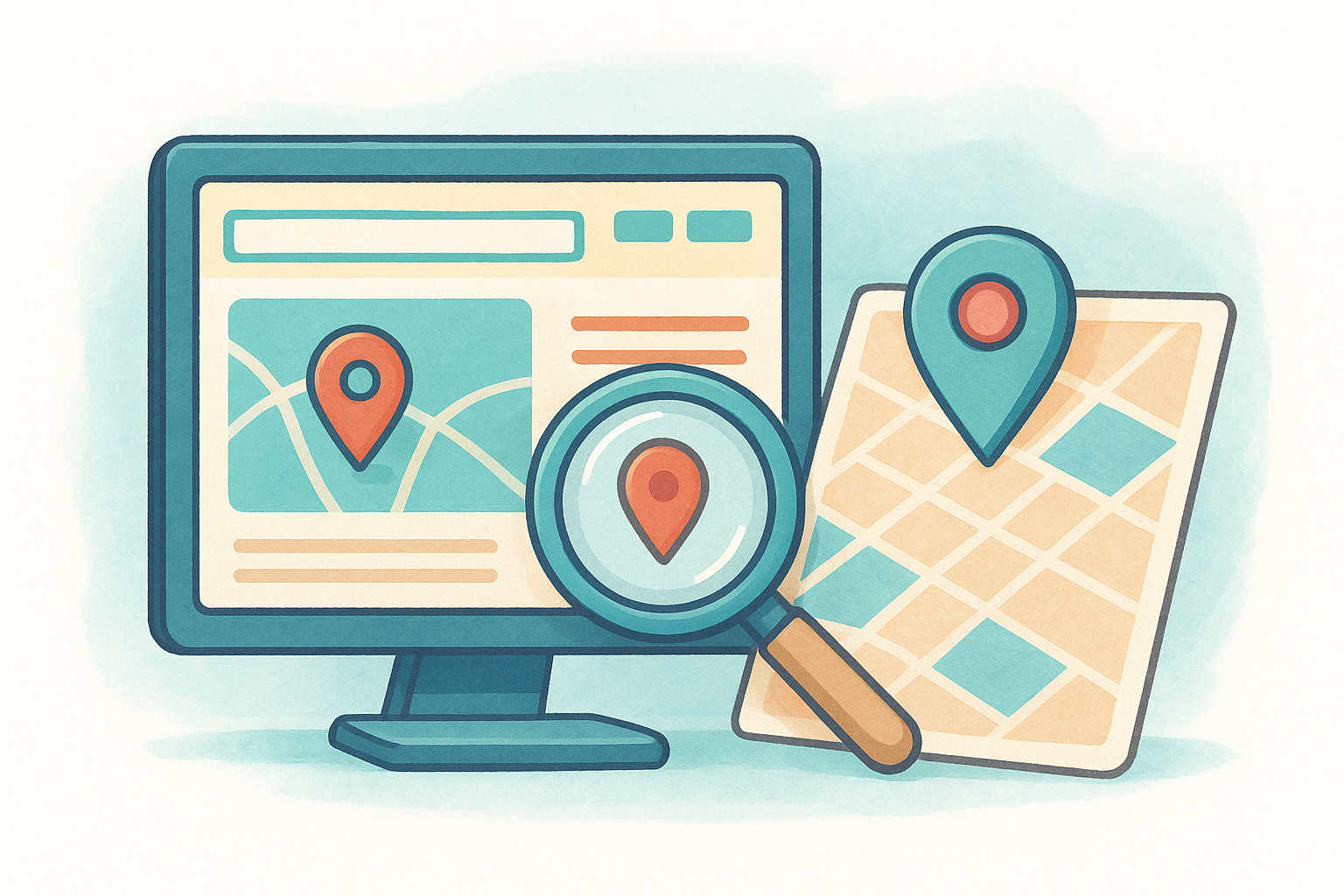
Your website is the foundation Google Maps rankings get built on, not an afterthought once the map listing looks good. Google's local algorithm pulls signals directly from your site to confirm that a business is real, relevant, and tied to a specific place. A generic homepage that mentions your city once in the footer won't cut it if you run multiple locations and need each one to rank in its own area.
What it means
A local-search-ready website gives Google (and visitors) clear, structured proof of where you operate and what you offer at each location. For a multi-location business, that means more than a single "Contact Us" page. It means a dedicated page per location, each with unique content, its own NAP (name, address, phone) details, and location-specific keywords woven naturally into the copy, not just stuffed into a title tag.
How to do it right
Most multi-location sites fail here because they treat every location the same, using duplicate content with a swapped city name. Google's algorithms notice that pattern and discount it. Here's what actually works:
- Create a unique page for every location , with its own address, hours, phone number, and embedded map.
- Write original content per page , mentioning nearby landmarks, service areas, or neighborhood names where relevant.
- Match your site's NAP data exactly to what's listed on your Google Business Profile, down to abbreviations like "St." versus "Street."
- Add schema markup (LocalBusiness structured data) so search engines can parse your location details programmatically. Google's own documentation on structured data for local businesses covers the required fields.
- Keep the site fast and mobile-friendly , since most "near me" searches happen on phones and slow pages get pushed down in rankings.
- Link location pages to each other through a clear navigation structure, so Google can crawl and associate them as part of the same business network.
A website with unique, location-specific pages does more to move your Google Maps ranking than almost any other single fix.
This is exactly why we build custom sites for franchise and multi-location clients instead of handing them a template. Each location gets treated as its own local entity within one cohesive site structure, which is the setup Google rewards.
Why it matters for ranking
Google cross-references your Business Profile against your website to verify relevance and legitimacy. Weak or duplicate website content signals that a listing might not represent a genuine, distinct location, which caps how high it can rank regardless of reviews or citations. Strong, unique location pages give Google the confidence to rank each address on its own merits, which is the difference between one location winning the map pack and five locations competing for scraps.
2. Claim and verify your Google Business Profile
Before any other tactic on this list can work, Google needs to know you actually own the business you're trying to rank. Claiming and verifying your Google Business Profile is the gatekeeper step, and skipping it or leaving it half-finished is why some listings never show up in the map pack no matter how good the website behind them is.
What it means
Claiming a profile means telling Google "this listing belongs to me," then proving it through a verification process. Verification confirms to Google that a real business operates at that address, which is the trust signal the entire ranking system is built on. Unverified or unclaimed listings get deprioritized, and in some cases they don't appear in local results at all.
How to do it right
For multi-location businesses, this step multiplies fast, so treat it as a checklist rather than a one-time task:
- Search for your business on Google Maps first to check whether a listing already exists before creating a duplicate.
- Claim each location separately through Google Business Profile Manager, since each address needs its own verified listing.
- Choose the fastest verification method available , whether that's postcard, phone, email, or instant verification for eligible businesses.
- Assign profile ownership carefully if you manage listings for franchisees, so access doesn't get lost when staff turn over.
- Re-verify immediately if Google flags a listing for suspicious activity or a suspended status, which happens often with multi-location accounts.
An unverified listing is invisible competition. Google won't rank what it can't confirm is real.
Why it matters for ranking
Verification is a prerequisite , not a ranking booster on its own, but without it nothing else on this list matters. Google's local algorithm won't extend trust, review weight, or category relevance to a profile it hasn't confirmed. For businesses managing ten or twenty locations, an unclaimed or unverified listing anywhere in the network creates a gap competitors will happily fill.
3. Complete every profile detail with accurate NAP info
Half-finished Google Business Profiles are everywhere, and they're a big reason otherwise good businesses sit outside the map pack. Filling in every available field with accurate NAP info (name, address, phone) isn't busywork. It's one of the fastest ways to gain ranking ground once your profile is claimed and verified.
What it means
A complete profile means every field Google offers gets filled out correctly: business name, address, phone number, website, hours, attributes, and a service description that actually describes what you do. Consistent NAP data means your name, address, and phone number match exactly across your website, your profile, and every directory listing you appear in. Even small mismatches, like using "Ave" on one platform and "Avenue" on another, create confusion Google has to resolve, and it often resolves it by trusting your listing less.
How to do it right
Treat your profile like a form that penalizes blank fields:
- Fill in every section Google Business Profile Manager offers, including hours, service areas, payment methods, and accessibility attributes.
- Match your business name exactly to your signage and legal name, without adding keywords Google doesn't allow.
- Standardize address formatting across your website, profile, and citations so nothing conflicts.
- Update hours immediately for holidays or seasonal changes, since stale hours frustrate visitors and hurt trust signals.
- Write a real description using natural language instead of a keyword-stuffed paragraph.
A fully completed, consistent profile tells Google your business is active, legitimate, and worth ranking.
Why it matters for ranking
Google's local algorithm treats completeness and consistency as trust signals, weighing them alongside reviews and links. A profile with gaps or conflicting details looks unreliable, and Google plays it safe by ranking reliable-looking competitors above you, even ones with fewer reviews.
4. Choose the most accurate business categories
Categories tell Google what kind of searches your business should show up for, and picking the wrong one quietly kills your visibility no matter how strong the rest of your profile looks. A pizza restaurant listed under "Restaurant" instead of "Pizza Restaurant" is competing in the wrong race entirely, even though nothing else about the listing is broken.
What it means
Your primary category is the single most important classification signal Google uses to match your business to relevant searches, followed by up to nine secondary categories that round out what you offer. Multi-location businesses often copy the same category set across every listing without checking whether each location genuinely offers the same services, which can misrepresent a location that, say, doesn't offer delivery or drive-through.
How to do it right
Audit categories the same way you'd audit any other ranking factor, location by location:
- Set the most specific primary category available rather than a broad, generic one Google might approve faster.
- Add secondary categories only when genuinely relevant , since irrelevant ones dilute rather than help.
- Check competitor categories in your market through Google Maps to see what's driving map pack rankings nearby.
- Review categories quarterly , since Google regularly adds new, more specific category options.
- Adjust categories per location if service offerings differ, instead of applying one template to every profile.
The right primary category can move a listing into the map pack faster than almost any other single change.
Why it matters for ranking
Google's local algorithm leans heavily on category relevance when deciding which businesses to surface for a given search term. A mismatched or overly broad category means you're invisible for the exact searches most likely to convert, even while you rank fine for terms nobody's actually typing.
5. Add fresh photos and videos regularly
Listings with active photo uploads consistently pull more clicks and direction requests than listings that haven't added an image in months. Businesses that want to improve google maps ranking results often overlook this because photos feel like a cosmetic detail rather than a ranking lever, but Google treats visual activity as proof that a location is alive and actively managed.

What it means
Fresh visual content means uploading current, accurate photos and short videos on a regular schedule, not a one-time batch when the listing first goes live. This includes exterior shots, interior shots, product or menu images, team photos, and anything that shows the location as it actually looks today. Stale photo galleries signal a business that's stopped paying attention, and Google's local algorithm picks up on that inactivity.
How to do it right
Set a recurring schedule so this doesn't fall through the cracks across multiple locations:
- Upload at least four to eight new photos monthly per location, covering interior, exterior, staff, and products.
- Add short videos showing the space, a walkthrough, or a product in use, since video engagement outperforms static images.
- Geotag images where possible so Google can tie the photo directly to the location.
- Remove outdated photos that show old signage, discontinued products, or renovations that no longer reflect reality.
- Encourage customers to upload their own photos , since user-generated images add authenticity Google weighs favorably.
A listing that updates its photos monthly looks alive to Google, while one that hasn't changed in a year looks abandoned.
Why it matters for ranking
Google's local algorithm factors engagement signals like photo views and uploads into how it ranks listings, and profiles with more recent, relevant images tend to earn more clicks, which reinforces the ranking further. For multi-location businesses, this also gives each address its own visual identity instead of blending into a generic franchise template.
6. Generate and respond to Google reviews
Reviews carry more ranking weight than most business owners realize, and they're often the fastest lever to pull when a listing is stuck below competitors. Businesses trying to improve google maps ranking frequently focus on categories and photos while ignoring the review engine that's quietly deciding whether Google trusts their listing at all.
What it means
Generating reviews means actively asking satisfied customers to leave feedback rather than hoping it happens organically. Responding means replying to every review, positive or negative, in a way that shows the business is paying attention. Review velocity , meaning how consistently new reviews come in, matters as much as your overall star rating, since a business with five reviews from two years ago looks less active than one adding new reviews every week.
How to do it right
Build review generation into your regular customer touchpoints instead of treating it as an occasional ask:
- Send a review request by text or email within 24 hours of service, when the experience is still fresh.
- Make the process one click , using a direct link to your Google review form rather than asking customers to search for you.
- Respond to every review within 48 hours , thanking positive reviewers by name and addressing negative ones professionally.
- Never offer incentives for reviews , since Google's policies prohibit compensated reviews and flag accounts that violate them.
- Train location managers to make review requests part of the standard customer interaction, not a task that falls to whoever remembers.
Consistent, recent reviews tell Google your business is active, trusted, and worth ranking above competitors sitting on stale feedback.
Why it matters for ranking
Google's local algorithm treats review count, recency, and rating as core trust signals, and it uses the actual text of reviews to confirm relevance for search terms customers mention. A steady stream of fresh, well-managed reviews across every location builds the kind of trust score that pushes multi-location businesses into the map pack consistently, not just at their flagship address.
7. Publish regular posts and offers
Google Business Profile lets you publish updates directly on your listing, and most multi-location businesses never touch this feature after setup. That's a missed opportunity, since posts give you a direct way to improve google maps ranking results by showing Google fresh, relevant activity tied to a real address, not just a static profile that hasn't changed since launch day.
What it means
Posts work like mini announcements that appear right on your Business Profile in search and maps results. You can publish offers, events, product updates, or general news, each with a photo, short description, and a call-to-action button. Google Posts aren't the same as social media updates, since they live inside the Maps and Search ecosystem where local customers are already looking, and they expire after seven days unless the post is tied to an event or offer with a longer window.
How to do it right
Treat posting like a lightweight content calendar rather than a one-off task:
- Publish at least one post weekly per location, rotating between offers, events, and general updates.
- Include a clear call-to-action , like "Order Now" or "Learn More," linking to the relevant page on your site.
- Use a strong photo , since posts without images get far less engagement.
- Highlight location-specific promotions rather than generic company-wide messaging.
- Track which posts drive clicks through Business Profile insights, then repeat what performs.
Regular posts keep your listing looking active, which is exactly what Google's algorithm rewards over dormant profiles.
Why it matters for ranking
Active posting signals ongoing engagement, and Google factors that activity into how it ranks listings against competitors sitting idle. For franchises, consistent posting across every location also reinforces brand presence in each local market without requiring a full website update every time a promotion changes.
8. Fix duplicate listings and consolidate locations
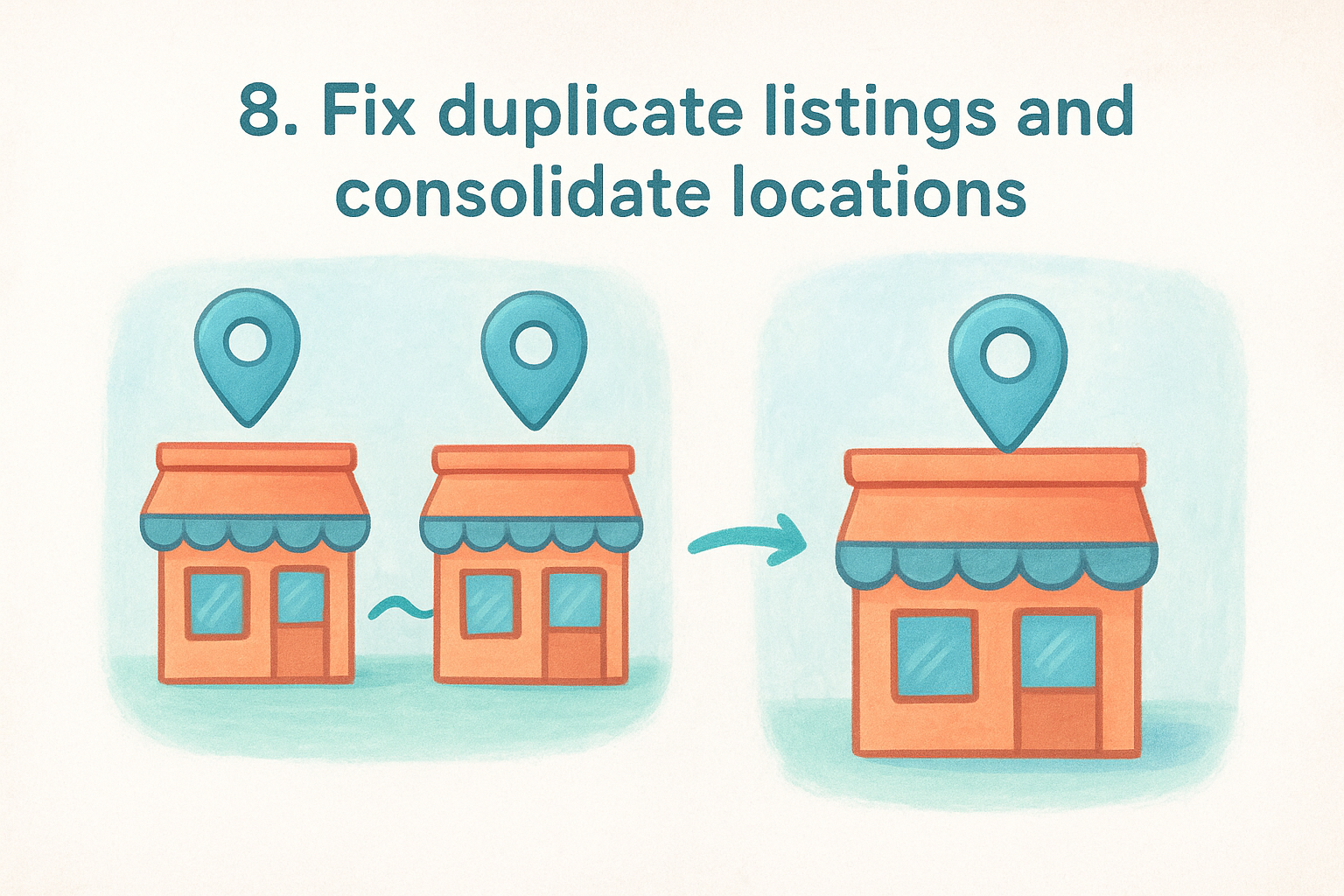
Duplicate listings quietly split your ranking power between two profiles instead of concentrating it in one. Multi-location businesses run into this constantly when a franchisee creates a new profile without checking if one already exists, or when a location moves and Google generates a fresh listing instead of updating the old address. If you're trying to improve google maps ranking results, duplicates are one of the first things worth auditing, since they actively work against you.
What it means
A duplicate listing is a second (or third) Business Profile representing the same physical location. Duplicate profiles split reviews, photos, and search visibility between listings that should be one unified, authoritative entity. Consolidation means merging or removing the extras so Google has exactly one verified listing per address, with all the historical reviews and engagement rolled into it.
How to do it right
Run this check across your entire location network, not just the listings you suspect are duplicated:
- Search your business name and address on Google Maps to spot any duplicate entries.
- Report duplicates directly through Google Business Profile's support tools, requesting a merge rather than a delete when possible.
- Claim orphaned listings created by former employees or franchisees who never handed over access.
- Audit after every move or rebrand , since address changes often trigger duplicate creation.
- Verify only one listing remains active per location before moving on to other optimizations.
One clean, consolidated listing per address beats two competing profiles splitting your reviews and rankings.
Why it matters for ranking
Google can't decide which duplicate deserves to rank, so it often suppresses both or ranks the weaker one. Consolidated profiles concentrate review count, engagement history, and trust signals into a single listing strong enough to compete in the map pack, instead of diluting that same strength across two half-built entries.
9. Build consistent local citations
Citations are mentions of your business name, address, and phone number on other websites, and they quietly reinforce or undermine everything you've built on your Business Profile. Directories like Yelp, Yellow Pages, and industry-specific listing sites feed Google confidence signals about your business, and when those signals contradict each other, your effort to improve google maps ranking stalls even if your profile itself looks perfect.
What it means
A citation doesn't need a link to count. It just needs your NAP data listed somewhere Google crawls regularly, whether that's a general directory, a chamber of commerce site, or a niche platform tied to your industry. Consistency matters more than volume here. Ten accurate citations outperform fifty sloppy ones with mismatched suite numbers or outdated phone lines.
How to do it right
Treat citation building as ongoing maintenance, not a one-time cleanup:
- Prioritize major directories first , including Yelp, Bing Places, Apple Maps, and Facebook, before moving to niche sites.
- Match formatting exactly to your Google Business Profile, down to abbreviations and suite numbers.
- Audit existing citations quarterly using a citation tracking tool to catch drift before it spreads.
- Claim industry-specific directories relevant to your field, since niche platforms carry outsized trust in specific categories.
- Update every citation immediately after a move, rebrand, or phone number change, not weeks later.
Inconsistent citations confuse Google about which version of your business details to trust, and confusion never helps a ranking.
Why it matters for ranking
Google uses citation consistency as a cross-check against your Business Profile and website, treating agreement across sources as evidence your business is legitimate and stable. Multi-location businesses face higher risk here since dozens of addresses multiply the chances of a typo or outdated listing slipping through, and each inconsistency chips away at the trust score deciding whether you rank above or below competitors with cleaner data.
10. Earn backlinks from local and industry sites
Backlinks get treated as a website-only ranking factor, but they carry real weight for Google Maps too. When credible local sites and industry publications link to your location pages, Google reads that as third-party proof your business matters in that market. Businesses chasing every other tactic on this list while ignoring link building often plateau just below the map pack, unable to close the final gap against competitors with stronger site authority feeding their listings.
What it means
A backlink is simply another website linking to yours, and local backlinks specifically come from sources tied to your geographic area or industry, like chambers of commerce, local news sites, community sponsorships, or trade associations. These links tell Google your business has real relationships and recognition beyond your own marketing, which strengthens the authority behind every location page on your site.
How to do it right
Focus on relevance over raw quantity when building your link profile:
- Join your local chamber of commerce and industry associations, most of which link back to member businesses.
- Sponsor community events or local sports teams, since organizers typically credit sponsors with a website link.
- Pitch local news outlets with a genuine story angle, like a new location opening or a milestone worth covering.
- Get listed on franchise or industry directories that carry authority in your specific field.
- Avoid paid link schemes , since Google's spam policies penalize manipulative link building.
A handful of genuine local links outweighs dozens of irrelevant ones Google can spot as manufactured.
Why it matters for ranking
Google's algorithm treats link authority as a proxy for real-world trust, and location pages backed by relevant links tend to outrank pages with none. For multi-location businesses, spreading a few strong local links across each address gradually builds the credibility that pushes stubborn listings into the map pack.
11. Track your rankings and refine your strategy
Every tactic on this list works better when you can measure whether it's actually moving the needle. Businesses that skip tracking end up guessing which changes helped and which wasted time, and with multiple locations, that guesswork multiplies fast. Ongoing measurement is what turns a one-time cleanup into a strategy that keeps you ahead as competitors adjust their own listings.
What it means
Tracking means monitoring local ranking positions for your key search terms across every location, alongside the underlying metrics that drive those positions, like calls, direction requests, and website clicks from your Business Profile. Refinement means using that data to double down on what's working and drop what isn't, rather than applying the same tactics everywhere regardless of results. A location ranking well for "pizza near me" but poorly for "pizza delivery" needs a different fix than one struggling across the board.
How to do it right
Build a simple review cadence so tracking doesn't become another task nobody owns:
- Check rankings monthly for your top three to five search terms per location, using rank tracking tools or manual searches from different areas.
- Review Business Profile insights for search views, calls, and direction requests to spot trends before they become problems.
- Compare underperforming locations against your strongest ones to find gaps in categories, reviews, or citations.
- Test one change at a time where possible, so you know what actually caused a ranking shift.
- Document what works and apply it across your network instead of relearning the same lesson at every address.
What you don't measure, you can't improve, and Google Maps rankings shift constantly enough to punish anyone who stops watching.
Why it matters for ranking
Google's local algorithm changes regularly, and Google's own advanced Business Profile guidance confirms that performance data helps you understand what's driving visibility. Without tracking, you're optimizing blind, and small problems, like a category shift or a review slowdown, go unnoticed until a competitor has already taken your spot.
Making local visibility a habit
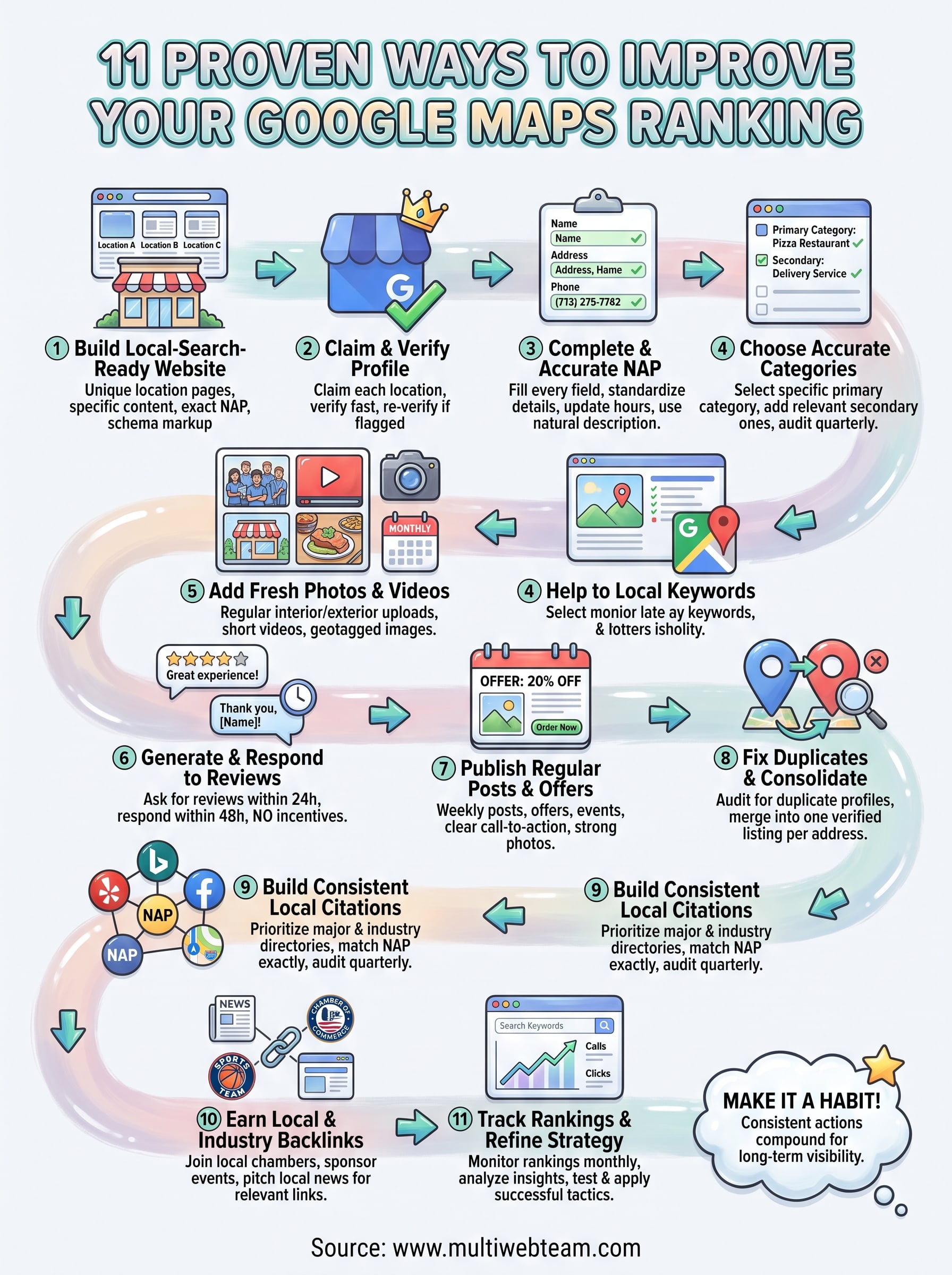
Ranking well on Google Maps isn't a one-time project you finish and forget. It's a routine of small, consistent actions: a fresh photo here, a review reply there, a citation fixed before it drifts further out of sync. Businesses that treat these 11 tactics as ongoing habits rather than a checklist to clear once will keep pulling ahead of competitors who set up a profile and walk away.
Multiple locations multiply the work, but they also multiply the payoff. Every location page you strengthen, every profile you complete, and every review you earn compounds into a local search presence that's hard for competitors to catch once you're ahead.
If managing all of this across your locations feels like more than your team can handle alongside everything else running the business, that's exactly the gap we fill. See how Multi Web Team can manage it for you so every location gets the attention it needs to rank.